
System alarm behavior
Fifi sets a real iPhone alarm through Apple’s AlarmKit rather than relying on a notification, allowing it to ring through Silent mode, Focus, and Do Not Disturb. The alarm does not require an internet connection to go off.

Fifi is an iPhone alarm that rings as a real system alarm and follows with a character-led spoken briefing. It is designed for people who want weather, selected headlines, or a personal voice note delivered as part of waking up.
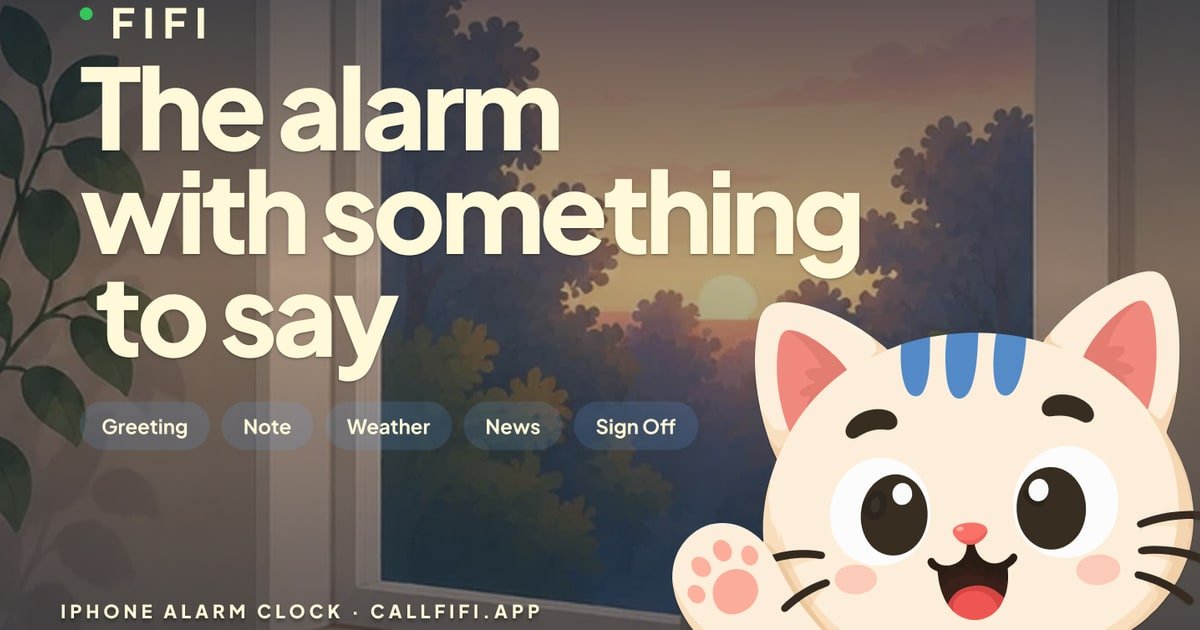
Fifi is an iPhone alarm designed to replace a conventional wake-up tone with a spoken interaction. You choose an alarm time and one of 10 character versions of Fifi; after you stop the system alarm, that character addresses you in a distinct voice and style.
The call can deliver a selected morning briefing: a greeting, an optional recorded voice note, local weather from Apple Weather, news headlines with their sources, and a sign-off. Each segment can be switched on or off. Fifi is in development and planned for the App Store, so it is not currently available to download.
Fifi sets a real iPhone alarm through Apple’s AlarmKit rather than relying on a notification, allowing it to ring through Silent mode, Focus, and Do Not Disturb. The alarm does not require an internet connection to go off.
After you stop the alarm, the selected character speaks inside a call-like experience. The iPhone still shows its normal alarm screen, and the call starts after the alarm is stopped.
Choose from 10 versions of Fifi, each with a distinct voice, greeting, script, costume, and room. All characters are included in the subscription.
Build the spoken briefing from separate switches for the greeting, voice note, weather, news, and sign-off. The call ends automatically after the enabled segments finish.
Record a note in your own voice or use a recording from someone else. The note plays as one segment of the briefing, between the character’s greeting and the rest of the morning information.
The alarm can use 49 ringtones grouped into bells, handsets, voices, digital, melodic, and alarm sounds. The site provides browser playback for the available tones.
Set a character with a firm or energetic style, such as Sergeant Fifi or Coach Fifi, when a spoken prompt is more useful than a conventional tone for starting the day.
Enable the local forecast and selected news headlines so the first morning information arrives in the briefing rather than requiring several apps to be opened immediately.
Record a reminder in your own voice, or ask someone else to record one, and place it inside the wake-up call as a personal prompt.
Switch between character styles and choose from the ringtone library for different mornings while keeping the same alarm workflow.
Fifi is an iPhone alarm that sets a real system alarm. After you stop the alarm, a selected character speaks a configurable briefing containing enabled segments such as a greeting, voice note, local weather, news headlines, and a sign-off.
Yes. Fifi uses Apple’s AlarmKit, so its alarm can ring through Silent mode, Focus, and Do Not Disturb. The alarm still displays the normal iPhone alarm screen; the character call starts after you stop it.
You choose an alarm time and the character who calls you. The briefing is assembled from individually switchable segments, including the greeting, voice note, weather, news, and sign-off. The available evidence does not specify further setup steps.
Fifi is planned for iPhone and is not available on Android. The product is still in development and has not yet shipped to the App Store.
Fifi is a paid subscription with weekly and annual options. The annual plan includes a 3-day free trial for eligible new subscribers; cancellation is handled in Apple Account settings. The trial is available once per Apple Account.
Tuck is a free menu bar manager for macOS 27 or later that lets users arrange, hide, search, and conditionally reveal Mac menu bar icons. It helps keep frequently used controls visible while preserving the layout across restarts and software updates.

Rank Kiwi is a Chrome extension for researching creator content on Instagram and YouTube. It ranks visible posts and channel uploads by a creator-relative Outlier Score, with filters and CSV or JSON export for content research workflows.

Letra is a menu bar OCR utility for macOS Sonoma 14 or later that copies text from screen regions, videos, PDFs, screenshots, and screen shares to the clipboard. It also supports on-device recognition, QR and barcode decoding, searchable capture history, and copied image or file input.

The Computer Game is a browser-based strategy and simulation game in which players progress from gathering raw materials to designing chips and building computers. It supports solo play, trading and world visits with other players, and optional collaboration with AI applications such as Claude or ChatGPT.

Naarchy is a free, open-source Linux desktop utility that gathers files, clipboard content, music controls, a timer, calendar access, and configurable widgets in one compact on-screen island. It is built with Rust and GTK4 for a Wayland-oriented workflow.

KernelAI is a mobile AI app that runs 53 open-weight models locally on iPhone, iPad, and Android devices. It helps users chat, work with documents and images, code, and use AI offline without an account or subscription.