
Separate participant browsers
Add a development URL and assign separate test accounts so each participant operates in an isolated browser session.

Jango is a macOS developer tool that uses AI participants in separate browser sessions to exercise multi-user web app workflows. It helps developers test chat, social, marketplace, order-book, and collaborative interactions with their own development accounts.
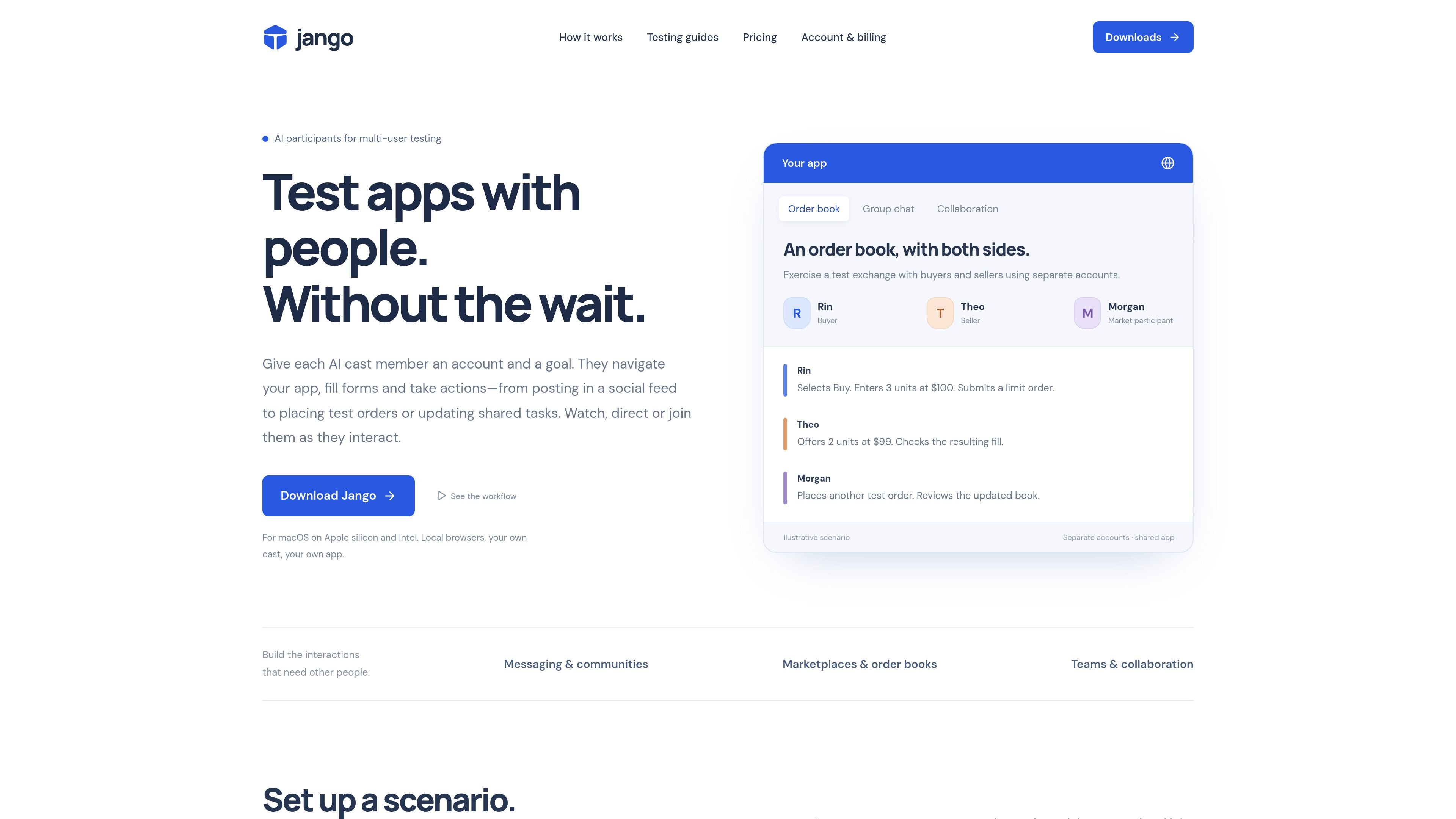
Jango is a macOS developer tool for testing web applications that require more than one account. It gives AI participants separate test accounts, browser sessions, and goals, allowing them to navigate pages, fill forms, post messages, place test orders, or update shared tasks while the developer observes the workflow.
The product is designed for development-time exploration of multi-user behavior in social apps, chat systems, marketplaces, order books, and collaborative workspaces. Developers can join a run with their own account, inspect what each participant sees, pause or redirect activity, and save a cast for a later pass after changing the app.
Add a development URL and assign separate test accounts so each participant operates in an isolated browser session.
Give participants roles, constraints, and goals such as posting, replying, placing an order, updating a task, or reviewing a shared state.
Watch participant screens, join the app with your own account, issue new directions, pause activity, and investigate a broken interaction while it happens.
Save casts, login state, checkpoints, observed controls, and participant memory so recurring situations can be resumed after an app change.
Runs can leave activity records, observable checks, comparisons, and evidence such as whether an expected message appeared or a navigation action was completed.
Use the dashboard, launch sessions from the terminal, or connect a coding assistant through MCP while keeping the cast and its memory together.
Create a private room with separate sender and recipient accounts, then compare message delivery, replies, ordering, attribution, unread indicators, and the view available to a participant who joins late.
Assign host, member, moderator, or newcomer roles to inspect invitations, membership states, posts, replies, private conversations, and changes in what each account can see.
Use owner, editor, and viewer accounts to follow invitations, task assignments, comments, role changes, and handoffs while checking whether shared state is understandable from each role’s view.
Run buyers and sellers through a sandbox order book or marketplace. Participants can navigate listings or order screens, submit test orders, and inspect the resulting shared state from separate accounts.
Jango is a macOS application for testing web apps with multiple AI participants. Add a development URL and test accounts, assign each participant a role or goal, and let them operate the app in separate browser sessions while you observe or join the run.
Each participant can navigate pages, click controls, fill forms, select options, upload supplied images, and take actions that are available through the controls Jango can observe. Specific results depend on the app and its browser interface.
Yes. You can log into the app with your own account while participants use their assigned accounts. Jango also supports directing participants, pausing activity, and inspecting their browser views.
Jango is intended for development-time exploration of multi-user workflows, not as a replacement for deterministic automated assertions, load tests, authorization tests, or research with real users. AI actions are not deterministic, and participants may miss controls or fail to follow directions.
Jango currently runs on macOS with Apple silicon or Intel processors. Browsers run locally on the computer, while projects, evidence, and browser checkpoints are stored in the account. Node.js and Chromium are bundled, so separate Node or Playwright installation is not required.

ByteAsk is a terminal-first AI coding agent for C and C++ that edits repositories and verifies changes with the real compiler, debugger, sanitizers, and tests before showing a diff. It offers a free tier plus paid plans, with editor connectors and zero-retention handling described in the source.

Manta AI is an autonomous web app testing tool for teams that want to map application behavior, catch regressions, and generate tests without writing scripts or maintaining selectors. It works from a URL and supports plain-English test flows, run results with screenshots, and scheduled or deployment-triggered checks.

CreateOS Sandbox is an isolated compute environment for running code and agent workloads inside Firecracker micro-VMs. It is designed for workflows that need machine-level isolation, private networking between sandboxes, and programmatic control through SDK, CLI, or MCP.

GitBot is a local browser-based workspace for creating reusable coding bots powered by Claude Code, Codex, or OpenCode. It helps developers run those agents across repository folders with persistent threads and configurable permissions.

hob is an independent workspace for coding agents that keeps agent sessions, terminals, history, and follow-up work organized around the tools and providers you already use. It is aimed at developers who want local control over routing, history, and workspace structure rather than a bundled model stack.

Ably Chat is a chat API platform for building custom realtime chat applications. It supports room-based messaging, typing indicators, presence, reactions, and message updates, with usage-based pricing options for different deployment stages.