
JSON formatter and validator
Format, validate, and minify JSON in the browser with syntax highlighting and error feedback.

JSON Kit is a browser-based suite of more than 40 JSON tools for developers, covering formatting, validation, conversion to TypeScript, Zod, and other formats, plus repair and inspection tools for AI-generated or API JSON. Core tools are free, run client-side, and do not send data to servers.
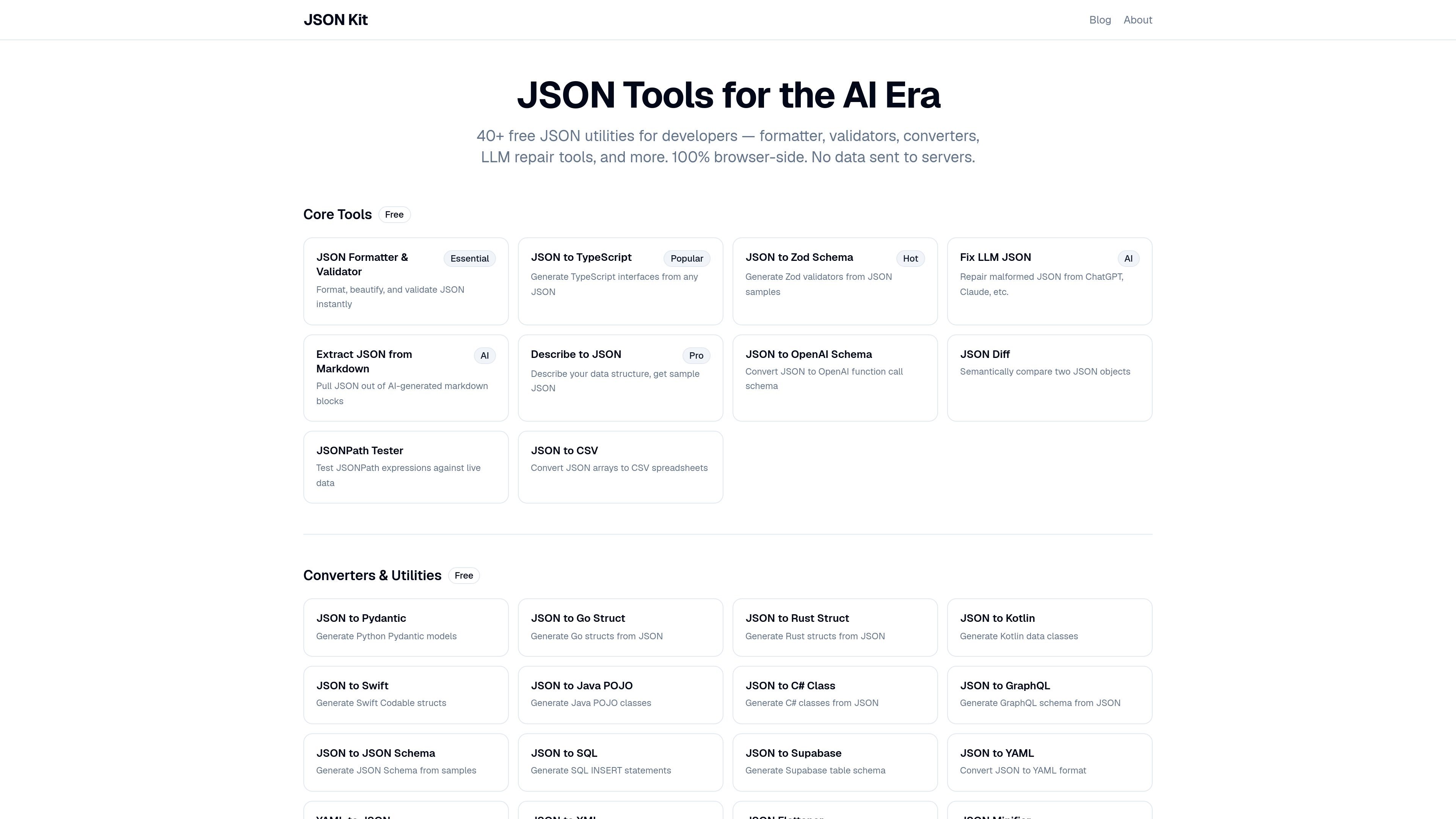
JSON Kit is a browser-based collection of JSON utilities for developers working with APIs, configuration data, and AI-generated structured output. The site groups more than 40 tools into core workflows such as formatting, validation, conversion, repair, and inspection.
Its main purpose is to reduce manual type and schema work around JSON. You can format or validate payloads, generate TypeScript or Zod from sample data, convert JSON into other code and schema formats, and repair malformed JSON produced by LLMs, all without sending data to a server.
Format, validate, and minify JSON in the browser with syntax highlighting and error feedback.
Convert JSON samples into TypeScript interfaces, Zod schemas, Pydantic models, Go structs, Rust structs, Kotlin classes, Swift structs, Java POJOs, C# classes, GraphQL, JSON Schema, SQL, Supabase, YAML, XML, CSV, mock data, and .env formats.
Repair malformed AI-generated JSON and extract JSON from markdown blocks produced by LLMs.
Generate named, split Zod schemas with `z.infer` type exports and optional format detection for values such as email, UUID, datetime, and URL strings.
Inspect and compare payloads with JSON Diff, JSONPath Tester, JSONL Viewer, JSON Flattener, and JSON to CSV utilities.
Work entirely in the browser using Monaco Editor, with support for large files and no server upload on the core tools.
Paste API responses or webhook payloads into the formatter to make them readable, catch syntax errors, and inspect the structure before debugging downstream code.
Turn sample payloads into TypeScript interfaces or Zod schemas when you need types and runtime validation for an API client or frontend app.
Repair malformed JSON from ChatGPT, Claude, or similar tools, then extract embedded JSON from markdown blocks for reuse in code or data pipelines.
Compare two JSON objects, flatten nested data, query paths, or convert arrays into CSV when you need to inspect payloads or move data into another format.
Use the wider converter set to generate schemas or stubs for languages and formats such as Pydantic, Go, Rust, Kotlin, Swift, Java, C#, GraphQL, YAML, XML, SQL, Supabase, or .env.
JSON Kit runs in the browser, so there is no account requirement for the free tools. The pricing page says the core tools are free forever and available with no sign-up needed.
The generated output can be copied into code files directly. The JSON to TypeScript tool produces interfaces or type aliases, and the JSON to Zod tool produces named schemas with `z.infer` type exports.
JSON Kit is built for browser-side use with common developer workflows: formatting and validating JSON, converting JSON to TypeScript, Zod, Pydantic, and other code or schema formats, and repairing malformed LLM JSON.
The source pages show browser-side processing for the core tools and mention free core tools plus a Pro plan coming soon for AI-powered features such as Describe to JSON. The page does not list exact Pro pricing yet.
The product pages mention use with API responses, AI-generated output, configuration files, and large JSON payloads. The formatter page says the Monaco Editor handles files up to about 50MB+, while the site emphasizes that data does not leave the browser.

ByteAsk is a terminal-first AI coding agent for C and C++ that edits repositories and verifies changes with the real compiler, debugger, sanitizers, and tests before showing a diff. It offers a free tier plus paid plans, with editor connectors and zero-retention handling described in the source.

Ghost è un assistente AI da terminale per chattare, generare codice ed eseguire task da riga di comando. Include modelli gratuiti, supporta Linux, macOS e Windows, ed è open source.

Devin is an AI coding agent and software engineer that helps developers and engineering teams plan and execute complex software tasks. It is available through desktop, cloud, JetBrains, and CLI surfaces, with plans for individuals, teams, and enterprises.

imgcook is a design-to-code tool that converts design drafts into front-end code. It supports plugin-based and developer workflows for Sketch, Photoshop, VS Code, and CLI usage.

Pi Coding Agent is a terminal-based coding agent for developers who want a minimal, extensible harness for interactive work and automation. It supports model switching, session branching, and multiple run modes including TUI, print/JSON, RPC, and SDK.

CreateOS Sandbox is an isolated compute environment for running code and agent workloads inside Firecracker micro-VMs. It is designed for workflows that need machine-level isolation, private networking between sandboxes, and programmatic control through SDK, CLI, or MCP.