
Shared organizational context
Bring employees and AI agents into a shared workspace where conversations, project work, and connected-tool context can contribute to organizational memory.

Kluff is a collaborative workspace where teams and AI agents share context across conversations, projects, files, and connected tools. It helps departments coordinate work, create repeatable flows, and review agent actions in one environment.
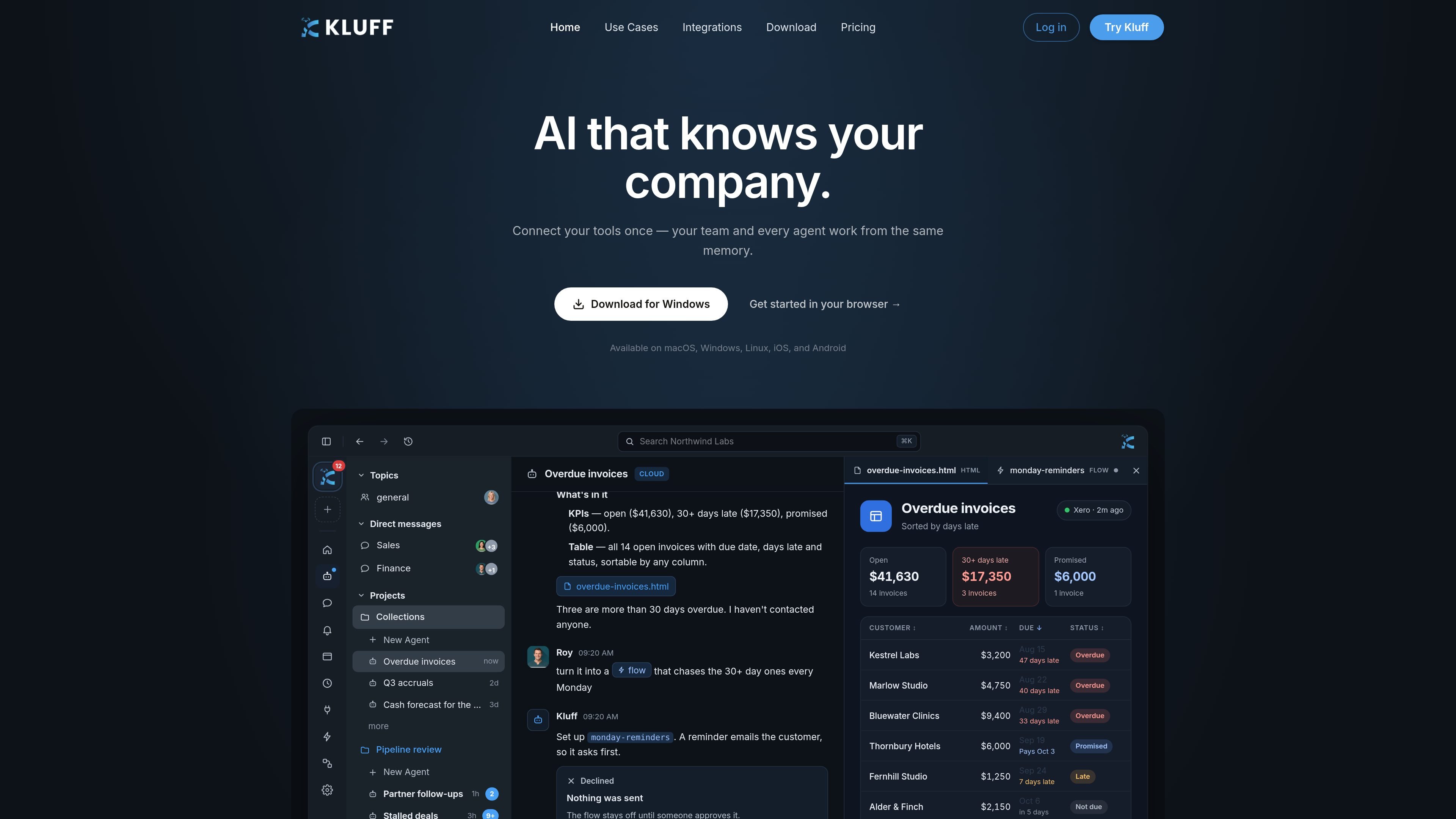
Kluff is a collaborative workspace for teams that use employees and AI agents together. It brings discussions, projects, files, connected tools, and agent work into a shared environment so context can carry across people and workflows instead of remaining in isolated chats.
The product supports everyday collaboration through topics, direct messages, and live Jams, as well as structured work through projects, agents, integrations, and scheduled flows. Teams can use it for tasks such as reviewing sales activity, preparing campaign materials, checking finance data, managing access during offboarding, or grouping recurring customer issues. Agent actions can be reviewed through approvals and notifications before they are carried out.
Bring employees and AI agents into a shared workspace where conversations, project work, and connected-tool context can contribute to organizational memory.
Use shared topics and private direct messages for discussion, then move work into projects with shared people, agents, files, and a main channel.
Start an agent thread, choose a model, review the resulting artifacts, and work with files and code in a project. Git-backed projects support branches, worktrees, and pull requests.
Connect tools across communication, CRM, support, productivity, development, analytics, storage, and other categories. The integrations page lists 89 available integrations, including Slack, Salesforce, Zendesk, Google Workspace tools, Jira, and GitLab.
Build repeatable workflows on a canvas and run them manually or on a schedule. The pricing page describes unlimited schedules and flows on Business.
Review what agents want to do from Notifications, approve or decline actions, and choose ask-first or automatic tool behavior. Enterprise adds policy controls and audit history.
Connect finance data such as Xero, ask for open invoices and overdue status, and produce a sortable tracker with key totals. A proposed Monday reminder flow can ask for approval before contacting customers.
Ask Kluff to show pipeline by stage and flag deals without recent activity, giving sales teams a shared view of follow-up needs and quiet opportunities.
Turn one campaign brief into search ads, email subject lines, and a landing-page headline while checking the work against the stated brand voice in the same workspace.
Run an offboarding dry run for a departing employee, including identity suspension, session termination, token revocation, issue reassignment, and ownership gaps that need attention.
Group support tickets by the underlying customer issue rather than by conversation, helping teams identify recurring problems and prioritize fixes that could reduce multiple tickets.
Kluff is a collaborative workspace where employees and AI agents share context across chats, projects, files, connected tools, and organizational memory.
Teams can work in shared topics, private direct messages, projects, and live Jams. Projects can include people, agents, files, and a main channel, while Jams caption calls and post summaries afterward.
Agents can be started in an agent thread, assigned a model, and used to produce artifacts. Users can review proposed actions in Notifications and choose whether tools should ask first or run automatically.
Kluff supports browser, desktop, mobile, and a Chrome side panel. The use-cases page also links to a Linux version with AppImage, Debian, and Ubuntu availability.
The Business plan is listed at $15 per user per month when billed monthly and includes a 14-day free trial. Enterprise pricing is custom and adds features including SSO and SCIM, policy controls, audit history, usage analytics, and dedicated support.

runevr is a connected workspace for creative teams that combines boards, media review, chat, recordings, drive, calls, and AI agents in one room-based environment. It is designed to reduce tool switching and keep project context together.

Biji è una piattaforma versatile progettata per migliorare la produttività attraverso strumenti e funzionalità innovative.

Dcyde is a decision log for product teams that captures what was decided, the reasoning behind it, and the source in one shared place. It supports pinning decisions from Slack, Figma, or inside Dcyde and keeps the record searchable over time.

Goldfish is an AI memory app for macOS that helps you reply, write, summarize, and continue using the context already on your Mac. It stores memory locally and writes in your tone.

Lasso is an ecommerce product data platform for enriching catalog records, processing supplier files, generating product content, and monitoring competitors. It combines a web app with a REST API, SDK, and MCP server for teams and developers.

ArtDeck is a visual reference board app for iPhone, iPad, and Mac that lets artists collect mixed reference material on one canvas and study it with ToolBox lenses. It works offline, supports optional iCloud sync, and is sold as a one-time purchase with no account required.