
Local appraisal on page
The extension evaluates listings directly in the browser on Amazon pages, so no account or cloud lookup is required during shopping.

Knockoff is a free browser extension for Chrome and Firefox that filters pseudo-brand and unbranded listings from Amazon search results. It appraises listings locally and lets you hide, dim, or label items with adjustable strictness.
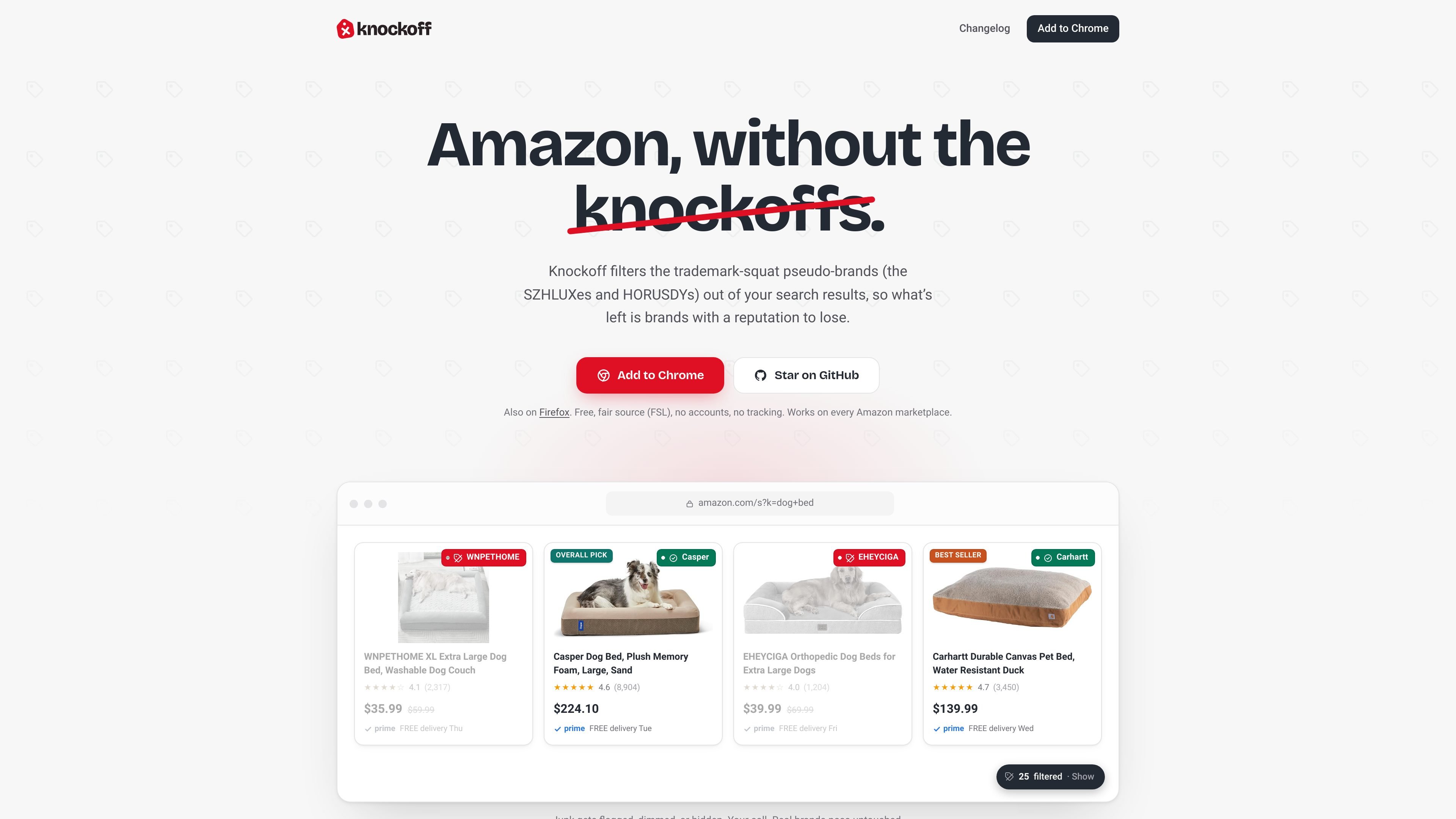
Knockoff is a browser extension for Amazon that filters pseudo-brand and unbranded listings out of search results. It is described as free and fair-source, and the source page says it works in Chrome and Firefox.
The extension appraises listings locally in your browser rather than sending shopping behavior to a cloud service. It compares unknown names against a curated list of more than 5,000 real brands, then lets you decide how aggressively to filter the results.
The extension evaluates listings directly in the browser on Amazon pages, so no account or cloud lookup is required during shopping.
A curated register of more than 5,000 real brands is refreshed daily. Recognized brands pass immediately, while unknown names are scored against pseudo-brand patterns.
You can choose Relaxed, Standard, or Strict. Filtered listings can be hidden, dimmed, or labeled, depending on how you want to review results.
A toggle can remove Amazon's paid Sponsored listings from search results. The feature is off by default.
You can trust or block brands yourself, and those personal lists override the other signals used by the extension.
Misclassification reports are one-click and anonymous. The site says reports update the shared brand list within a day without requiring a manual extension update.
Useful for shoppers who want to reduce noisy Amazon results and focus on established brands instead of pseudo-brand listings.
Helpful when you want a stricter or looser filter depending on the category you are browsing, using Relaxed, Standard, or Strict modes.
Appropriate for people who prefer to review borderline results visually, with dimmed or labeled items instead of fully hidden listings.
Useful for shoppers who want to remove Amazon's paid Sponsored results from search pages without changing the rest of the filtering behavior.
Good for users who notice recurring false positives or misses and want to correct them locally, or report them back to the shared list.
It is a browser extension for Chrome and Firefox that runs on Amazon search pages. After installing it, you can choose a strictness level and optionally override individual verdicts on a listing-by-listing basis.
The page content describes it as a free, fair-source browser extension. The pricing page currently returns a 404, so the source does not show any paid plans or tiers.
Knockoff can hide filtered listings, dim them until hovered, or label them with a warning chip. It can also strip sponsored listings if you turn that option on.
The source explicitly mentions Chrome and Firefox. It does not provide other platform, mobile, or browser compatibility details.
The product describes personal trust/block lists that override other signals, and a one-click report flow for misclassifications. It does not describe shared team workspaces or admin features.

Lasso is an ecommerce product data platform for enriching catalog records, processing supplier files, generating product content, and monitoring competitors. It combines a web app with a REST API, SDK, and MCP server for teams and developers.

DailyPlay.ai is a behavioral growth platform that uses AI site scanning and micro-games to help brands improve engagement and conversion. It supports web, mobile, and other digital touchpoints, with a one-line script setup and a free engagement scan.

EchoTik è una piattaforma di analisi dei dati di e-commerce di TikTok progettata per assistere i venditori e i creatori di e-commerce nel prendere decisioni basate sui dati per la selezione dei prodotti e l'analisi di mercato.

PicCopilot is an AI content platform for e-commerce that turns product photos into marketing visuals, model shots, videos, and social content. It offers a free plan plus paid tiers for templates, model swap, virtual try-on, and batch-oriented creation.

Krev AI is an ecommerce platform with role-based AI employees for market research, creative production, ad planning, and social publishing. It is built for brands that want product and brand context carried through connected growth workflows.

NanoCorp is a web-based autonomous AI company platform that turns a single prompt into a running business. It includes a free tier, a paid Founder plan, and tools for building, payments, outreach, ads, and reporting.