
Photo-to-content generation
Turn uploaded product photos into videos or images without starting from scratch. The home page and create page both emphasize photo-based generation as the main workflow.

Magic is a web-based AI tool for creating product videos and images from uploaded photos. It is aimed at e-commerce brands, creators, and marketers who need fast content for ads, social posts, and marketplace listings.
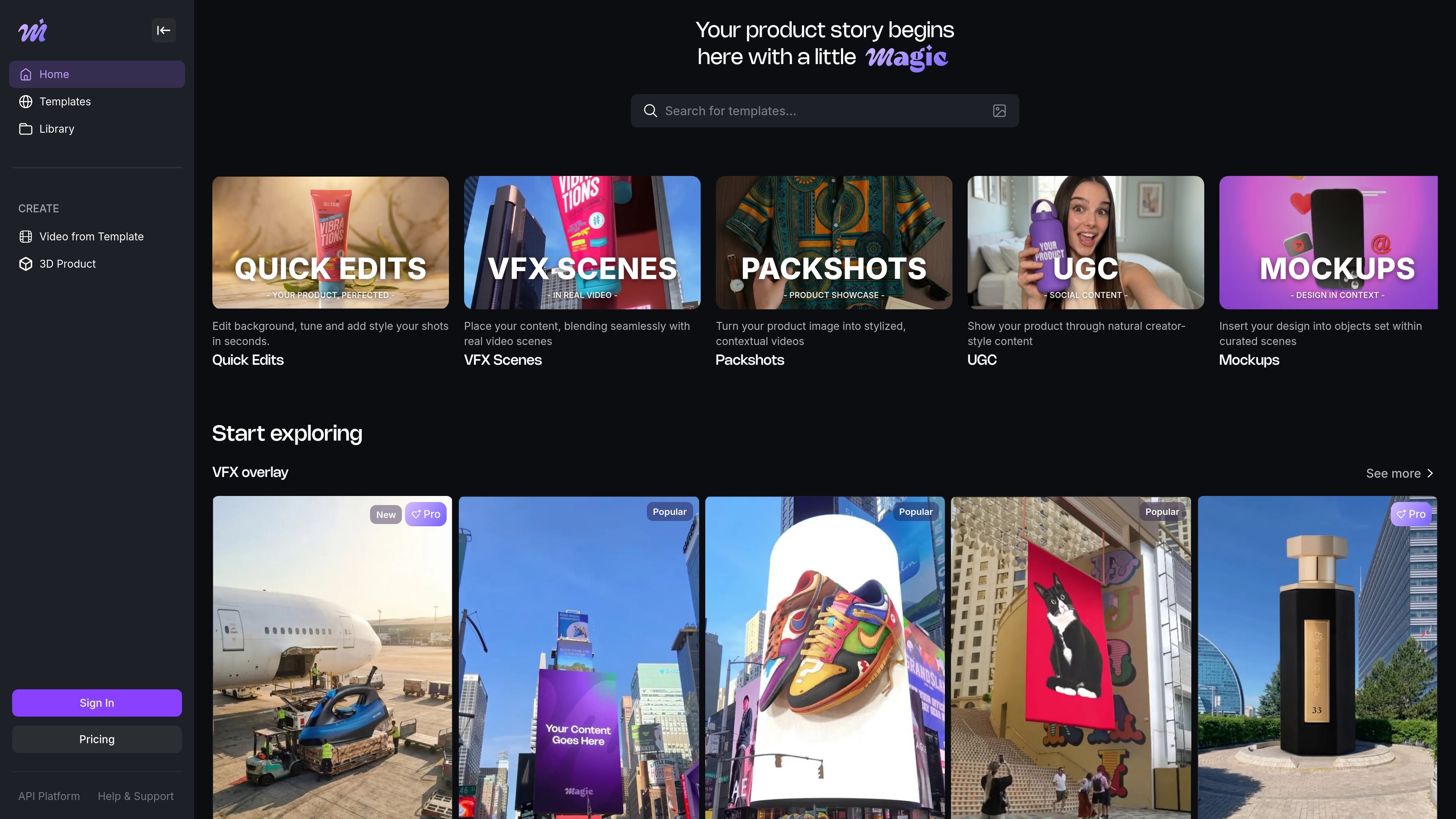
Magic is a web-based AI tool for creating product videos and product images from uploaded photos. The homepage positions it as a way to make professional-looking marketing assets without filming, while the create page shows a workflow centered on templates, photo uploads, and generation.
The product is aimed at e-commerce brands, creators, and marketers who need content for ads, social posts, and marketplace listings. The site also surfaces an image-to-3D path and a library/account area, and its pricing page shows free, Pro, and Business plans with higher-tier features for heavier usage.
Turn uploaded product photos into videos or images without starting from scratch. The home page and create page both emphasize photo-based generation as the main workflow.
Pick from template categories such as VFX overlay, Packshot, Mockup, UGC videos, Quick edits, and Drone show. The templates page also exposes themed options like Background Remover, Studio White, and 3D text animated.
Create assets intended for social and commerce channels, including Instagram Reels, TikTok videos, Amazon listings, and Facebook ads. The site positions the output for product marketing rather than general-purpose editing.
Use the image-to-3D workflow shown on the create page to transform product imagery into 3D-style content. The site surfaces this as a separate creation path alongside templates.
Work from an account-backed library and sign-in flow. The library page shows login with Google or email, which suggests saved work is tied to user accounts.
Choose between free and paid plans with different credit allotments and output limits. The pricing page shows 720p watermarked output on Free and Full HD, no watermark, and download/share on paid plans.
An e-commerce operator can upload product photos and generate short marketing videos or images for store pages, promotions, and campaigns without arranging a shoot.
A social media manager can use the template gallery to create content for Instagram Reels or TikTok, starting from a format that fits the channel instead of building every asset manually.
A marketplace seller can use the product-focused workflows to prepare imagery for Amazon listings and similar product pages, where polished presentation matters more than live-action filming.
A brand team can explore VFX overlay, packshot, mockup, UGC, and quick-edit templates to match different creative directions or product categories.
A higher-volume team can use Business plan features such as API access, concurrent renders, and custom templates to manage more content production at once.
Magic is a web-based AI product video and image creation tool. You start from uploaded product photos or a template, then generate assets for marketing use cases such as social posts, ads, and marketplace listings.
The source pages show a photo-to-video workflow, a template-based workflow, and an image-to-3D option. On the create page, users can choose a template, upload a file, and generate content.
The pricing page lists a free plan with 30 one-time credits, a Pro plan at $28 per month, and a Business plan at $149 per month. Paid plans include features such as Full HD resolution, watermark removal, and download/share options, depending on the plan.
The source pages indicate Magic is used for product videos, product images, and social media or ad content. The templates page specifically mentions Instagram Reels, TikTok videos, and Amazon listings.
The library page shows account sign-in, which suggests account-based usage. The pricing page also mentions Business features such as concurrent renders and dedicated support, indicating team-oriented capabilities on higher plans.

VIDEOAI.ME is an AI video generator for making spokesperson-style videos, ads, explainers, and social content from a script. It is aimed at founders, marketers, agencies, and creators who want to produce videos without filming.

Topview AI is a web-based AI video creation platform for social ads, ecommerce creatives, avatar videos, and short drama workflows. It combines channel-based templates, prompt-driven generation, reference uploads, and storyboard-based production tools.

DANCING CATS App turns cat pictures into dancing kitty clips. The public homepage is sparse, so the core use case is clear while pricing, outputs, and feature depth remain undocumented.

Official HeyGen API documentation for building AI avatar videos, translations, lipsync, and interactive video-agent sessions. It supports direct API use plus MCP and CLI-style workflows for developers and AI agents.

Wisry is an AI advertising studio for ecommerce brands that researches competitor ads, develops evidence-backed campaign concepts, and generates static and video creatives. It also supports editing and connected campaign workflows for Meta and Google.

ngram is an AI video generator and editor for teams and individual creators. It turns prompts, uploaded files, or screen recordings into editable videos for demos, training, onboarding, sales enablement, explainers, and launches.