
Analysis by webcam, video, or photo
The tool analyzes your cycling position from a live webcam, an uploaded video, or a side-profile photo. The site says the assessment can start within seconds after capture.

MyBikeFitting is a free online bike fitting tool that analyzes your cycling position from webcam, video, or photo. It returns practical saddle, handlebar, and stem recommendations without signup.
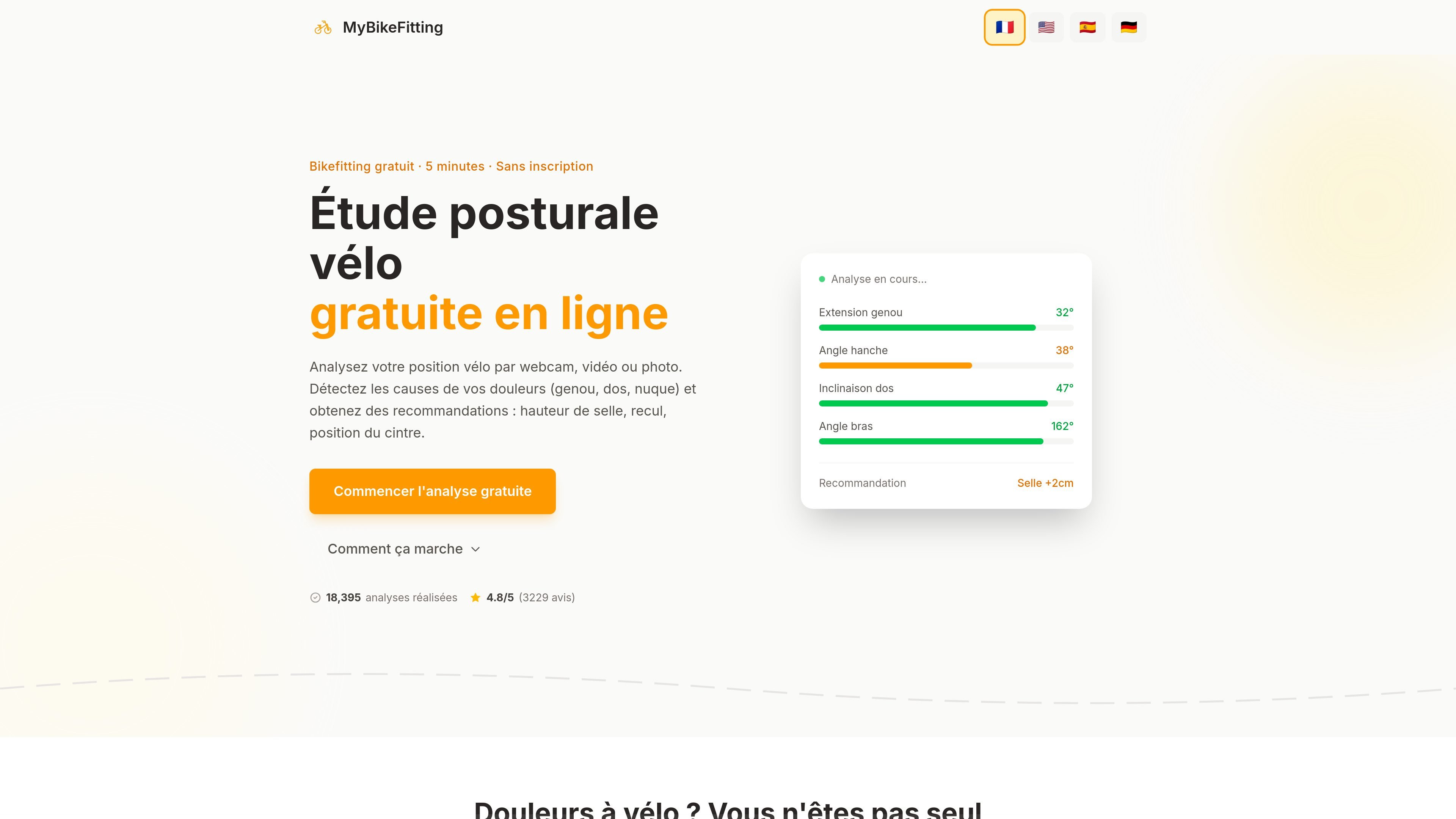
MyBikeFitting is an online bike fitting tool that analyzes a cyclist's position from a webcam, video, or photo. It aims to help users understand the possible source of knee, back, or hand pain, then get adjustment recommendations for the saddle, handlebar, and stem.
The service is presented as free, no-signup, and quick to use. The announced workflow combines a profile questionnaire, a position capture, and an analysis of key angles to produce position advice adapted to different riding styles, including road, mountain biking, gravel, city, and triathlon.
The tool analyzes your cycling position from a live webcam, an uploaded video, or a side-profile photo. The site says the assessment can start within seconds after capture.
The initial questionnaire covers riding style, possible pain points, goals, and body type. It is used to tailor the recommendations to the rider rather than relying on generic values.
The analysis measures four key angles: knee extension, hip angle, back incline, and arm angle. These measurements are used to assess position and identify useful adjustments.
The results include quantified, explained recommendations, including saddle height, saddle setback, handlebar, and stem. An example shown on the page includes a recommendation such as "Saddle +2 cm."
The site highlights capture tips to improve accuracy: side view, good lighting, fitted clothing, appropriate distance, pedal at the bottom dead center, and a stable support if possible.
Processing is presented as local: the video is analyzed on the device and the images never leave the browser. The site emphasizes that nothing is sent to a server.
A cyclist who feels knee pain can run the analysis to check whether saddle height or knee extension seem inconsistent with their position.
A user looking to improve comfort on long rides can use the questionnaire and video analysis to check back incline, hip angle, and saddle setback.
A road, gravel, or mountain rider can compare their current position with the suggested angle ranges and receive adjustment ideas for the saddle, handlebar, or stem.
A cyclist without dedicated sensors can take a simple side-profile photo or use a webcam to get an initial reading of their posture.
Someone already working with a bike fitter can use it as a starting point before an appointment, to prepare questions or confirm areas to work on.
Yes. The site says the analysis is "100% free," with no account to create and no credit card required.
The site says you only need a computer or a phone, plus your bike. You can use a live webcam, upload a video, or take a right-side profile photo.
The site presents the tool as a useful first analysis. For complex issues or persistent pain, it recommends consulting an IBFI-certified bike fitter or a professional.
The analysis is announced as compatible with road, mountain, gravel, city, and triathlon bikes.
The page says images and videos never leave the browser, and that the analysis runs directly on the device.

Teloframe is an AI-powered football coaching platform for building tactics, editing drills, planning sessions, and managing player development in one workspace. It includes a Free tier plus Pro and Club plans for coaches and analysts who need more collaboration and team features.

LeanUp is an AI calorie tracker and meal-planning app for logging meals, tracking macros, and getting personalized nutrition guidance. It supports barcode scanning, photo-based food recognition, manual search, and recipe reuse.

TrakMac is a voice-first macro tracking app for fitness-focused users on iOS. It estimates calories and macros from spoken meal descriptions, then helps users log food and stay aligned with their training goals.

Padel Chess is a web-based learning platform for improving padel tactical skills through puzzle-based practice. It helps players work on positioning, shot selection, and decision-making in realistic court scenarios.

PitchHighway helps singers learn songs with real-time pitch feedback, guided drills, and free browser tools for range testing, warm-ups, key finding, and note practice. It works in the browser and on iPhone and iPad.

what do i wear ✶ run suggests running outfits based on your location and the current weather. It factors in temperature, wind, humidity, UV, and rain, then updates recommendations hour by hour.