
Published schedules
Create schedules in the web portal, publish them for the team, and show staff a read-only version on the shop iPad instead of a draft editor.

PrepIt is coffee shop operations software that connects schedules, PIN clock in/out, tasks, checklists, recipes, inventory, tips, and training in one system. It is aimed at coffee shop owners, managers, shift leads, and staff working from a web portal and shared iPad station.
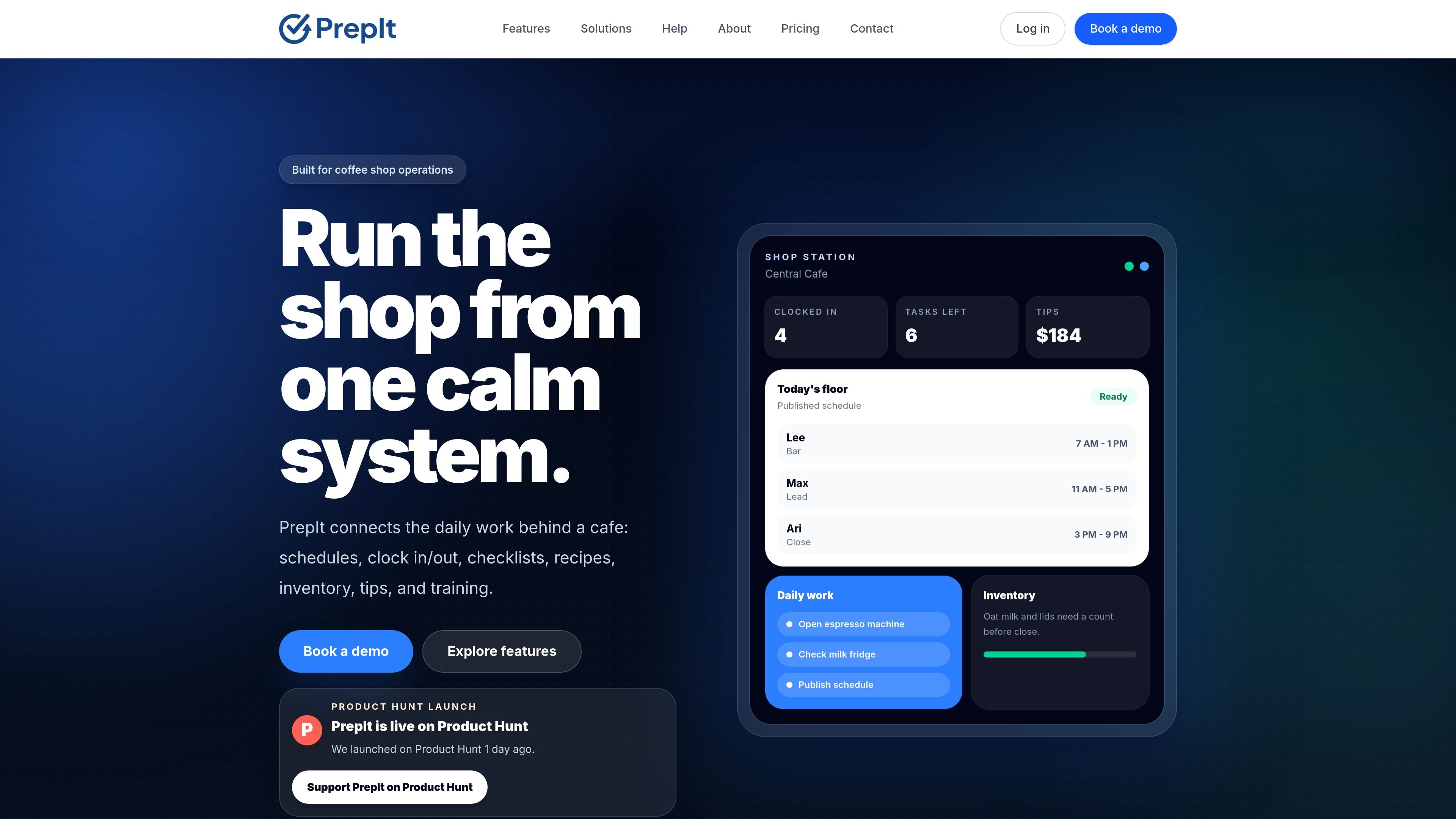
PrepIt is coffee shop operations software for running the daily work of a café from one connected system. The product brings together schedules, PIN clock in/out, tasks, checklists, recipes, inventory, tips, and training so managers and floor staff can work from the same operational context.
The system separates manager setup from floor use. Managers configure shops, employees, recipes, checklists, inventory, and schedule publishing in the web portal, while the shared iPad Shop Station gives staff a focused view for clocking in, checking work, and following station workflows without exposing private tools by default.
Create schedules in the web portal, publish them for the team, and show staff a read-only version on the shop iPad instead of a draft editor.
Employees clock in and out with PINs from the shared Shop Station while manager and private employee views stay gated.
Queue opening, closing, prep, and handoff work so teams can see what needs attention now, later, or between rushes.
Store recipe cards with ingredients, steps, photos, and batch prep details so floor teams can follow the same standard.
Track items by category, location, par levels, and low-stock checks around the active shop and what needs attention before the next rush.
Organize training and team readiness alongside the rest of the shop workflow instead of separating it into a different system.
Managers build the week in the web portal, publish the schedule, and keep the floor looking at the final version rather than an in-progress draft.
Employees use the shared iPad to clock in and out with a PIN while managers review hour logs and timekeeping records from protected tools.
Shift leads and staff use the station view for opening, closing, prep, and handoff work so the team can see what still needs to be finished.
Teams keep recipes, ingredients, steps, and photos close to the floor so batch prep and standard drinks follow the same reference.
Owners and managers track items, locations, par levels, and low-stock checks to see what needs replenishing before service gets busy.
PrepIt separates the published schedule, clock-in/out workflow, and private manager views. On the shared iPad Shop Station, employees can clock in and out with a PIN without opening private employee information.
Managers can use protected review workflows and the web portal to review timekeeping, hour logs, and related operational records. Regular staff do not get access to manager-only controls by default.
The product materials describe pricing for coffee shops that includes a base platform fee plus a per-shop fee. Early access billing is request-based, so checkout is not self-serve on the pricing page.
PrepIt is designed around manager setup in the web portal and floor use on the Apple shop station iPad. The source pages do not describe non-Apple device support or additional platform availability.
The source pages describe connected workflows for schedules, clocking, tasks, checklists, tips, recipes, inventory, training, and shop-station operations. They do not list third-party integrations on the pages provided.

Fountain is a frontline workforce platform for hiring, onboarding, sourcing, and scheduling at high-volume employers. It combines Frontline OS with partner integrations and AI-assisted workflows to help teams move candidates and workers through frontline operations.

GitBoard è un’app nativa per la barra dei menu di macOS per GitHub Projects: visualizza la kanban, filtra per stato, cerca issue e crea/assegna.

Biji è una piattaforma versatile progettata per migliorare la produttività attraverso strumenti e funzionalità innovative.

Liam is an AI copilot for managing inboxes, writing replies, prioritizing email, and scheduling meetings. It is offered free for individuals, with custom pricing for teams and enterprise.

Codex Plugins bundle reusable skills, app integrations, and MCP servers into workflows you can install in the Codex app or use from Codex CLI. They help extend Codex with connected-service tasks, reusable instructions, and shared team workflows.

Struere is an AI-native platform for turning spreadsheet data into structured operational software with dashboards, alerts, and automations. It is aimed at teams that want to replace manual spreadsheet workflows without building custom tools from scratch.