
Trigger-based chips
Supports structured prompt entry with @mentions, /commands, #tags, and custom callbacks so typed tokens become chips instead of plain text.

Prompt Area is a React chat and prompt input component for AI interfaces. It supports mentions, slash commands, tags, markdown, and file attachments, with install options through npm or the shadcn registry.
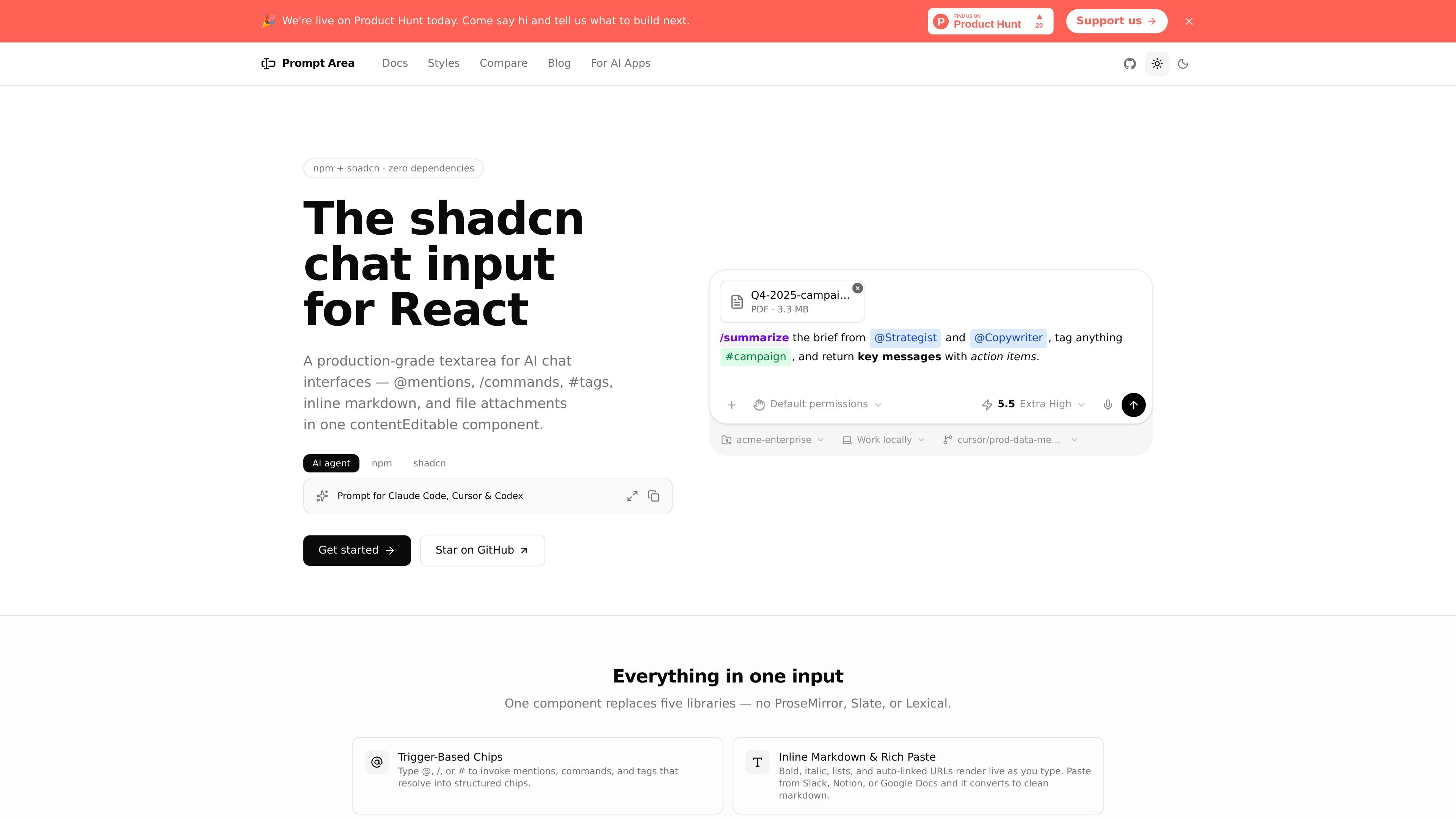
Prompt Area is a React chat and prompt input component built for AI interfaces. It combines structured text entry, inline markdown, and attachment handling in a single contentEditable component so teams can replace a stack of separate libraries with one purpose-built input.
The site describes it as a zero-extra-dependencies option for prompt composers rather than a general document editor. It is distributed through both npm and the shadcn registry, and the docs emphasize that the shadcn route copies source into your project while the npm route installs a versioned package with a self-contained stylesheet.
Supports structured prompt entry with @mentions, /commands, #tags, and custom callbacks so typed tokens become chips instead of plain text.
Handles bold, italic, lists, auto-linked URLs, rich paste, and live markdown rendering for chat-style composing.
Includes a full undo stack with Ctrl+Z and Ctrl+Shift+Z so changes can be reversed consistently.
Supports file and image attachments with thumbnails, loading states, and remove controls built in.
Ships companion UI pieces such as Action Bar, Status Bar, Compact Prompt Area, and Chat Prompt Layout for building complete chat interfaces.
Provides keyboard navigation, ARIA labels, screen reader announcements, and focus management, plus light and dark theme support via CSS variables.
Add a chat composer to an AI product where users need mentions, commands, tags, markdown formatting, and file attachments in one input.
Replace a plain textarea in a React app with structured prompt entry while keeping the implementation focused on a single input component.
Build a richer chat UI with add-on pieces such as an action bar, status bar, compact input, or full chat layout.
Use the shadcn registry route when your project already uses shadcn/ui and you want to copy the source into your codebase for customization.
Choose the npm package route when you want a versioned dependency and a stylesheet that can be imported without Tailwind setup.
Prompt Area is built for React projects that need a chat or prompt composer with structured input, including mentions, slash commands, tags, markdown, and attachments. The docs position it as a focused alternative to full document editors when the goal is prompt entry rather than rich text editing.
The docs show two install paths: install the npm package with a package manager, or add the component through the shadcn registry. The shadcn path expects a React project that already uses Tailwind CSS and shadcn/ui.
The package exports the PromptArea component plus the usePromptAreaState hook, trigger presets, segment helpers, and types. The docs also mention companion components such as Action Bar, Status Bar, Compact Prompt Area, and Chat Prompt Layout.
Prompt Area is described as having zero runtime dependencies, with clsx and tailwind-merge listed as peer dependencies. The source also says the self-contained stylesheet means no Tailwind setup is required for the npm package route.
The comparison pages say Prompt Area is not intended for full document editing. If you need blocks, tables, columns, or real-time collaboration, the site recommends frameworks like Tiptap, Lexical, or Plate.js instead.

ByteAsk is a terminal-first AI coding agent for C and C++ that edits repositories and verifies changes with the real compiler, debugger, sanitizers, and tests before showing a diff. It offers a free tier plus paid plans, with editor connectors and zero-retention handling described in the source.

Epherem is a static security scanner for web apps built with AI coding tools such as Lovable, Bolt, v0, Replit, Cursor, and Claude Code. It checks source files and dependencies for common security mistakes, then provides categorized findings and suggested fixes without running the app.

CreateOS Sandbox is an isolated compute environment for running code and agent workloads inside Firecracker micro-VMs. It is designed for workflows that need machine-level isolation, private networking between sandboxes, and programmatic control through SDK, CLI, or MCP.

GitBot is a local browser-based workspace for creating reusable coding bots powered by Claude Code, Codex, or OpenCode. It helps developers run those agents across repository folders with persistent threads and configurable permissions.

hob is an independent workspace for coding agents that keeps agent sessions, terminals, history, and follow-up work organized around the tools and providers you already use. It is aimed at developers who want local control over routing, history, and workspace structure rather than a bundled model stack.

Ably Chat is a chat API platform for building custom realtime chat applications. It supports room-based messaging, typing indicators, presence, reactions, and message updates, with usage-based pricing options for different deployment stages.