
Image-to-stamp workflow
Upload an image and place it into a stamp-shaped composition through the built-in drop area.

Ravioli is a web app for turning images into postage stamp-style graphics with perforated edges. It supports multiple edge styles and exports to PNG or SVG.
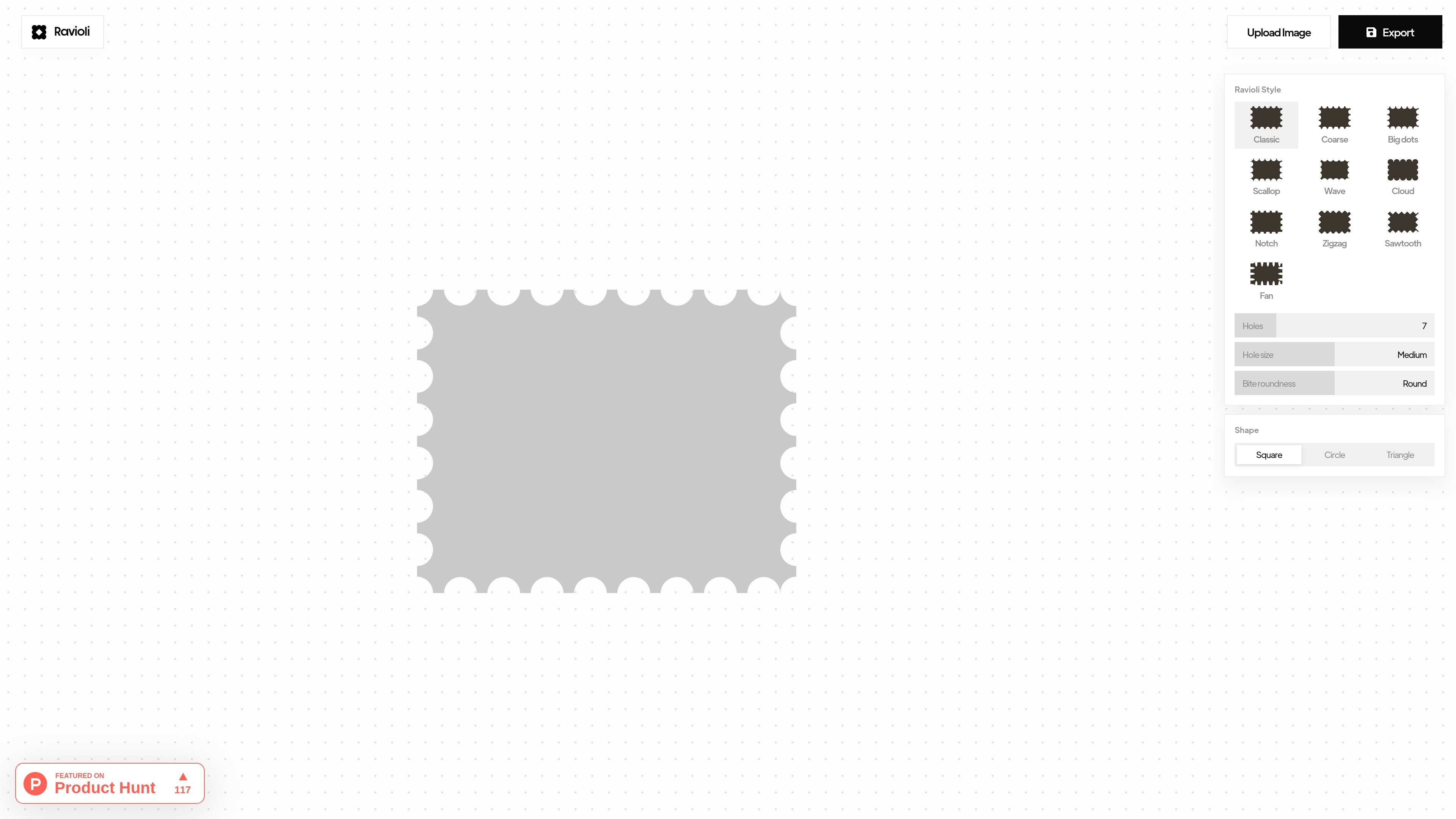
Ravioli is a web-based postage stamp edge generator for turning an image into a stamp-style graphic. The page presents a direct workflow: upload an image, choose an edge style, adjust the stamp settings, and export the result.
It supports both raster and vector output, with PNG for transparent image export and SVG for clean scaling. The available controls suggest it is aimed at quick visual mockups, decorative graphics, and other image compositions that need a perforated border.
Upload an image and place it into a stamp-shaped composition through the built-in drop area.
Export as PNG for raster output with transparency support, or as SVG for a scalable vector file.
Choose from multiple perforation styles, including Classic, Coarse, Big dots, Scallop, Wave, Cloud, Notch, Zigzag, Sawtooth, and Fan.
Tune the stamp look with controls for hole count, hole size, bite roundness, and overall shape.
Switch between Square, Circle, and Triangle stamp shapes to change the silhouette of the output.
Prepare a stamp-style visual for a presentation, landing page mockup, or social graphic without building the perforated edge manually.
Export a transparent PNG when the stamp needs to be placed over another design or background.
Create a vector SVG when the output needs to scale cleanly across different sizes.
Experiment with different perforation styles, shapes, and hole settings to compare stamp looks before choosing one.
Turn an existing illustration or photo into a decorative stamp treatment for a poster, card, or similar visual asset.
Yes. The interface includes an Upload Image control and a drop area labeled for filling the stamp, so the workflow starts by adding an image and then adjusting the stamp settings before export.
The page shows export options for PNG and SVG. PNG is described as raster and supports transparency, while SVG is described as vector and scales cleanly.
The tool exposes several edge styles, including Classic, Coarse, Big dots, Scallop, Wave, Cloud, Notch, Zigzag, Sawtooth, and Fan, so you can choose the look of the perforated border.
The page does not show a dedicated pricing page or detailed plan information. The pricing URL returned a 404, so pricing should be confirmed elsewhere if needed.

Pixelcut is an AI photo editor for creating and editing product images, social content, and video assets. It offers free and paid plans, plus mobile app and browser access for individual users and teams.

Petalica Paint is a web service for automatically coloring line art and tracing line drawings from photographed images. The home page says it can be used under the stated terms for commercial and noncommercial work, but it is scheduled to end on 2025-07-31 at 16:00 JST.

PixelDrive is a bulk image generation API for creating many on-brand images from one template through a browser editor, REST API, CSV batch, or MCP. It suits teams that need repeatable image output with cacheable renders and usage-based pricing.

Wearvue AI generates personalized outfit previews from a photo, lets users refine the style for an occasion, and surfaces similar real products to shop. It is aimed at people who want to preview outfit ideas before buying and compare them with shoppable alternatives.

Upscale.media is an AI image upscaling and enhancement tool from Pixelbin that enlarges low-resolution or pixelated images and improves clarity in the browser. It offers free individual image use, paid credit plans, and team-oriented workflows such as bulk processing and API integration.

Napkin AI trasforma il testo in elementi visivi modificabili per presentazioni, documenti e contenuti condivisibili. Generazione da testo, collaborazione ed export in PPT, PNG, SVG o PDF.