
Photo and video scan input
Upload a still image or a short video clip. The product says it processes both with equal accuracy, which gives users flexibility when a part is hard to photograph well.

Recume is a web-based AI car scanner that analyzes photos or short videos of car parts and returns a diagnosis, repair cost estimate, and follow-up guidance. It is built for drivers who want a quick first read on visible vehicle issues before visiting a mechanic.
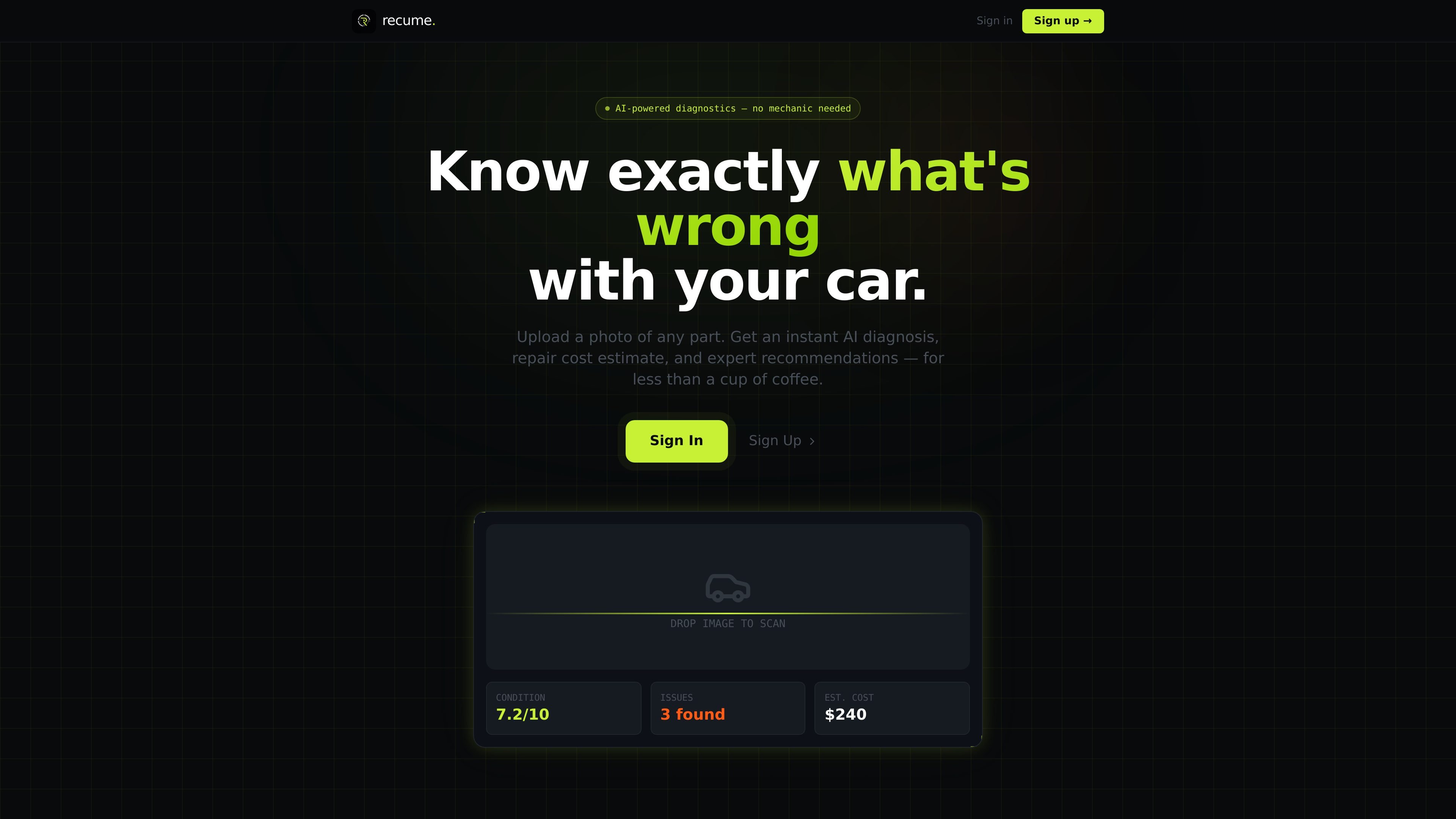
Recume is a web-based AI car scanner that analyzes photos or short videos of vehicle parts and returns an automated diagnosis. The homepage positions it as a fast way to understand what is wrong, how serious it may be, and what repair costs could look like before talking to a mechanic.
The core workflow is simple: upload a part, let the system analyze it, then review a condition score, detected issues, severity rating, and estimated repair range. Recume also supports follow-up questions after the scan and says it can track scan history and send maintenance reminders.
Upload a still image or a short video clip. The product says it processes both with equal accuracy, which gives users flexibility when a part is hard to photograph well.
The AI identifies damage, wear, and failures, including hairline cracks according to the homepage copy. Results include a condition score, detected issues, and a severity rating.
Recume returns low, mid, and high repair cost estimates with labor and parts broken out by region, which makes the result more actionable than a simple pass/fail assessment.
After a scan, users can ask questions such as whether it is safe to drive or whether a repair is DIY-friendly. The site describes this as unlimited follow-up chat.
The workflow includes downloadable PDF reports, with the homepage noting the feature is coming soon. The product also says it tracks scan history and can send maintenance reminders.
Use Recume when you want a quick first look at a visible problem on an engine component, tire, brake, exhaust, or body panel without booking a shop visit immediately.
After a scan, review the cost range and repair breakdown to get a rough sense of what a mechanic quote might include in your region.
If you are deciding whether a car is safe to drive or whether a repair can wait, the follow-up chat is meant for immediate, context-based questions.
Keep a record of repeated scans and use maintenance reminders to follow small issues over time before they become larger repairs.
Capture a short video when a still photo does not show the issue clearly, such as a crack, wear pattern, or area with multiple visible problems.
Recume is a web-based AI car scanner. You upload a photo or short video clip of a car part, and the system returns a condition score, detected issues, severity rating, and a repair cost range.
The site says you can scan engine parts, tires, brakes, exhaust, body panels, and other car parts. It is designed for photo or video input rather than a full service manual replacement.
Recume says scans can be completed in seconds, with an average scan time of under five seconds shown on the homepage. The flow is upload, analyze, diagnose, then ask follow-up questions or act on the result.
The homepage shows a free plan with one scan per month forever and a Pro plan starting from $4.99 per month. The pricing comparison also shows a higher Pro price point of $19.99 per month alongside the free option, so the exact plan structure should be confirmed on the pricing page before purchase.
The site does not show integrations with external tools. It does say PDF export is coming soon, maintenance reminders are included, and VIN decoding appears to be available only on paid plans.

Snapmark is a VS Code extension that lets you annotate clipboard screenshots before pasting them into AI chats. It supports blur redaction, numbered callouts, and automatic resizing for large images.

Arduino VENTUNO Q is an edge AI computer for AI and robotics applications. It combines AI inference and deterministic control on a single board and is designed to work with Arduino App Lab.

A free C++ person-pixelation project that anonymizes people in video using OpenCV and neural network segmentation. It is aimed at developers building privacy-focused live video or browser-based computer-vision applications.

Faceswapai.Online is a web-based AI face swap tool for photos and videos, including multiple-face workflows. It offers free-to-try access without sign-up and paid credit-based VIP features for larger or longer jobs.

Muse Spark Open is a Meta vision-language model on Hugging Face that combines an image with a text prompt to generate a textual response. It is intended for visual question answering, image description, multimodal assistant workflows, and permitted model adaptation, subject to its license and Usage Policy.

Vectorizer.AI converts raster images into vector formats such as SVG, PDF, EPS, and DXF, with a browser-based workflow and developer tools for automation. It is designed for users who want previewable, editable vector output from logos, artwork, sketches, scans, and other bitmap images.