
Universal inbox
Bring tasks, calendar events, meetings, notes, messages, and notifications into a unified inbox so work is captured in one place instead of spread across multiple tools.

Routine is a productivity workspace that combines tasks, calendar management, and notes with AI features for planning, capture, and meeting follow-up. It is designed for individuals and teams that want scheduling and task tracking in one app.
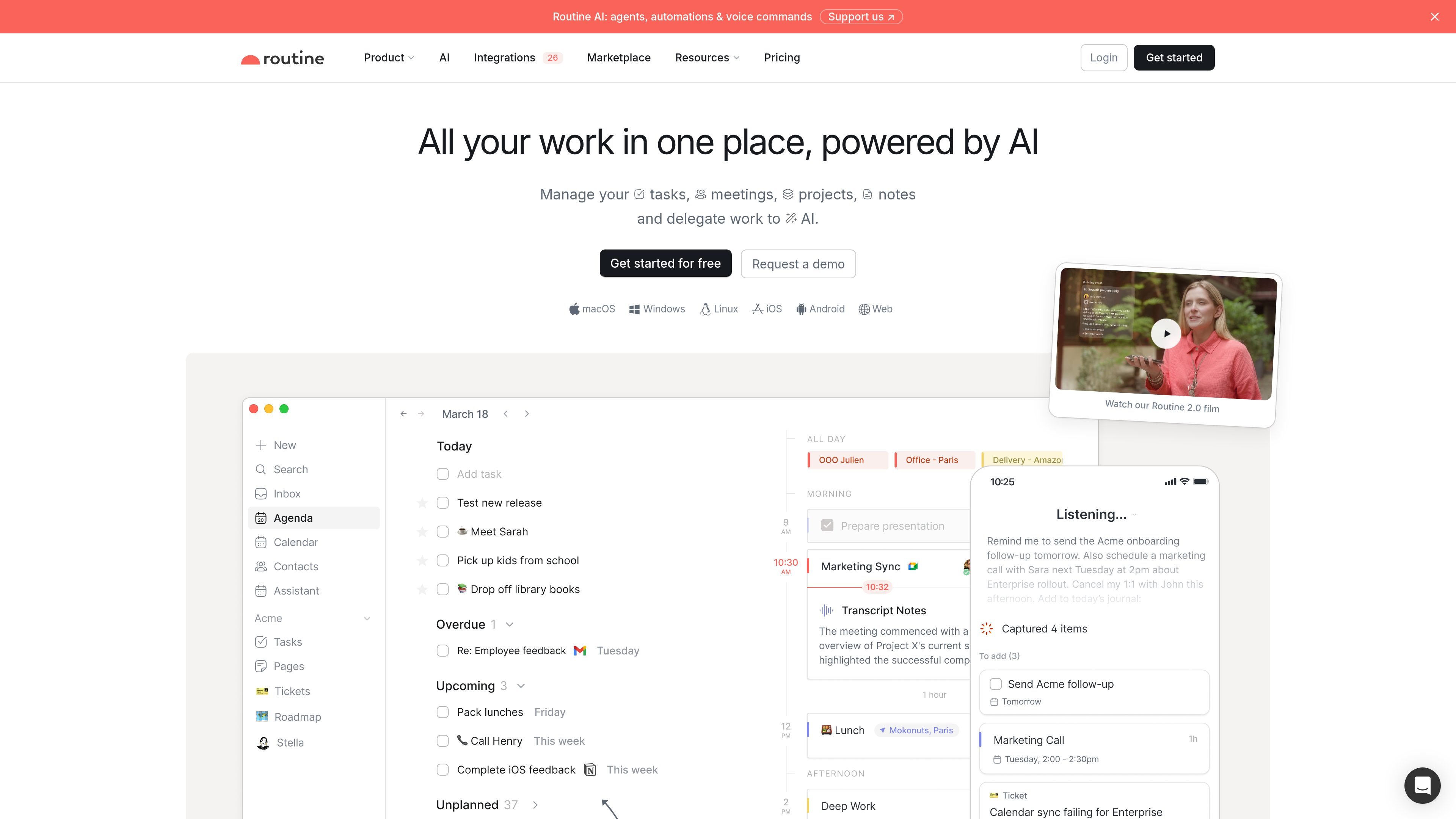
Routine is a workspace for tasks, calendar management, and notes that brings day planning into one place. The product pages describe it as an app for capturing work, organizing meetings, and planning time with AI assistance.
Its core workflow combines a unified inbox, planner, calendar layouts, time blocking, and AI features such as voice commands, meeting notes, automations, and contextual capture. The result is a system designed to help people manage daily work without switching between separate tools for scheduling, note taking, and task tracking.
Bring tasks, calendar events, meetings, notes, messages, and notifications into a unified inbox so work is captured in one place instead of spread across multiple tools.
Plan work and events on a single screen, with calendar layouts such as week, 5-day, and month views plus time blocking for important tasks.
Capture tasks quickly from the desktop, add context as you create them, and use contextual capture and AI autofill to structure work faster.
Use voice commands and an AI assistant to create tasks, schedule meetings, reschedule work, capture notes, answer questions, and surface relevant items using workspace context.
Automatically transcribe meetings, summarize key points, extract action items, and convert them into tasks and notes inside Routine.
Create custom databases, custom types, views, workspaces, labels, priorities, projects, and recurring tasks to shape the app around your workflow.
Plan your day by reviewing tasks next to your calendar, then block time for the items that need focused attention.
Capture tasks or notes on the go with voice commands, then let the assistant organize them later using workspace context.
Use AI meeting notes to transcribe discussions, summarize decisions, and turn action items into tasks that can be scheduled or delegated.
Unify work across teams by using workspaces, access control, and shared databases to keep projects and knowledge organized.
Centralize items from connected services in a unified inbox and databases so related work is easier to track and search.
Routine combines tasks, calendars, and notes in one workspace. The source pages describe it as a single app for planning work, capturing information, and organizing meetings with AI support.
Yes. The pricing page lists plans for Individuals, Teams, and Enterprise, with a free plan available for individuals and paid plans for Personal, Professional, Business, and Enterprise use.
Routine is available on Android, iPhone, Linux, macOS, Web, Windows, and Apple Watch, with iPad listed as coming soon. The pricing page also notes offline mode on the Free plan.
The source says Routine can transcribe meetings, summarize them, extract action items, and turn those action items into tasks and notes inside the workspace.
Routine’s AI assistant can use voice commands, answer questions, prepare your day, reschedule meetings, capture notes, and automate repetitive tasks. The source also says it has access to tasks, calendars, events, notes, and contacts for context.

Biji è una piattaforma versatile progettata per migliorare la produttività attraverso strumenti e funzionalità innovative.

Liam is an AI copilot for managing inboxes, writing replies, prioritizing email, and scheduling meetings. It is offered free for individuals, with custom pricing for teams and enterprise.

Dcyde is a decision log for product teams that captures what was decided, the reasoning behind it, and the source in one shared place. It supports pinning decisions from Slack, Figma, or inside Dcyde and keeps the record searchable over time.

runevr is a connected workspace for creative teams that combines boards, media review, chat, recordings, drive, calls, and AI agents in one room-based environment. It is designed to reduce tool switching and keep project context together.

Carbon Voice is an asynchronous voice messaging app for teams and individuals, with transcripts, AI catch-up, and cross-device access. It helps people and agents communicate without needing a live call.

Goldfish is an AI memory app for macOS that helps you reply, write, summarize, and continue using the context already on your Mac. It stores memory locally and writes in your tone.