
Chat-based campaign drafting
Describe your app in chat and the system drafts country-by-country Apple Search Ads campaigns based on that input, including localized keywords.

SearchAd AI is a web app for planning and launching Apple Search Ads through chat, with an approval step before any campaign changes are deployed. It helps app developers and growth teams draft country-by-country campaigns and review performance with optional RevenueCat reporting.
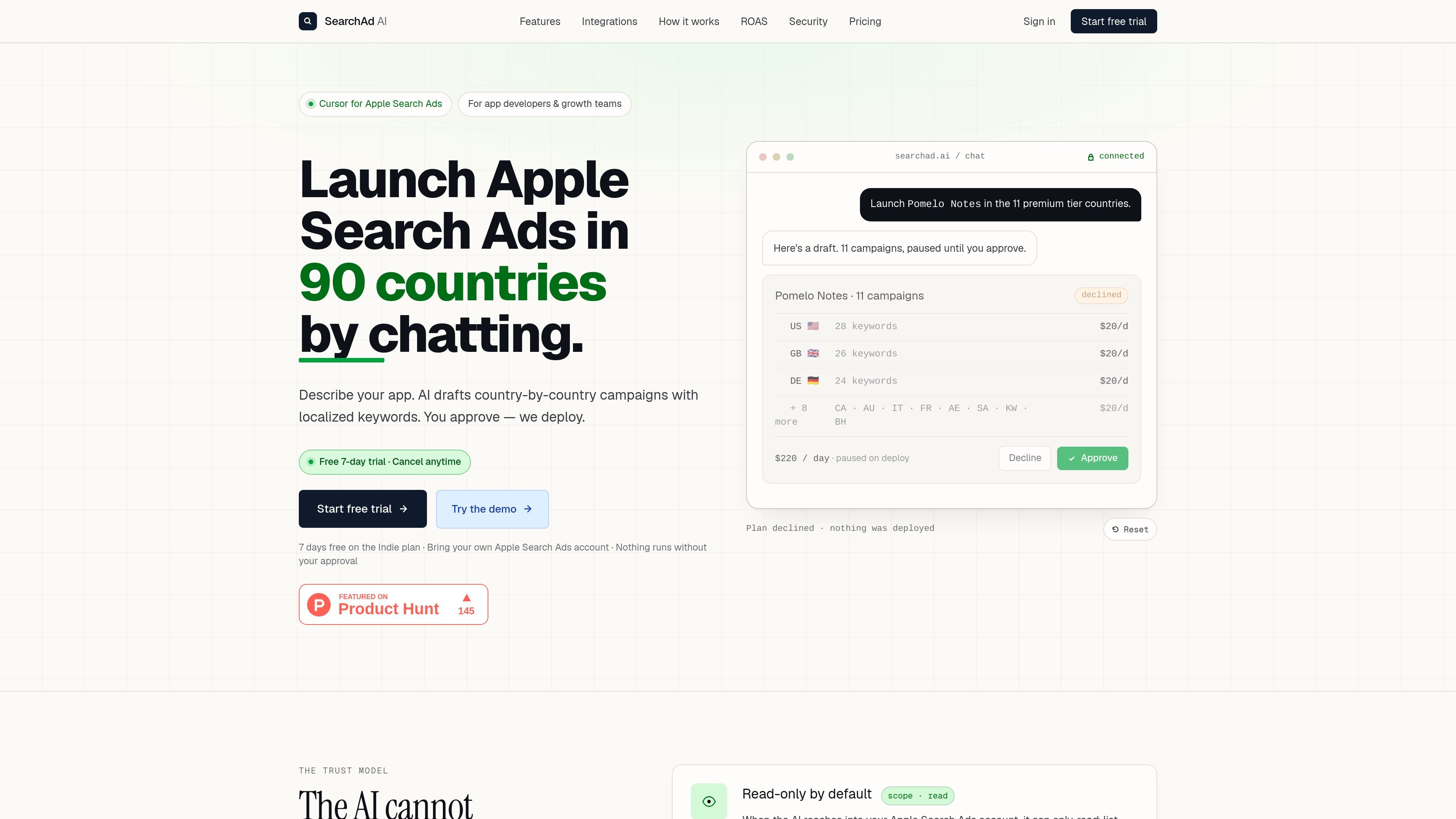
SearchAd AI is a chat-based tool for planning and launching Apple Search Ads campaigns. It is aimed at app developers and growth teams that want to create country-specific campaigns, review the draft, and approve the deployment before anything is sent to Apple.
The product centers on a strict approval workflow: the AI can read account data, draft campaigns, and propose changes, but it cannot write to Apple Search Ads until a user explicitly approves the plan. The site also shows a setup flow for connecting an Apple Search Ads account, a sandbox demo mode, and reporting that can include RevenueCat revenue data for ROAS analysis.
Describe your app in chat and the system drafts country-by-country Apple Search Ads campaigns based on that input, including localized keywords.
Plans are created as drafts and only become active when you approve them, so writes to Apple Search Ads are gated behind an explicit action.
The product supports launching campaigns in 90 countries and can build per-country plans with separate budgets and bids.
The demo and setup flow both emphasize read-only access by default, with the ability to invite SearchAd AI as an API Account Manager or paste API credentials.
The dashboard includes Apple-side metrics such as spend, installs, and CPA, and adds revenue and ROAS when RevenueCat is connected.
Users can review pending plans before applying them, and the interface keeps proposed changes visible for approval or decline.
Use the chat interface to turn a short app description into a draft campaign structure with localized keywords and country-level budgets, then approve only when the plan looks right.
Review existing campaigns, live spend, and performance summaries without making changes, which is useful when you want a read-only check before deciding on a new action.
Connect RevenueCat to compare spend with revenue and ROAS in the dashboard, making it easier to judge whether acquired installs are profitable.
Use the sandboxed demo workspace to explore the workflow with sample apps, campaigns, and revenue before connecting a real account.
Connect via invite or API credentials, depending on whether you want the fastest path through account setup or prefer direct credential entry.
SearchAd AI is set up to connect to an Apple Search Ads account either by inviting the service as an API Account Manager or by pasting Apple Search Ads API credentials. The demo flow also offers a sandboxed workspace that skips credentials.
The source says deployments land paused by default and nothing writes to Apple Search Ads until you tap Approve plan. The app also states that you can revoke access any time from Apple Search Ads account settings.
The product is designed for Apple Search Ads campaigns, including drafting country-by-country campaigns, bids, budgets, and keyword plans, plus reports on spend, installs, revenue, and ROAS when RevenueCat is connected.
Yes. The signup and plan pages show an Indie plan with a 7-day free trial, and the pricing flow lists Pro and Agency plans as well.

Topple.lol is a public pay-to-rank leaderboard where listings start at $1 and their bid balance decays over time and with clicks. It helps makers and marketers buy short-term visibility for product sites or X profiles while tracking live board stats.

Playlist Push is a music promotion platform for Spotify and TikTok campaigns. It helps artists, managers, and labels submit tracks to vetted curators and creators for organic promotion, feedback, and placements.

腾讯妙思 è una piattaforma AIGC per la produzione e la distribuzione di contenuti commerciali nel marketing: dal concept all’adozione in scena.

DailyPlay.ai is a behavioral growth platform that uses AI site scanning and micro-games to help brands improve engagement and conversion. It supports web, mobile, and other digital touchpoints, with a one-line script setup and a free engagement scan.

Wisry is an AI advertising studio for ecommerce brands that researches competitor ads, develops evidence-backed campaign concepts, and generates static and video creatives. It also supports editing and connected campaign workflows for Meta and Google.

Growth Brain is an AI growth-operations platform that connects a team’s existing data, marketing, and customer tools to identify audiences, activate approved workflows, and measure results. It is designed for growth and go-to-market teams that want an always-on decision loop without replacing their current stack.