
Pick elements from the page
Open the extension popup, choose Pick element, and then click a value on the page to start generating a selector from the live DOM context.

Selector Forge is a browser extension for generating live-page selectors in Chrome and Firefox. It helps users create selectors anchored to labels or repeated sections instead of copying brittle position-based paths.
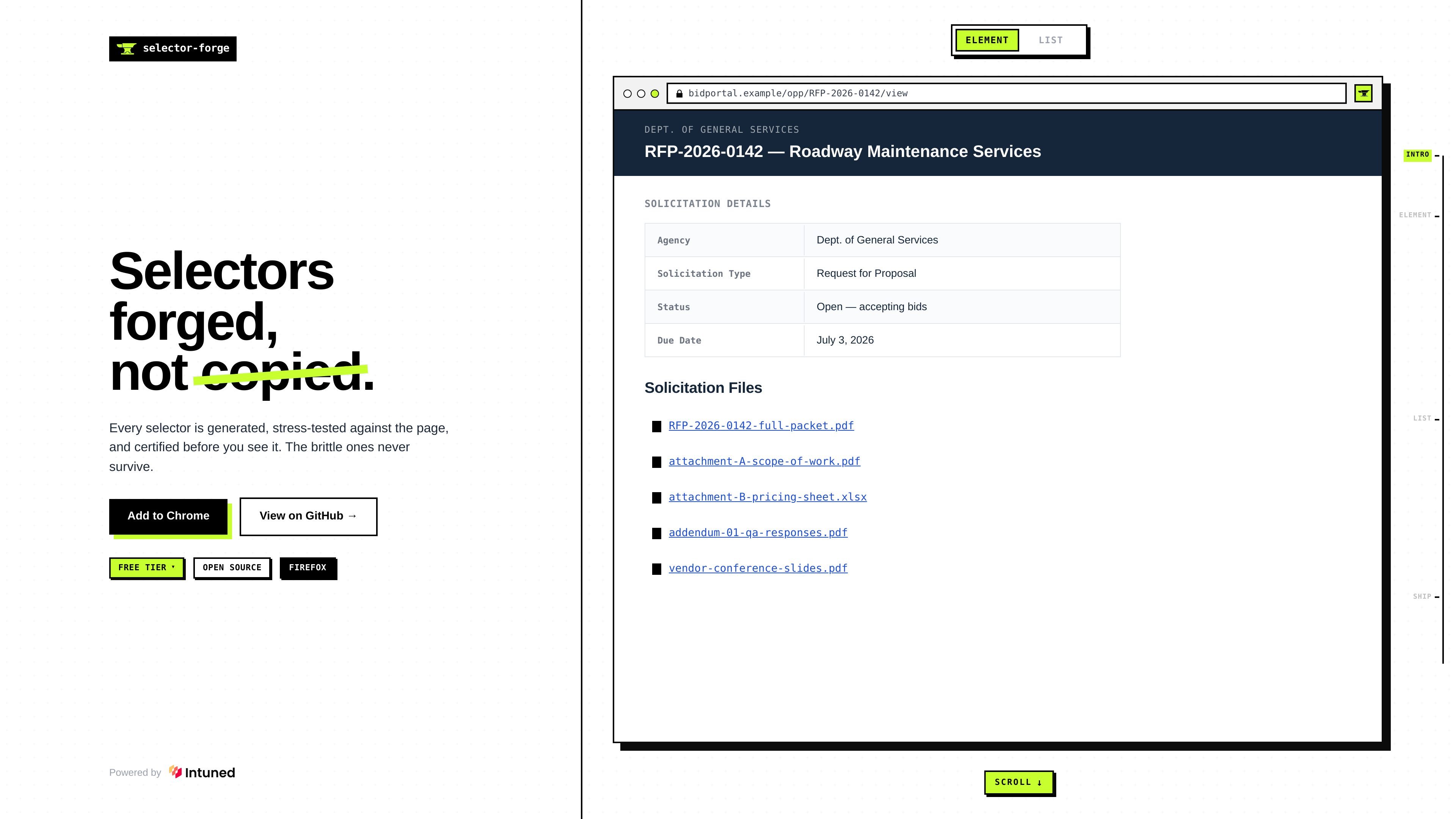
Selector Forge is a browser extension for generating selectors from elements on a live page. The homepage describes a workflow where you open the extension, pick an element, and click a value so the tool can forge a selector from what is actually rendered in the browser.
Its core purpose is to avoid brittle, position-dependent selectors by tying output to labels and section structure. The examples on the site show selectors built from a field label and from a repeated file list, with the result marked as judged reliable before it is shown.
Open the extension popup, choose Pick element, and then click a value on the page to start generating a selector from the live DOM context.
Generate selectors that anchor to the visible label for a field, which is intended to avoid brittle position-based targeting.
Produce selectors for a whole repeated section, such as a file list, so one selector can cover every matching item in that area.
Show whether the generated selector was judged reliable before it is presented, based on the homepage workflow copy.
Support both Chrome and Firefox, according to the homepage description of the extension.
Use it when you need selectors for forms or record-detail pages and want them tied to the text label rather than to an element's position in the layout.
Use it for sections that contain multiple similar links or files, where selecting one representative item should produce a selector that covers the full set.
Use it during UI automation work when you want to inspect a live page and generate selectors from what the browser actually renders instead of copying them from static markup.
Use it when teams need a quick way to judge whether a selector is stable enough to use before they paste it into a test or script.
Selector Forge is presented as a Chrome and Firefox extension. The homepage shows a popup flow where you open the extension, pick an element, and click a value on the page to generate a selector.
The homepage shows selectors being generated from labels or section context rather than from element position. One example anchors a selector to a field label, and another builds a selector for an entire file list.
The source does not show pricing details. The pricing URL returns a 404, so no plan structure, free tier, or paid tier can be confirmed from the provided pages.
The source does not list supported apps, frameworks, or browser integrations beyond Chrome and Firefox. No broader platform support is evidenced in the provided content.

ByteAsk is a terminal-first AI coding agent for C and C++ that edits repositories and verifies changes with the real compiler, debugger, sanitizers, and tests before showing a diff. It offers a free tier plus paid plans, with editor connectors and zero-retention handling described in the source.

CreateOS Sandbox is an isolated compute environment for running code and agent workloads inside Firecracker micro-VMs. It is designed for workflows that need machine-level isolation, private networking between sandboxes, and programmatic control through SDK, CLI, or MCP.

hob is an independent workspace for coding agents that keeps agent sessions, terminals, history, and follow-up work organized around the tools and providers you already use. It is aimed at developers who want local control over routing, history, and workspace structure rather than a bundled model stack.

Ably Chat is a chat API platform for building custom realtime chat applications. It supports room-based messaging, typing indicators, presence, reactions, and message updates, with usage-based pricing options for different deployment stages.

MacSpoof cambia o randomizza l’indirizzo MAC Wi‑Fi su macOS: riconnettiti alle reti e limita la registrazione dell’identità su Wi‑Fi pubbliche.

Manta AI is an autonomous web app testing tool for teams that want to map application behavior, catch regressions, and generate tests without writing scripts or maintaining selectors. It works from a URL and supports plain-English test flows, run results with screenshots, and scheduled or deployment-triggered checks.