session-indexer icon

session-indexer

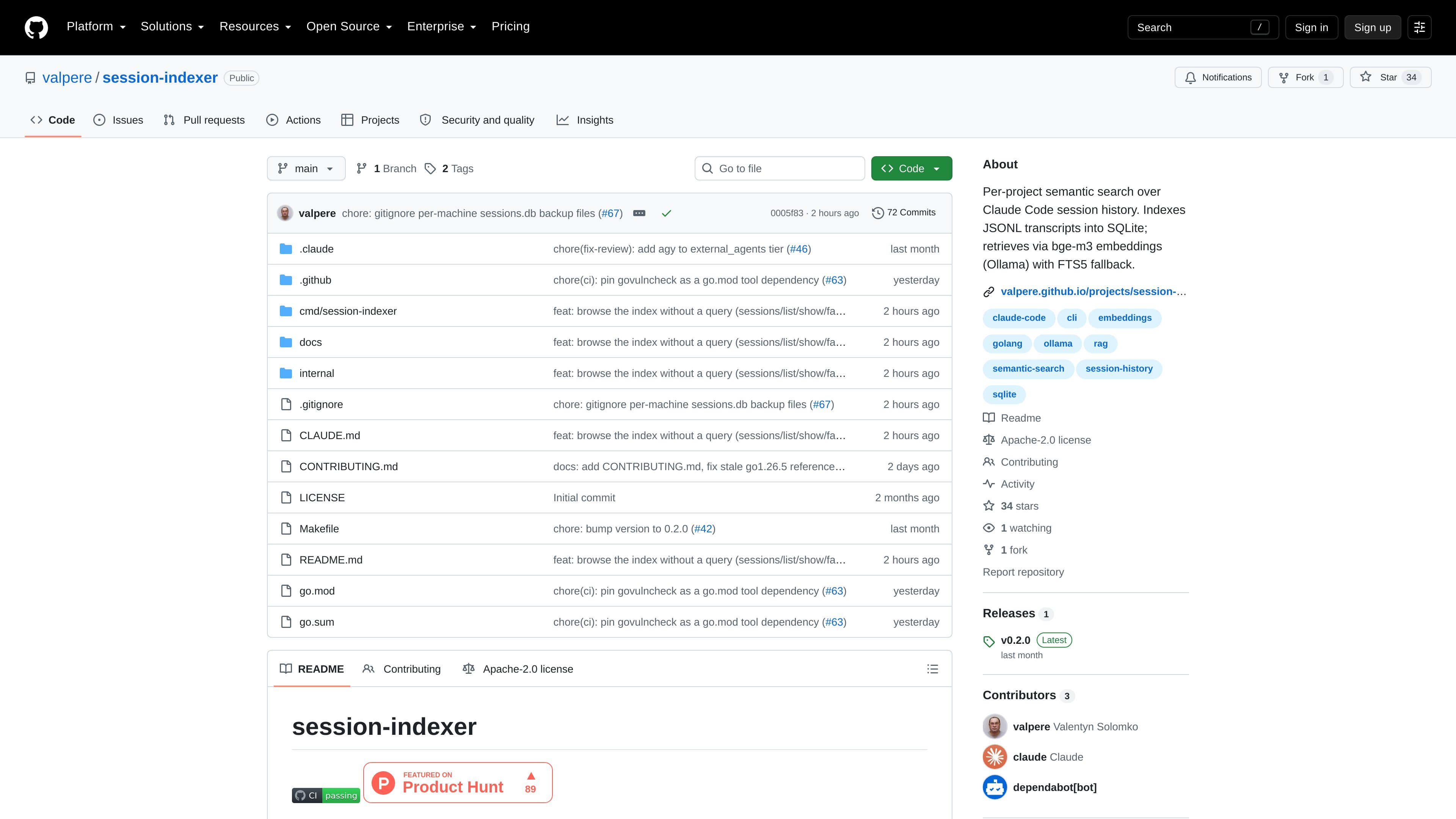
session-indexer is a command-line tool for searching Claude Code session history across a single project. It stores JSONL transcripts in a per-project SQLite database and uses Ollama embeddings, with FTS5/BM25 fallback when vector search is unavailable.

session-indexer

Overview

session-indexer is a command-line tool for per-project semantic search over Claude Code session history. It turns JSONL transcripts into a SQLite-backed store so a developer can search across earlier sessions by meaning rather than by exact keywords.

The project is built for one developer on one machine and keeps each project isolated in its own .claude/sessions.db file. The README says it can automatically mine completed sessions, retrieve relevant prior context at the start of a new session, and fall back to FTS5 if vector embeddings through Ollama are not available.

Features

Per-project SQLite session store

Indexes Claude Code JSONL session transcripts into a per-project SQLite database stored under the project’s .claude/ directory. The README describes the process as append-only and idempotent, so re-running mining can recover a project database from available transcripts.

Semantic retrieval with embeddings

Searches past sessions by semantic similarity using bge-m3 embeddings via Ollama. This is intended to answer questions like what was decided in earlier work without relying on exact keyword matches.

Keyword fallback search

Falls back to SQLite FTS5/BM25 when vector embeddings are unavailable. The README states that higher scores remain better in both retrieval modes, with cosine similarity used for embeddings and negated BM25 rank for fallback search.

Automatic session-start context

Injects relevant past context automatically at the start of a new session. The project describes this as a hook-based workflow tied to the current Git branch and recent commits.

Fact extraction and supersession

Includes a separate facts layer for distilling durable subject-predicate-object facts from mined chunks. Facts are created manually rather than by the Stop hook, and the README describes supersession safeguards and confidence gating.

Command-line workflow

Provides several CLI commands for mining, searching, listing, showing, and inspecting sessions and facts. Examples in the README include search, embed, stats, distill, facts search, and facts supersede.

Use Cases

  • Revisiting earlier decisions

    Use it after returning to an active codebase and needing to remember what was decided in earlier Claude Code sessions. The tool is aimed at questions that span multiple sessions, such as design choices, debugging steps, or implementation direction.

  • Starting a new session with context

    Use the session-start hook to pull in relevant prior context before continuing work on a branch. This is useful when a project has a long history and the next session should begin with a summary of what matters most right now.

  • Searching history on demand

    Run manual search commands when you want to inspect history directly from the terminal or from inside Claude Code with /recall. This gives a way to find specific discussions without browsing transcripts one by one.

  • Distilling durable project facts

    Use the facts layer when a raw transcript is too noisy and you need durable statements that can be queried later. The README positions this as a separate, manually invoked step for extracting stable facts from mined chunks.

  • Keeping project memories separate

    Use the per-project database when you want one project’s memory to remain isolated from another. The README emphasizes that each project has its own local store, so one project’s session history does not affect another’s.

Pros and Cons

Pros

  • Stores each project’s history separately in a local SQLite database.
  • Supports semantic search over past Claude Code sessions, which is more flexible than exact-match lookup.
  • Can automatically surface relevant prior context when a new session starts.
  • Includes a manual facts layer for durable notes, not just raw transcript search.
  • Provides CLI commands for mining, searching, listing, and inspecting session history.

Cons

  • The tool is intentionally scoped to a single developer and single machine, so it is not a shared team memory system.
  • Vector search depends on Ollama and the bge-m3 model if you want the primary retrieval mode; without that, the project uses FTS5/BM25 fallback instead.

FAQ

Is this meant for individual use or team-wide memory?

It is designed for a single developer on a single machine. The README explicitly says it indexes one person’s Claude Code sessions in a project, not a shared team history or multi-user store.

How is it set up in a Claude Code project?

The core workflow is to build and install the binary, optionally pull the Ollama embedding model, add the project hooks, and then let the Stop hook mine completed sessions into the project’s .claude/sessions.db file.

Can I search session history manually?

Yes. The README shows a manual search command, and also mentions a /recall skill for querying from inside Claude Code.

What happens if embeddings are not available?

The README describes bge-m3 embeddings through Ollama as the primary retrieval mode, with FTS5 BM25 fallback when embeddings are unavailable.

What kinds of outputs does the tool work with?

The repository includes an architecture document and a use-cases document, and the tool can mine sessions, search history, distill facts, list sessions, and inspect stored chunks.

Quick Facts

Category
Developer Tool
Product type
Command-line session indexer
Primary use
Search Claude Code session history
Storage
Per-project SQLite database
Retrieval modes
Ollama embeddings with FTS5 fallback
Source domain
github.com

Alternative a session-indexer

ByteAsk icon

ByteAsk

ByteAsk is a terminal-first AI coding agent for C and C++ that edits repositories and verifies changes with the real compiler, debugger, sanitizers, and tests before showing a diff. It offers a free tier plus paid plans, with editor connectors and zero-retention handling described in the source.

Goldfish icon

Goldfish

Goldfish is an AI memory app for macOS that helps you reply, write, summarize, and continue using the context already on your Mac. It stores memory locally and writes in your tone.

Lasso icon

Lasso

Lasso is an ecommerce product data platform for enriching catalog records, processing supplier files, generating product content, and monitoring competitors. It combines a web app with a REST API, SDK, and MCP server for teams and developers.

CreateOS Sandbox icon

CreateOS Sandbox

CreateOS Sandbox is an isolated compute environment for running code and agent workloads inside Firecracker micro-VMs. It is designed for workflows that need machine-level isolation, private networking between sandboxes, and programmatic control through SDK, CLI, or MCP.

ArtDeck icon

ArtDeck

ArtDeck is a visual reference board app for iPhone, iPad, and Mac that lets artists collect mixed reference material on one canvas and study it with ToolBox lenses. It works offline, supports optional iCloud sync, and is sold as a one-time purchase with no account required.

Struere icon

Struere

Struere is an AI-native platform for turning spreadsheet data into structured operational software with dashboards, alerts, and automations. It is aimed at teams that want to replace manual spreadsheet workflows without building custom tools from scratch.
