
Group-based expense tracking
Create a group for a trip, home, or friend circle and keep shared spending in one place.

Splitman is an app for tracking shared expenses, splitting bills fairly, and showing who owes whom. It helps friends, roommates, and travel groups settle balances without spreadsheets.
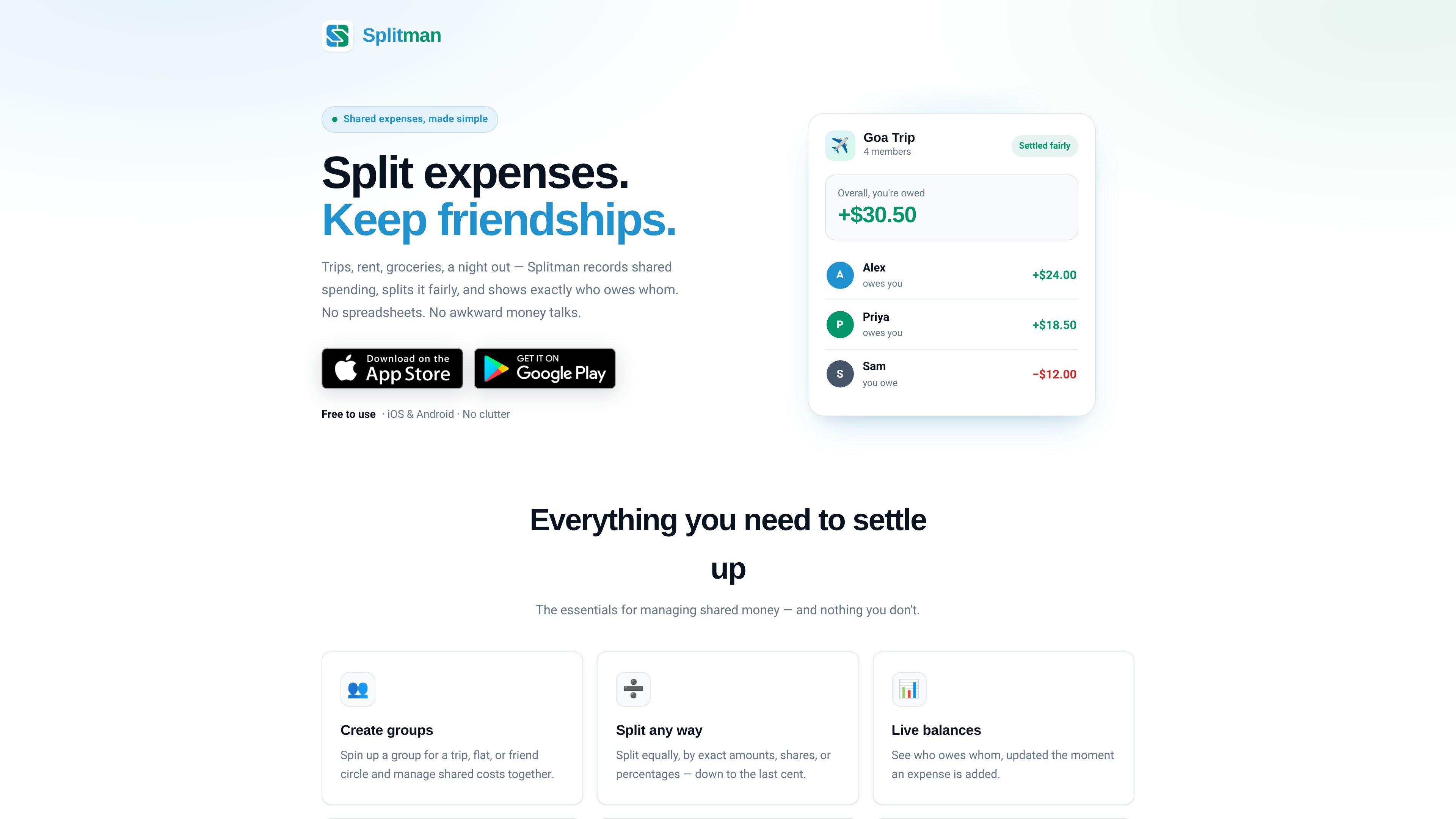
Splitman is an app for tracking shared expenses with friends, roommates, or travel groups. It records spending, splits bills fairly, and shows who owes whom so groups can settle up without relying on spreadsheets.
The home page presents Splitman as a clean, simple tool for common shared-cost situations such as trips, rent, groceries, and nights out. Its core workflow is to add expenses, view live balances, and settle the account in a transparent timeline.
Create a group for a trip, home, or friend circle and keep shared spending in one place.
Split costs equally, by exact amounts, by shares, or by percentages, depending on how the expense should be divided.
See who owes whom as expenses are added, with balances updating in real time.
Record expenses and settlements in a timeline so the full history stays visible.
Add costs in different currencies while keeping them tracked together.
Use a streamlined interface focused on shared money management without extra clutter.
Track shared spending for a trip group and see each member’s balance as expenses are added.
Log household costs like rent or groceries and keep a running record of what each roommate owes.
Record bills from a dinner or night out and divide them using the split method that matches the bill.
Keep all entries in one place when expenses are recorded in different currencies.
Use the timeline of expenses and settlements to review what has been paid and what still needs settling.
Splitman is designed to track shared expenses, split bills, and show balances so groups can settle up in one place.
The home page says Splitman is available on iOS and Android.
The product description highlights splitting by equal shares, exact amounts, shares, or percentages.
The source does not show a pricing page; the pricing URL returns a 404, so pricing details are not available from the collected pages.
The page emphasizes a clean interface and the core workflow of adding expenses, viewing balances, and recording settlements.

Goldfish is an AI memory app for macOS that helps you reply, write, summarize, and continue using the context already on your Mac. It stores memory locally and writes in your tone.

ArtDeck is a visual reference board app for iPhone, iPad, and Mac that lets artists collect mixed reference material on one canvas and study it with ToolBox lenses. It works offline, supports optional iCloud sync, and is sold as a one-time purchase with no account required.

Biji è una piattaforma versatile progettata per migliorare la produttività attraverso strumenti e funzionalità innovative.

Malyatko is a baby tracker for logging feeding, sleep, growth, teething, and milestones in one app. It works on iPhone, Apple Watch, and widgets, with no sign-up, offline use, and family sharing through iCloud.

Redline is a budgeting tool for Claude Code that paces sessions to stay within time, token, cost, or plan-percentage limits. It uses Claude Code’s native hooks and statusline to help sessions finish with a usable result instead of stopping abruptly.

Claude Overlay is a Windows desktop overlay for Claude Code that reads your screen so you can ask questions, inspect content, and request edits without leaving the current app. It runs on your existing Claude subscription through the Claude CLI, so no separate API key is required.