SuperSend icon

SuperSend

SuperSend is a managed cold email infrastructure platform for teams sending at scale. It provides dedicated sending infrastructure, deliverability monitoring, sequencing, and a unified reply inbox.

SuperSend

Managed cold email infrastructure for scale

SuperSend is a managed cold email infrastructure platform for teams that need to send at high volume without assembling their own stack of servers, sender identities, warmup, deliverability monitoring, and reply handling. The product is positioned around dedicated infrastructure and managed operations rather than a standalone sequencer or shared ESP.

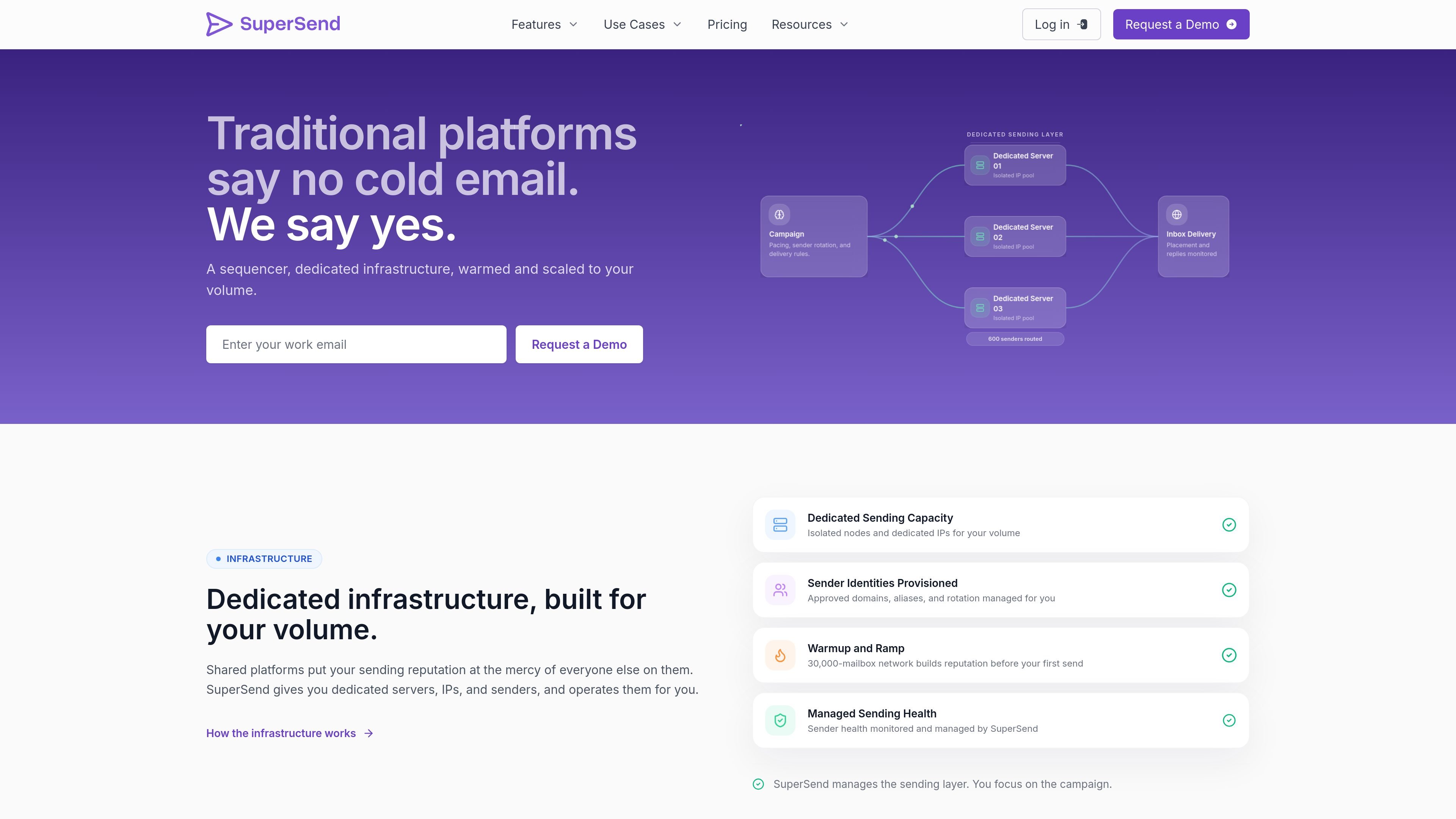
The site says SuperSend provides dedicated servers and IPs, sender identity provisioning, warmup on a 30,000-mailbox network, placement testing, bounce analysis, and a unified inbox for replies. Pricing is scoped to sending volume on a call, with a flat platform fee plus a per-send rate.

Core capabilities

Dedicated sending infrastructure

SuperSend provisions dedicated sending servers and isolated IPs for your volume, rather than relying on shared pools. Sender identities, approved domains, aliases, and rotation are managed as part of the sending layer.

Cold email sequencing

Campaigns can run across a sender pool with pacing, sender rotation, delivery rules, and A/B testing. The product is built so teams can manage high-volume outbound without stitching together separate tools.

Inbox placement testing

Automated placement tests run on your actual senders using seed mailboxes, with results across Gmail, Outlook, Yahoo, iCloud, and more. This shows inbox versus spam versus missing outcomes before you ramp volume.

Deliverability diagnostics

Bounce reasons are categorized into specific types such as bad addresses, server blocks, temp failures, and rate limits. The system also checks SPF, DKIM, DMARC, MX, rDNS, and blacklist status, and flags at-risk senders.

Unified reply inbox

A unified inbox pulls replies from all sender identities into one place and adds AI labels for interest, meetings, out-of-office messages, and unsubscribes. Search, triage shortcuts, and workflow actions help teams handle responses quickly.

Automated reply workflows

Reply events can trigger downstream actions such as CRM pushes, Slack notifications, sequence pauses, unsubscribe handling, and follow-up routing. The site also lists HubSpot, Pipedrive, webhooks, REST API, and Slack in the workflow stack.

Common use cases

  • Running high-volume cold email

    Use SuperSend when your team needs dedicated infrastructure for large outbound programs and wants the sending layer, warmup, and monitoring managed together instead of assembled from separate services.

  • Warming and validating sending setup

    Use the platform when you want to ramp new domains or sender identities with placement tests, warmup, and health monitoring before pushing real volume.

  • Managing replies across many senders

    Use Super Inbox when replies from many sender identities need to be reviewed in one place, with labels and search to surface interested prospects and route next steps.

  • Diagnosing delivery problems

    Use the deliverability tools when you need to understand why mail is landing in inbox, spam, or missing states and want bounce categories, domain checks, and sender health in the same workflow.

  • Automating post-reply actions

    Use the automation layer when replies should trigger CRM updates, Slack alerts, sequence pauses, unsubscribe handling, or follow-up routing without manual triage.

Pros and Cons

Pros

  • Combines infrastructure, sequencing, deliverability monitoring, and reply operations in one platform.
  • Uses dedicated servers, isolated IPs, and managed sender identities instead of shared sending pools.
  • Includes placement testing, bounce categorization, and domain health checks tied to the actual senders in use.
  • Consolidates replies from many senders into one inbox with AI labels and search.
  • Lists CRM, Slack, API, and webhook workflows for connecting reply handling to existing processes.

Cons

  • Pricing is not published on the site; it is scoped on a call based on volume and infrastructure needs.
  • The product is oriented toward cold outbound at scale, so it is less suited to teams looking for a simple general-purpose email sending tool.

FAQ

What is SuperSend built for?

SuperSend is built for teams that send cold email at scale and need the sending layer managed as part of the platform. The site positions it around dedicated infrastructure, deliverability monitoring, sequencing, and reply handling rather than a generic marketing email use case.

How does pricing work?

The pricing page says pricing is scoped to your sending volume on the first call and is structured as a flat platform fee plus a per-send rate. The page also lists dedicated servers, sender identities, warmup, monitoring, and a Technical Account Manager as part of the managed setup.
Can SuperSend manage replies from multiple senders?

Yes. The product pages describe a unified reply inbox that brings replies from every sender into one place. The inbox also supports AI labels, search, and workflows such as CRM pushes, Slack notifications, sequence pauses, unsubscribe handling, and follow-up routing.

What does deliverability monitoring include?

The deliverability page says it includes placement testing, bounce reason analysis, domain and sender health checks, and email validation. These tools are meant to show where mail lands and what is causing delivery problems on the infrastructure you actually use.

Does SuperSend integrate with other tools?

The site lists HubSpot, Pipedrive, Slack, webhooks, CRM integrations, REST API, and webhooks on the infrastructure and inbox pages. The exact setup will depend on the workflow you want to connect.

Quick Facts

Category
Cold email infrastructure
Primary users
High-volume outbound teams
Platform focus
Dedicated servers, senders, warmup, deliverability monitoring
Reply handling
Unified inbox with AI labels and workflows
Pricing
Scoped to volume on a call; flat platform fee plus per-send rate
Website
supersend.io
SuperSend - AI Tool, Features, Use Cases & Alternatives | UStack



