
Flexible access plans
Create lifetime, monthly or yearly prices on the connected Stripe account, with support for trials, free uses and team seats.

Toolaby helps Chrome extension developers sell licences and subscriptions through hosted checkout, accounts and paywalls connected to their own Stripe account. It also provides signed device licences, access checks, webhooks and reporting without requiring a separate licensing backend for the basic workflow.
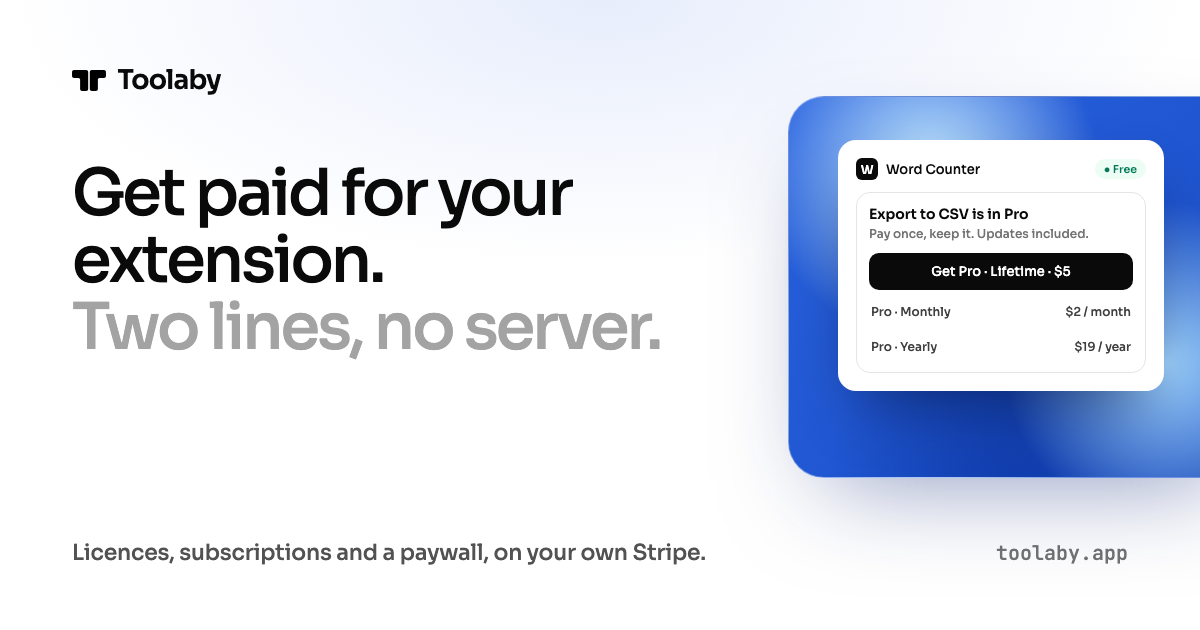
Toolaby is a billing and access-control service for Chrome extensions. It provides hosted accounts, licences, checkout, subscriptions, webhooks and buyer account pages, while payments are made through the developer's Stripe account rather than held by Toolaby.
A developer can register an extension, configure what is free or paid, connect the extension with a dashboard action or command-line tool, and test a purchase before publishing. The extension can ask whether a user is allowed to use a feature, while signed device licences support checks without a network request for a limited period.
Create lifetime, monthly or yearly prices on the connected Stripe account, with support for trials, free uses and team seats.
Add Toolaby's client and manifest configuration to an extension folder through the dashboard or a single command, with framework-specific support for WXT, CRXJS and Plasmo.
Use a signed licence on each device so an extension can check access without a request; offline licence checks work for a day.
Host the checkout, sign-in and buyer account pages while allowing buyers to manage devices, cancel subscriptions and change payment details through Stripe's billing portal.
Receive signed events for purchases, subscriptions, cancellations, refunds and disputes, alongside a REST API for customers and grants.
View gross and net volume, refunds, purchases, subscriptions and the funnel from install to purchase using payment data tied to each tool.
Set a lifetime, monthly or yearly price for a utility, gate a feature with Toolaby's client, and publish after testing the purchase flow with Stripe test mode.
Offer a limited number of free uses or a free tier, then show a paywall when the device reaches its allowance instead of blocking the entire extension from first launch.
Use subscriptions, team seats and an account page so organizations or groups can manage who has access and which devices are attached to a licence.
Move existing subscribers from ExtensionPay or another Stripe setup, or import prior buyers from a CSV so they can unlock by signing in with the address used for payment.
Use signed webhooks and the REST API to keep a separate customer or entitlement table on a developer-managed server while Toolaby handles the core checkout and licensing flow.
Toolaby supports an existing Chrome extension with a manifest.json at the top of its folder, as well as WXT, CRXJS and Plasmo projects. Node.js 20 or later is required for the command-line workflow. A minimal extension can also be created with Toolaby's create command.
Create a workspace and register a tool, then wire the extension by choosing its folder in the dashboard or running npx -y toolaby@latest wire <tool-id>. Load the extension in Chrome, create a plan, configure access, and make a test purchase with Stripe's test card. The paid code can then be gated with Toolaby's gate function.
Test workspaces use a Stripe test account created by Toolaby. On Live, the developer connects their own Stripe account through Stripe Connect. Charges, payouts, refunds and disputes remain on that Stripe account, and the buyer sees the developer's name on the statement.
Toolaby supports lifetime licences, monthly and yearly subscriptions, free trials, a number of free uses, and team seats. Plans are created as prices on the connected Stripe account, and access rules determine what is available before purchase.
A whole-payment refund revokes the licence, while a partial refund leaves the licence and seats unchanged. A chargeback suspends the licence while it is open; if the dispute is lost, the licence is revoked. Stripe's own processing fee and, on Hobby, Toolaby's application fee are retained on refunds.

ByteAsk is a terminal-first AI coding agent for C and C++ that edits repositories and verifies changes with the real compiler, debugger, sanitizers, and tests before showing a diff. It offers a free tier plus paid plans, with editor connectors and zero-retention handling described in the source.

CreateOS Sandbox is an isolated compute environment for running code and agent workloads inside Firecracker micro-VMs. It is designed for workflows that need machine-level isolation, private networking between sandboxes, and programmatic control through SDK, CLI, or MCP.

GitBot is a local browser-based workspace for creating reusable coding bots powered by Claude Code, Codex, or OpenCode. It helps developers run those agents across repository folders with persistent threads and configurable permissions.

hob is an independent workspace for coding agents that keeps agent sessions, terminals, history, and follow-up work organized around the tools and providers you already use. It is aimed at developers who want local control over routing, history, and workspace structure rather than a bundled model stack.

Ably Chat is a chat API platform for building custom realtime chat applications. It supports room-based messaging, typing indicators, presence, reactions, and message updates, with usage-based pricing options for different deployment stages.

Manta AI is an autonomous web app testing tool for teams that want to map application behavior, catch regressions, and generate tests without writing scripts or maintaining selectors. It works from a URL and supports plain-English test flows, run results with screenshots, and scheduled or deployment-triggered checks.