
Fast app creation
Type a name or paste a URL, and Unite Pro fills in the app name, icon, URL, and suggested settings so you can create a Mac app quickly or refine the details yourself.

Unite Pro turns websites into customizable macOS apps with dedicated layouts, site-specific controls, and supported native enhancements. It helps people run web tools in a more focused, Mac-like way.
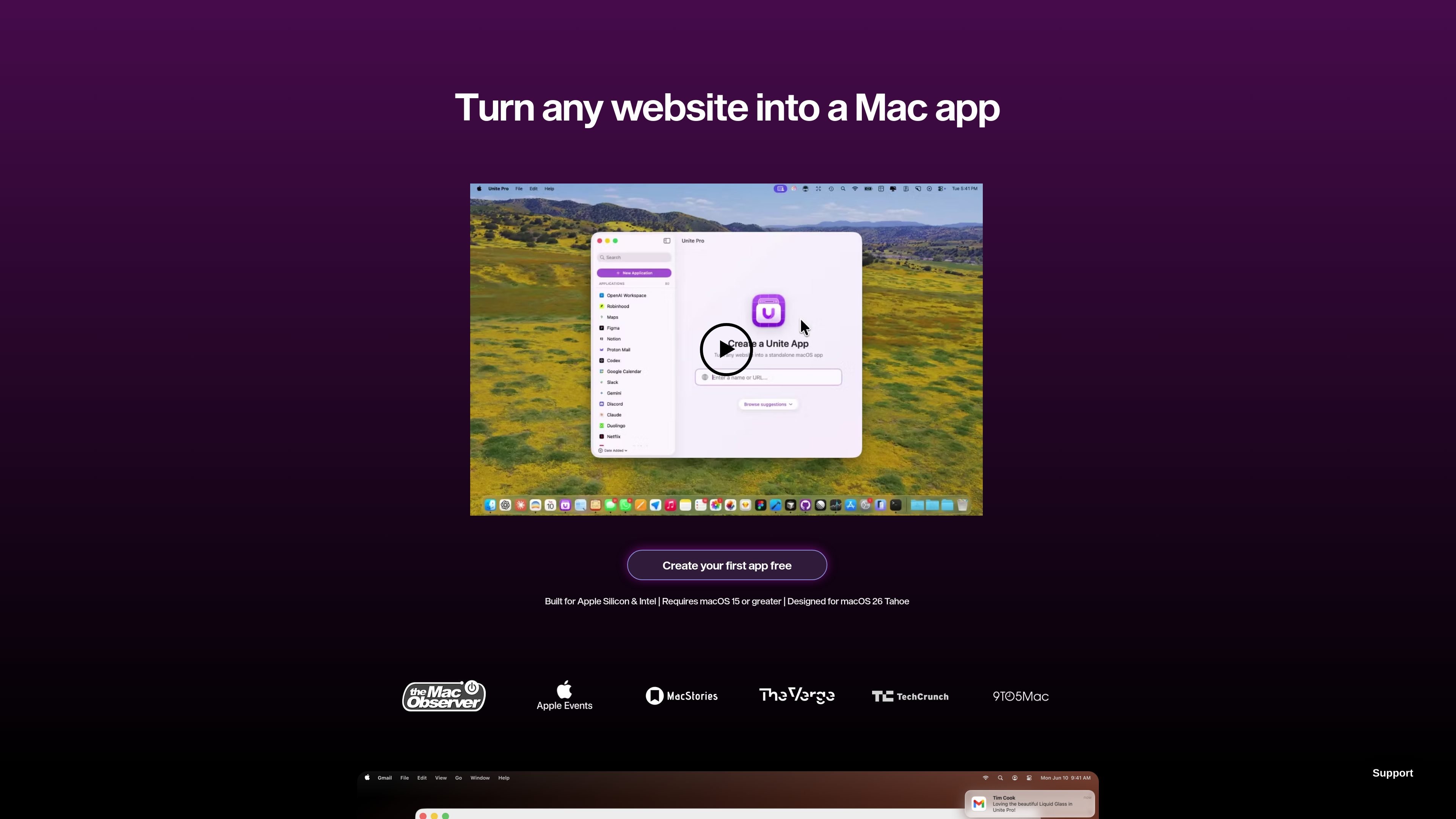
Unite Pro is a macOS app that turns websites into standalone Mac apps. It is designed for people who want focused access to web services like email, chat, planning tools, AI tools, media sites, and dashboards without relying on a browser tab.
The product emphasizes native-feeling behavior and workflow control. It lets you create apps from a URL, choose how each app opens and behaves, route links, isolate tabs, manage passwords and shortcuts, and add site-specific enhancements that use macOS features when supported.
Type a name or paste a URL, and Unite Pro fills in the app name, icon, URL, and suggested settings so you can create a Mac app quickly or refine the details yourself.
A redesigned icon picker uses high-quality favicons to generate macOS-style app icons with gradients that fit the desktop visually.
Switch each app between Normal, Menu Bar, and Sidebar modes to match different workflows, from focused windows to lightweight menu bar access.
Adjust window chrome, toolbar behavior, title bars, system controls, tab isolation, zoom levels, ad blocking, and link routing to shape how each app behaves.
Apply user scripts and styles, manage shortcuts, and use built-in password management to tune site behavior and sign-in flows.
Enable site enhancements such as AI menu bar companions, meeting notifications, dock badges, and video speed controls on supported services.
Turn frequently used web services into focused apps for email, chat, planning, and media so they open in a dedicated space instead of a browser tab.
Use Menu Bar mode for lightweight tools you want close at hand, such as quick-reference dashboards, AI prompts, or notification-driven services.
Use Sidebar mode when you want a chat or task tool to stay visible beside your main work without taking over the whole screen.
Apply scripts, styles, zoom preferences, ad blocking, and link forwarding rules to make individual sites easier to read and more predictable to use.
Use built-in enhancements like meeting alerts, dock badges, and video speed controls on supported services to reduce context switching and keep work moving.
Yes. The source says you can create your first app for free, and the purchase page offers a one-time license for Unite Pro 1.x releases.
Unite Pro is designed for macOS 15 and later, with support for Apple silicon and Intel Macs. The page also says it is built for macOS 26 Tahoe.
The purchase page offers one-time licenses for 1, 3, or 5 Macs, and also mentions enterprise pricing and custom licenses by contact.
Unite Pro creates apps from websites, and the source notes that .uniteapp files can be shared with other users, but the apps themselves cannot be shared with unlicensed users.
The source describes support for custom scripts and styles, link forwarding, user script management, password management, and site-specific enhancements, which makes it suitable for focused personal or workflow-specific use rather than only simple website wrappers.

ByteAsk is a terminal-first AI coding agent for C and C++ that edits repositories and verifies changes with the real compiler, debugger, sanitizers, and tests before showing a diff. It offers a free tier plus paid plans, with editor connectors and zero-retention handling described in the source.

Goldfish is an AI memory app for macOS that helps you reply, write, summarize, and continue using the context already on your Mac. It stores memory locally and writes in your tone.

CreateOS Sandbox is an isolated compute environment for running code and agent workloads inside Firecracker micro-VMs. It is designed for workflows that need machine-level isolation, private networking between sandboxes, and programmatic control through SDK, CLI, or MCP.

ArtDeck is a visual reference board app for iPhone, iPad, and Mac that lets artists collect mixed reference material on one canvas and study it with ToolBox lenses. It works offline, supports optional iCloud sync, and is sold as a one-time purchase with no account required.

Biji è una piattaforma versatile progettata per migliorare la produttività attraverso strumenti e funzionalità innovative.

Malyatko is a baby tracker for logging feeding, sleep, growth, teething, and milestones in one app. It works on iPhone, Apple Watch, and widgets, with no sign-up, offline use, and family sharing through iCloud.