
Local desktop app for major platforms
Install the desktop app on macOS, Windows, Linux, or WSL, then choose a model and start chatting without a separate setup flow. The app supports local hardware and reports the devices it can use.

Unsloth is a free, open-source desktop app for running and training AI models on local hardware. It supports macOS, Windows, Linux, and WSL, with tools for model downloads, agent connections, media generation, and private research.
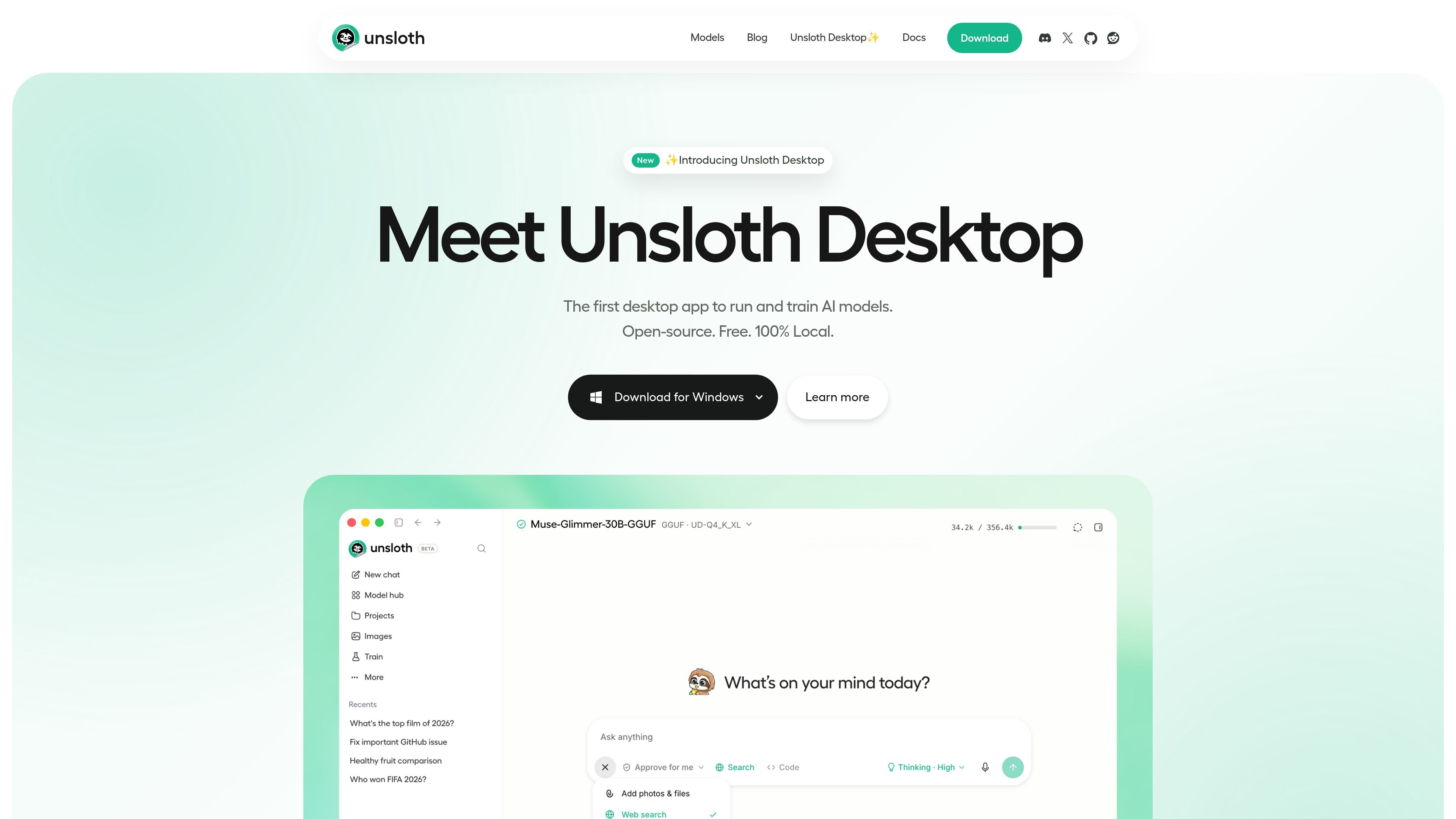
Unsloth is a free, open-source desktop app for running and training AI models on your own local hardware. The product is positioned as a local AI workspace for downloading models, chatting with them, training them, and connecting them to other tools without sending work off-device by default.
The desktop product supports macOS, Windows, Linux, and WSL, and its documentation describes workflows for text, diffusion image/video, audio, MLX, and GGUF models. It also exposes an OpenAI-compatible API and an unsloth start command so coding agents and existing apps can connect to local models through a familiar interface.
Unsloth is aimed at people who want local model access, media generation, fine-tuning, agent workflows, and private web search in one desktop environment. The pricing page shows a free open-source version, with Pro and Enterprise options available for higher-performance training and additional deployment features.
Install the desktop app on macOS, Windows, Linux, or WSL, then choose a model and start chatting without a separate setup flow. The app supports local hardware and reports the devices it can use.
Download and run text, image, video, audio, MLX, and GGUF models from the same interface. The docs describe support for fine-tuning, deployment, and media generation from local hardware.
Create and train image and video outputs with supported diffusion models and LoRA adapters. The source also describes image transform, inpaint, extend, upscale, reference, and edit workflows.
Run Claude Code, Codex, Hermes, OpenCode, Pi, and other agents against a local model with unsloth start. Unsloth configures the endpoint, provider, API key, model, and context length for the launch.
Use an OpenAI-compatible API so existing apps, scripts, and SDKs can connect to local models through a familiar interface. The app can also connect to cloud model providers through the same chat interface.
Search the web from inside the desktop app with private web search and deep research. The docs say search can run while the model is thinking and can produce citation-backed reports.
Execute Bash and Python in a secure sandbox and use self-healing tool calls that detect, repair, and retry failures. The docs also mention permission controls and optional direct file access with user approval.
Download a model, choose a quantization that fits your device, and start chatting locally with no separate server setup. This fits people who want a simple offline model workspace on their own machine.
Use the no-code training workflow to fine-tune text, diffusion, audio, or image models from local files such as PDFs, CSVs, JSON, or image sets. The docs also mention LoRA, full fine-tuning, and pretraining.
Generate or edit images and video with supported diffusion models and LoRA adapters, including inpainting, extending, upscaling, and reference-based editing. This suits creators who want to work locally on media generation tasks.
Connect Claude Code, Codex, or other agents to a local model with unsloth start so coding workflows can run on your machine. The integration guide says Unsloth handles endpoint and session configuration for each launch.
Use the built-in web search and deep research tools when you need private, citation-backed research inside the same desktop environment. This is useful for users who want model responses grounded in current sources without switching apps.
Unsloth Desktop is available for macOS, Windows, Linux, and WSL. The download page also offers platform-specific installers and terminal-based installation options.
No. The documentation says there is no telemetry, and the app can run entirely offline on your own hardware.
Yes. The docs say Unsloth exposes an OpenAI-compatible API and can also connect agents such as Claude Code and Codex to local models.
Unsloth can run and train text, diffusion image/video, audio, and some MLX/GGUF models locally. The docs also note cloud models can be used through the same chat interface.
For some agent workflows, yes. The integration guide notes that Codex currently requires a GGUF model served through the llama-server backend, while other agents can use unsloth start more directly.

AakarDev AI helps teams manage AI provider access, project-level setups, logs, and analytics from one dashboard. It supports BYOK workflows and lists providers including OpenAI, Google Gemini, Anthropic, Groq, Mistral AI, and Perplexity AI.

CreateOS Sandbox is an isolated compute environment for running code and agent workloads inside Firecracker micro-VMs. It is designed for workflows that need machine-level isolation, private networking between sandboxes, and programmatic control through SDK, CLI, or MCP.

Trigger.dev chat agent is a durable AI chat backend for developers building stateful conversations that can survive refreshes, crashes, and long-running turns. It connects with the AI SDK `useChat` flow and runs on managed infrastructure with no timeout on a turn.

Arduino VENTUNO Q is an edge AI computer for AI and robotics applications. It combines AI inference and deterministic control on a single board and is designed to work with Arduino App Lab.

ByteAsk is a terminal-first AI coding agent for C and C++ that edits repositories and verifies changes with the real compiler, debugger, sanitizers, and tests before showing a diff. It offers a free tier plus paid plans, with editor connectors and zero-retention handling described in the source.

Codex Plugins bundle reusable skills, app integrations, and MCP servers into workflows you can install in the Codex app or use from Codex CLI. They help extend Codex with connected-service tasks, reusable instructions, and shared team workflows.