
読みたい素材を取り込む複数の方法
URLの貼り付け、Chrome拡張機能による現在のタブのクリップ、メールの転送、.docx/.md/.txtファイルのアップロード、Webhookの利用、スマートフォンからの共有でコンテンツを保存できます。

Folioは記事、ニュースレター、アップロードしたファイルを1つのダイジェストにまとめ、reMarkableやKindleで読める形に整理します。Webやメールから保存したコンテンツを、表紙や目次付きの号として後でまとめて読めます。
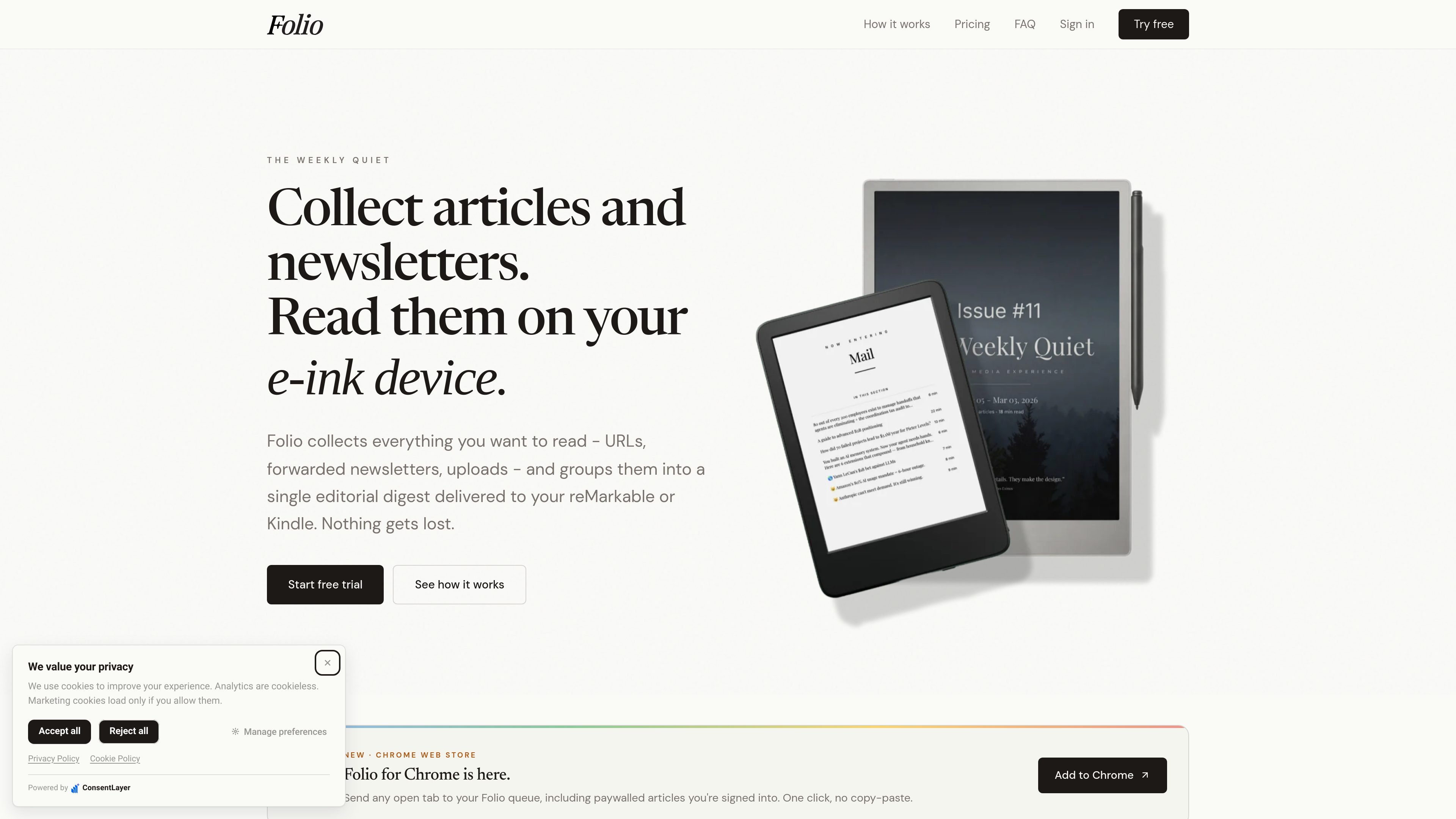
Folioは、記事、ニュースレター、アップロードしたファイルを電子ペーパーデバイス向けの1つのダイジェストにまとめる読書ワークフローツールです。各アイテムを個別に送る代わりに、選択したコンテンツを、表紙、目次、セクション区切り、reMarkableやKindleの画面向けに整形された記事ページを備えた1つの編集形式の号に整理します。
Web、メール、または自動化ツールからアイテムを保存し、オフラインで読むためのPDFまたはEPUBの号を生成することで、より静かな読書キューを作りたい人向けに設計されています。サイトでは、ログインが必要なページや購読制ページを取り込むブラウザ拡張機能、ニュースレター向けのメール転送、接続した電子ペーパーリーダーへのデバイス配信についても説明されています。
URLの貼り付け、Chrome拡張機能による現在のタブのクリップ、メールの転送、.docx/.md/.txtファイルのアップロード、Webhookの利用、スマートフォンからの共有でコンテンツを保存できます。
ニュースレターを固有の@myfolio.soアドレスに転送できます。また、Gmail、Outlook、その他の転送ルールを設定して、定期的なメールを自動的に受信できます。
選択したアイテムを、表紙、リンク付き目次、セクション区切り、記事ページ、記事内画像を含む1つの号にまとめます。
生成した号をreMarkableデバイスやKindleモデルに送信できます。FAQでは、reMarkableにはPDF、KindleにはSend-to-Kindle経由でリフロー可能なEPUBを配信すると説明されています。
生成した号はライブラリからダウンロードでき、接続したデバイスやメールにオンデマンドまたはスケジュールに従って配信できます。
ブラウザ拡張機能は、ログイン中のブラウザセッションで表示される内容を取り込むことで、購読制の記事に対応します。
閲覧中の記事を保存し、自分のブラウザセッションで開いたログインが必要なページも含めて、後で読むためのダイジェストにまとめられます。
Gmail、Outlook、Apple Mail、その他のクライアントからニュースレターを1つの受信先に転送し、定期的な送信元からのメールを自動的に受信できます。
保存したアイテムから選んで、複数のファイルを個別に開く代わりに、reMarkableまたはKindleで読むための1つの号を生成できます。
Zapier、n8n、IFTTT、Apple ShortcutsのWebhook、またはカスタムスクリプトを使って、他のツールからFolioに記事を取り込めます。
デバイスへの配信を使いたくない場合や別のデバイスで読む場合は、生成したPDFまたはEPUBをライブラリからダウンロードできます。
FolioはreMarkable 1、reMarkable 2、reMarkable Paper Pro、reMarkable Paper Pro Move、reMarkable Paper Pure、Kindle Scribe、Kindle Paperwhite、およびその他のほとんどのKindleモデルに対応しています。reMarkableデバイスには画面に合わせて調整されたPDFが、KindleデバイスにはSend-to-Kindle経由でリフロー可能なEPUBが配信されます。
URLを貼り付ける、固有の@myfolio.soアドレスにメールを転送する、.docx、.md、.txtファイルをアップロードする、Chrome拡張機能でページをクリップする、Webhookを使う、またはスマートフォンから共有することでコンテンツを追加できます。使い方ページとホームページでは、URLの取り込み、メール転送、ダイジェストの作成が主なワークフローとして説明されています。
はい。Gmail、Outlook、または別のメールクライアントで転送ルールを設定し、ニュースレターがFolioのアドレスに自動送信されるようにできます。設定後は、条件に一致するメールが手動転送なしでFolioに届きます。
Folioは、表紙、リンク付き目次、セクション区切り、電子ペーパー画面向けに整形された記事ページを含む、1つのページ分けされたダイジェストを作成します。画像は抽出され、記事内に配置されます。KindleやreMarkableが接続されている場合、配信は自動的に行われます。
サブスクリプションは7日間の無料トライアルで開始され、トライアル期間中はいつでもキャンセルして請求を回避できます。保存した記事と生成した号はライブラリに残ります。

Volaneaは、トランザクションメール、キャンペーン、ライフサイクル自動化に対応したメールプラットフォームです。送信、追跡、配信監視を1つの連絡先グラフで管理し、無料プランと月額クレジット制を提供します。

Liamは、受信箱の管理、返信文の作成、メールの優先順位付け、会議の日程調整を行うAIコパイロット。個人は無料、チームと企業はカスタム料金で利用できます。

PDF文書を迅速かつ効率的に要約するAI駆動のツールで、明確な洞察を提供し、ユーザーがコンテンツと対話できるようにします。

Sequenzyは、SaaSチーム、ストア、AIチーム向けのメールマーケティング・自動化プラットフォーム。キャンペーン、イベント起点のワークフロー、トランザクションメール、セグメント、収益アトリビューション、開発者・AIエージェント連携を一元化します。

Paperpalは、学術論文向けのAIライティングツール。文献読解、英文校正、引用、類似度チェック、AI検出、投稿前チェックまで、英語論文の作成と自動チェックを支援します。

diracは、朝の要約で重要なメールを整理し、優先スレッドを絞り込み、あなたらしい文面で返信案を作成するAIメールアシスタント。Gmailを使う忙しい起業家向け。