

AI-generated subject and body
Turn a short brief into a subject line and draft body, then refine the wording before sending.
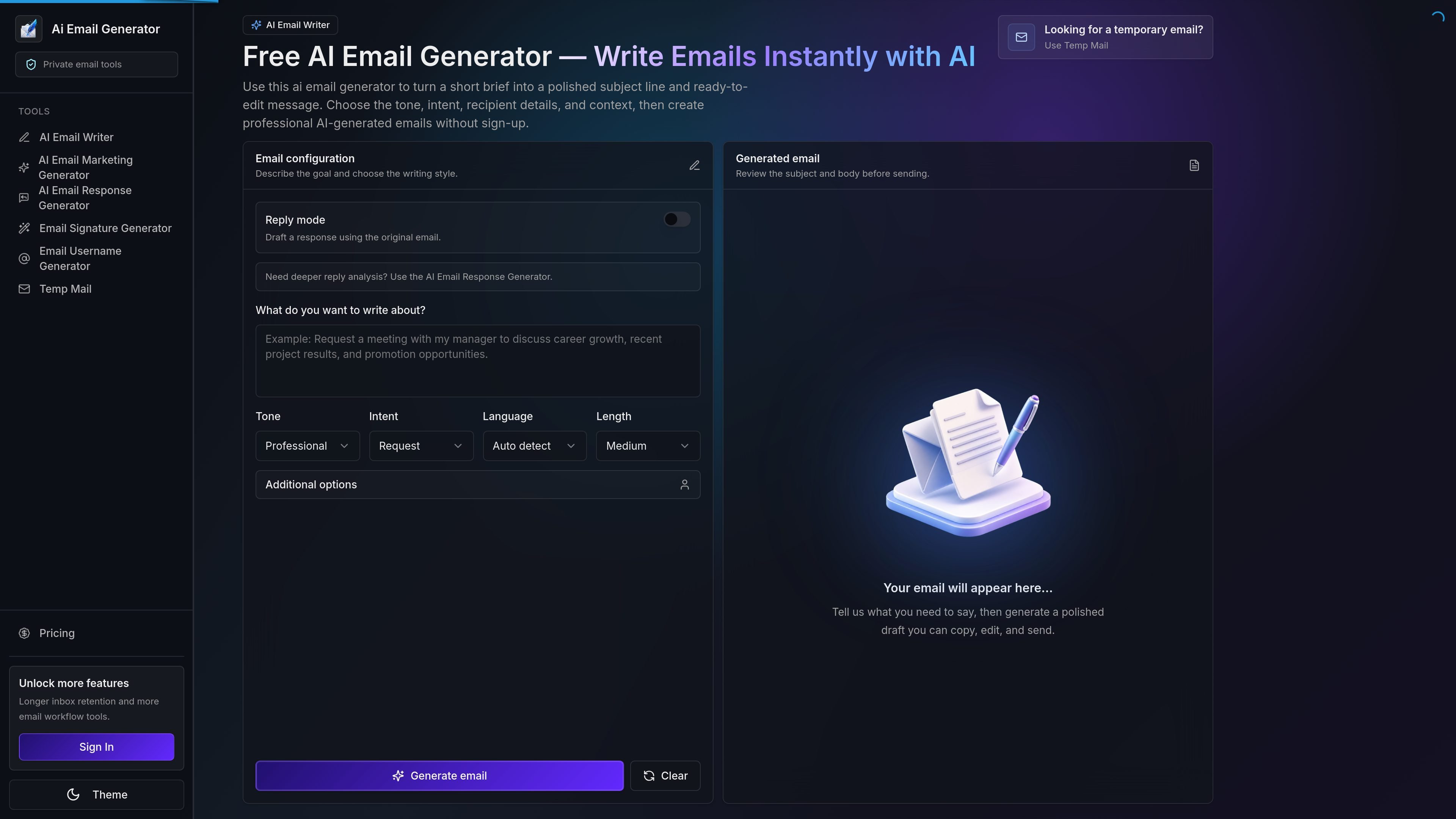
AI Email Generator is a web-based tool for drafting emails from short prompts. On the homepage, it is presented as a free AI email writer that creates a subject line and ready-to-edit body without requiring sign-up.
The tool is aimed at people who need clear email copy quickly, including work messages, replies, sales outreach, support communication, and personal notes. It keeps the workflow simple: describe the message, choose tone and intent, review the draft, and send it from your own inbox.
Turn a short brief into a subject line and draft body, then refine the wording before sending.
Choose a tone such as professional, friendly, concise, persuasive, or formal so the draft matches the situation.
Provide recipient details, your name, language, length, and additional context to shape the output.
Use reply mode to draft responses based on an original email, or route deeper analysis to the AI Email Response Generator.
Review the generated draft on the page before copying it into your inbox and sending it yourself.
The homepage groups the writer with related tools such as Temp Mail, Email Signature Generator, and Email Username Generator.
Create a polished first draft when you already know the purpose of the email but want help with structure and phrasing.
Paste or summarize an incoming message, then generate a response that addresses the original request more quickly.
Draft concise introductions, follow-ups, reminders, and value-focused outreach without starting from scratch.
Write thank-you notes, apologies, invitations, and other personal messages with an appropriate tone.
Save time on repeated email writing for work, school, support, or coordination tasks while keeping final control over wording.
It generates a draft email from a short brief, including a subject line and body that you can copy and edit before sending.
The homepage describes the tool as free and says it does not require sign-up before generating an email.
Yes. The page includes a reply mode for drafting responses using the original email, and it also points to a separate AI Email Response Generator for deeper reply analysis.
The source highlights professional requests, fast replies, sales outreach, personal messages, and daily productivity as common uses.
No. The generated result is a draft only; you review, edit, and send it from your own inbox.

Dirac is an AI email assistant that prepares a morning brief, prioritizes important threads, and drafts replies in your voice. It is positioned for founders and other busy professionals who use Gmail and want to reduce morning inbox triage.

Goldfish is an AI memory app for macOS that helps you reply, write, summarize, and continue using the context already on your Mac. It stores memory locally and writes in your tone.

Liam is an AI copilot for managing inboxes, writing replies, prioritizing email, and scheduling meetings. It is offered free for individuals, with custom pricing for teams and enterprise.

ProWritingAid is a writing assistant for storytellers that offers grammar checking, style editing, paraphrasing, and story analysis inside popular writing apps. It includes a free plan, paid tiers, and tools for chapter critique, manuscript review, and collaborative editing.

Paperpal 是一款面向学术写作的 AI 工具,提供文献阅读、语言润色、引用、查重、AI 检测和投稿前检查。它适合需要在英文论文和学术材料上进行写作、修改与合规自检的学生、研究人员和教师。

Sanota is an app that turns spoken memories, reflections, and interviews into clear written stories. It supports personal storytelling, family history, and shared memories, with guided prompts and subscription pricing.