
Signal-to-draft generation
Artifacts are generated from Signals and existing product context, so the first draft is prepared from information the system already knows rather than from a blank document.

Artifacts by Samepage is a connected writing surface for product teams that turns signals and existing work context into drafts such as PRDs, release notes, feature requests, bug tickets, and status updates. It includes built-in AI editing and can publish work into tools like Jira, GitHub, Confluence, Slack, and Linear.
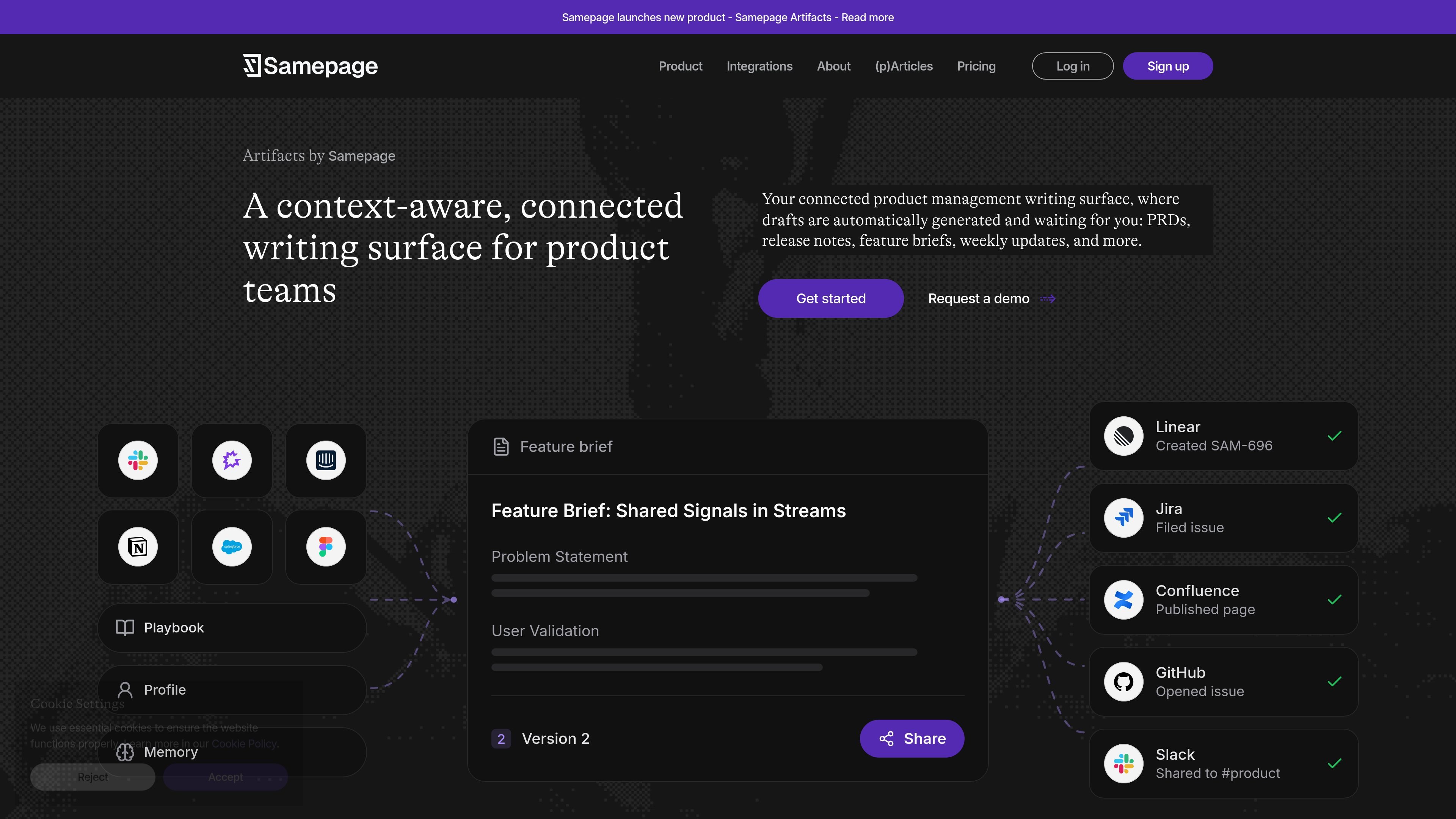
Artifacts by Samepage is a connected writing surface for product teams. It turns signals and existing work context into first drafts of product documents so teams can move from fragmented information to something they can edit and share.
The product is positioned for product leaders who need to produce common artifacts such as PRDs, release notes, feature requests, bug tickets, status updates, and weekly updates. Those drafts open in a full editor with built-in AI assistance, and they can be sent into tools the team already uses.
Artifacts are generated from Signals and existing product context, so the first draft is prepared from information the system already knows rather than from a blank document.
The editor supports inline writing and AI-assisted revision, including improving, shortening, fixing, and continuing selected text, plus larger edits through Copilot.
Artifacts can be created as PRDs, release notes, feature briefs, weekly updates, bug tickets, status updates, and similar product documents.
Drafts can be shared or pushed into downstream tools, including Jira, GitHub, Asana, Confluence, Slack, and email, and the homepage also mentions publishing feature requests in Linear.
Artifacts can start from data already connected to Samepage or from a blank page, which supports both automated drafting and manual authoring.
Samepage describes Artifacts as working with the user’s broader product context, including connected work information and web signals, and the integrations page lists sources such as Slack, Notion, Google Drive, Jira, Linear, GitHub, Intercom, Amplitude, Mixpanel, and web search.
Use Artifacts to turn incoming signals from meetings, support threads, or product tools into a first draft of a PRD or feature brief, then refine it in the editor before sharing it with the team.
Create release notes, status updates, or launch summaries from the work already captured in Samepage and connected tools, then send the result to Confluence, Slack, or another publishing destination.
Convert bug-related discussions or support signals into a structured bug ticket or feature request and push it into Jira, GitHub, or Linear.
Use the editor and Copilot to expand an existing outline, improve sections inline, or turn a short brief into a longer document such as a PRD without rebuilding it from scratch.
Keep product, engineering, support, and go-to-market stakeholders aligned by consolidating signals into one place before drafting the artifact that each group needs.
Samepage Artifacts is designed for product teams and product leaders who want drafts to be generated from existing context rather than started from scratch. The homepage and launch article describe use cases such as PRDs, release notes, bug tickets, status updates, feature requests, and weekly updates.
Artifacts can be started from the sidebar, from a Signal, or by typing /artifact in a conversation. The launch article also says drafts can begin from existing data or from a blank page.
Artifacts open in a full text editor with built-in AI assistance. You can edit inline, highlight text to ask AI to improve, shorten, fix, or continue writing, or use Copilot in the side panel for larger changes.
The launch article says finished drafts can be shared through a public link, dropped into Slack, or pushed to tools such as Jira, GitHub, Asana, Confluence, email, or Slack. The homepage also says you can publish artifacts as feature requests in Linear or documents in Confluence.
The pricing page shows Free, Pro, and Teams plans. The Free plan includes 1 user, 3 data sources, 50 Signals per month, 15 artifact generations per month, and 10 Copilot chats per day; Pro and Teams add higher limits and more collaboration features.

Goldfish is an AI memory app for macOS that helps you reply, write, summarize, and continue using the context already on your Mac. It stores memory locally and writes in your tone.

Biji는 혁신적인 도구와 기능을 통해 생산성을 향상시키기 위해 설계된 다목적 플랫폼입니다.

Starlie is a native macOS desktop client for Jira Cloud and self-hosted Jira. It helps Jira users search with JQL, manage sprint boards, review issue context, and make selected updates from a Mac app.

ProWritingAid is a writing assistant for storytellers that offers grammar checking, style editing, paraphrasing, and story analysis inside popular writing apps. It includes a free plan, paid tiers, and tools for chapter critique, manuscript review, and collaborative editing.

SpeakoFlow is a free, open-source desktop voice-to-text app for Windows, macOS, and Linux. It supports dictation into any app, voice-driven writing with Flow, cleanup, translation, and a screen-aware assistant.

SonOf connects to your repo and PM tool, audits the codebase and surrounding product context, and turns approved work into shipped tickets with senior engineering review. It is aimed at founders and engineering leaders who need backlog help without hiring a full team immediately.