

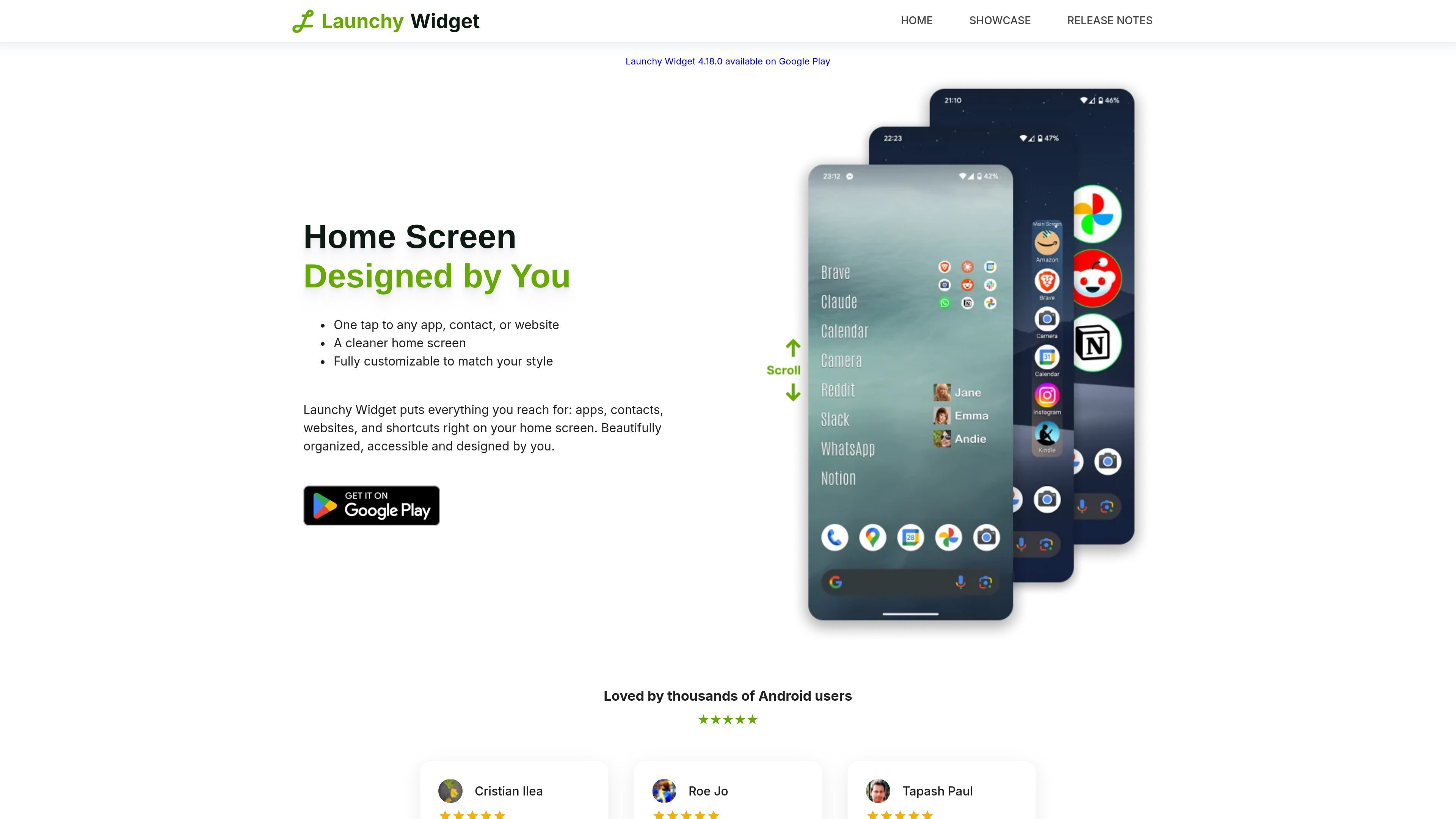
Scrollable app folders
Organize favorite applications into scrollable widget folders instead of relying on multiple home-screen folders.
Launchy Widget is an Android home-screen widget app for putting frequently used apps, contacts, websites, and app shortcuts in one-tap reach. It is designed to work with any Android launcher and can supplement the launcher’s standard icons, folders, and widgets.
Users can create up to 15 independent widgets and customize each one’s layout and visual treatment. The app also includes a Dashboard for viewing active widgets and their live previews, while item and preset export/import support backup, device transfer, and sharing of configurations.
Organize favorite applications into scrollable widget folders instead of relying on multiple home-screen folders.
Place a contact's direct dial on the home screen so a call can be started from the widget.
Open saved websites from the home screen, including pages shared from a browser into a widget.
Use Android app shortcuts to jump into supported destinations such as WhatsApp chats, device settings, or playlists.
Adjust widget sizes, colors, fonts, placement, spacing, skins, backgrounds, shadows, glow, and opacity to build a personalized layout.
Manage active widgets from a Dashboard with live previews, and export or import items and layout presets as files for backup, transfer, or sharing.
Create a compact widget containing the applications used during a workday, keeping them together without adding multiple folders to the home screen.
Place frequently called contacts in a dedicated widget so important numbers can be reached without searching through the contacts app.
Keep regularly visited websites or browser pages in a home-screen widget for direct access to reference material, dashboards, or personal bookmarks.
Build separate widgets for routines such as mornings, travel, or media playback by combining apps and supported shortcuts in different layouts.
Export items or layout presets to back up a widget, reproduce its design on another device, or share a configuration with another person.
Launchy Widget is an Android home-screen widget app for organizing and launching apps, contacts, websites, and supported app shortcuts from customizable widgets. The site states that it works with any Android launcher.
You create widgets on the Android home screen, add items such as apps, direct dials, browser bookmarks, and app shortcuts, then adjust their layout and appearance in the app's settings. The Dashboard provides live previews of active widgets and links to their settings.
The site lists app folders, direct dials, browser bookmarks, and app shortcuts as supported item types. Examples of app shortcuts include WhatsApp chats, device settings, and playlists, although availability can depend on the target app's supported Android shortcuts.
The product site says you can create up to 15 independent widgets. It also documents export and import for widget items and JSON-based layout presets, which can be used for backup, transfer, or sharing.
Launchy Widget is presented as an Android product and is available through Google Play. The supplied site content does not specify pricing, supported Android versions, or detailed launcher and permission limitations.

MacSpoof로 macOS Wi‑Fi MAC 주소를 변경하거나 랜덤화하세요. 네트워크 재접속 및 공용 Wi‑Fi에서 기기 식별 기록을 줄이는 데 도움.

DemoTV is an audience-ranked station for discovering and comparing independent product demos. Founders can submit videos, embed approved demos on their websites, collect viewer inquiries and optionally commission demo production or labelled promotion without buying ranking.

Ship It: Idle Dev Tycoon is an iPhone incremental simulation game about building apps, managing a software studio, and selling it for lasting progression benefits. It supports offline play, automated builds, adviser collection, and optional in-app purchases.

NomNak은 친구 추천으로 맛집을 찾는 iPhone 무료 앱입니다. 저장한 장소, 푸드 패스포트, 도시 검색으로 친구들의 식당 지도를 확인하세요.

CAPTA is a mobile GPS waypoint app for quickly saving, organizing, and revisiting locations. It supports offline use, camera-based coordinate capture, optional cross-device synchronization, and GPX export for fishermen, explorers, and field professionals.

Ctrl+Shift+3 is a calm, text-first community platform with a chronological feed, profiles, RSS, and private groups called Clicks. It is built for reading, posting, and joining smaller communities without algorithmic ranking or vanity counts.