
Browser multiplexer
Arrange pages in split panes, keep reference pages floating, and switch between saved workspaces.

bmux is a desktop browser for organizing work in split panes and saved workspaces while controlling browser agents through the CLI. It also supports phone-layout simulation and monitored browser-worker workflows for users working with automation and scraping.
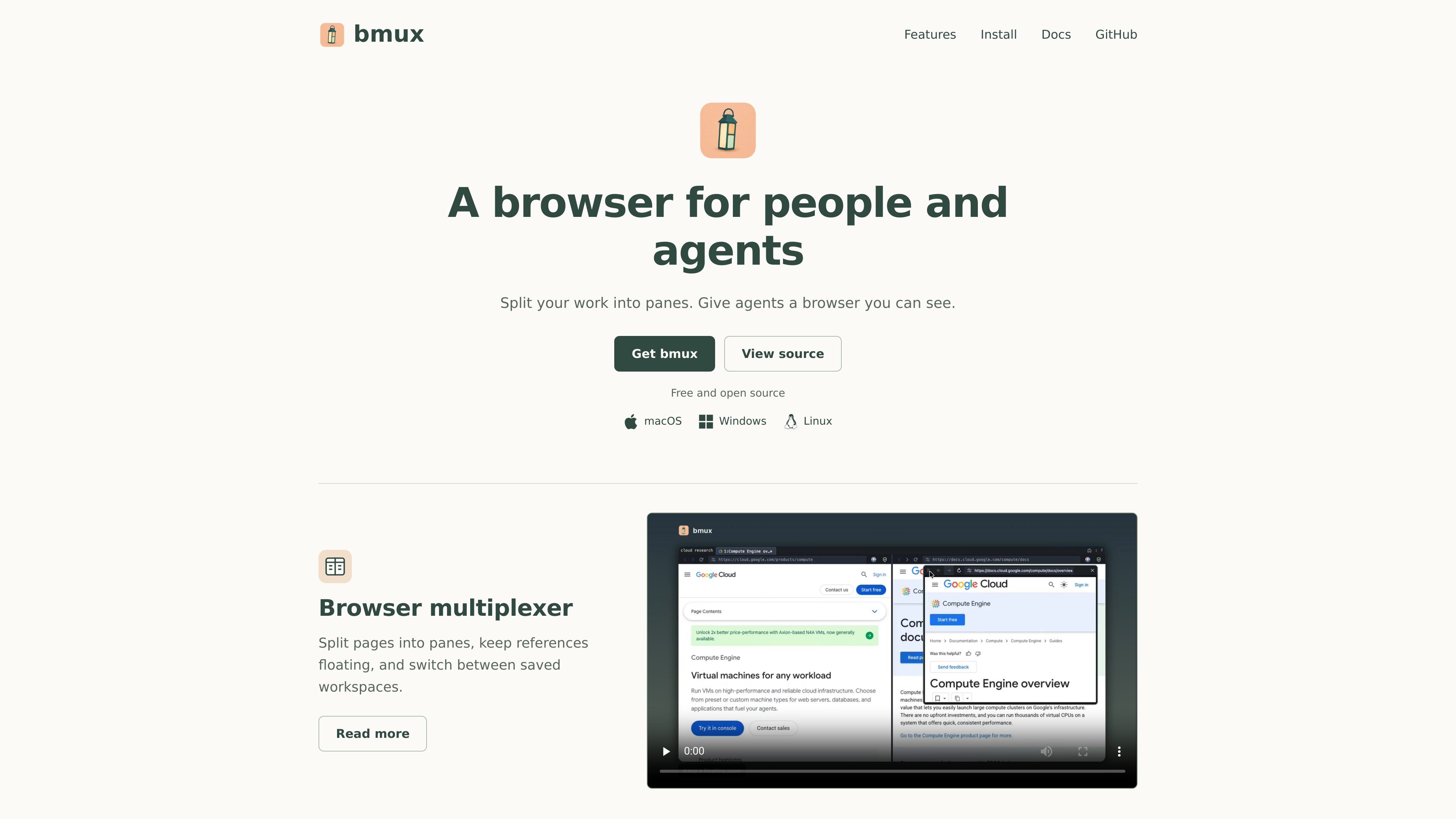
bmux is a desktop browser designed for working across multiple pages, browser sessions, and agent-controlled tasks. Its browser-multiplexer interface divides work into panes, supports floating reference pages, and lets users switch between saved workspaces.
The product also connects visible browser work with automation workflows: users can control a pane from the CLI, observe agents running in independent profiles, simulate phone layouts and orientations, and monitor browser workers used for scraping tasks. bmux is offered for macOS, Windows, and Linux; the homepage states that its downloads are free and open source, while detailed licensing terms are not provided in the supplied evidence.
Arrange pages in split panes, keep reference pages floating, and switch between saved workspaces.
Control a browser pane from the CLI while watching several agents operate in independent profiles.
Select a phone preset, view a site's mobile layout, and change orientation without leaving the browser.
Combine profile connections, simulated devices, and browser workers in a workflow that can be monitored together.
Use the browser on macOS, Windows, or Linux, with downloads for Apple Silicon, Intel, x64, and ARM64 environments as listed on the homepage.
Keep a primary page, documentation, and reference material visible at once by arranging them in panes and saving the arrangement as a workspace.
Give multiple browser agents separate profiles, control a pane through the CLI, and observe their activity in the same visible browser environment.
Select a phone preset and switch orientation to inspect how a site presents its mobile layout during browser-based review.
Combine connected profiles and simulated devices with browser workers when building a scraping workflow that needs visual monitoring.
bmux is available for macOS, Windows, and Linux. macOS downloads support Apple Silicon and Intel, while Linux hosts are offered for x64 and ARM64.
On macOS, users can install the Homebrew cask or open a DMG. Windows users download and run an installer. Linux host setup requires Node.js 22.12 or newer, Xvfb, and host system libraries; the site provides a command for starting the host.
The bundled CLI requires Node.js 22.12 or newer on macOS and Windows. Linux host setup also lists Node.js 22.12+, Xvfb, and the required system libraries.
The homepage describes a CLI-controlled pane, independent profiles for agents, simulated mobile devices, and browser workers that can be monitored together. Detailed remote-host documentation was unavailable in the supplied source, so the exact remote workflow is not specified.

CreateOS Sandbox is an isolated compute environment for running code and agent workloads inside Firecracker micro-VMs. It is designed for workflows that need machine-level isolation, private networking between sandboxes, and programmatic control through SDK, CLI, or MCP.

GitBot is a local browser-based workspace for creating reusable coding bots powered by Claude Code, Codex, or OpenCode. It helps developers run those agents across repository folders with persistent threads and configurable permissions.

AakarDev AI helps teams manage AI provider access, project-level setups, logs, and analytics from one dashboard. It supports BYOK workflows and lists providers including OpenAI, Google Gemini, Anthropic, Groq, Mistral AI, and Perplexity AI.

Trigger.dev chat agent is a durable AI chat backend for developers building stateful conversations that can survive refreshes, crashes, and long-running turns. It connects with the AI SDK `useChat` flow and runs on managed infrastructure with no timeout on a turn.

Mindcase is a web data API and console for extracting structured data from websites and major online platforms. It helps users retrieve clean rows of data through prompt or API access, with prepaid per-record billing.

ByteAsk is a terminal-first AI coding agent for C and C++ that edits repositories and verifies changes with the real compiler, debugger, sanitizers, and tests before showing a diff. It offers a free tier plus paid plans, with editor connectors and zero-retention handling described in the source.