
Pre-modeled infrastructure bundles
Install only the pieces you need, such as comments, reactions, files, notifications, chat, search, moderation, feeds, follows, or connections. Each bundle is a pre-modeled pattern rather than a blank slate.

Sublay provides backend infrastructure for user-powered products, with pre-modeled bundles for comments, notifications, files, search, chat, moderation, feeds, follows, and connections. It is aimed at developers who want to install common interaction layers through one SDK instead of building each layer from scratch.
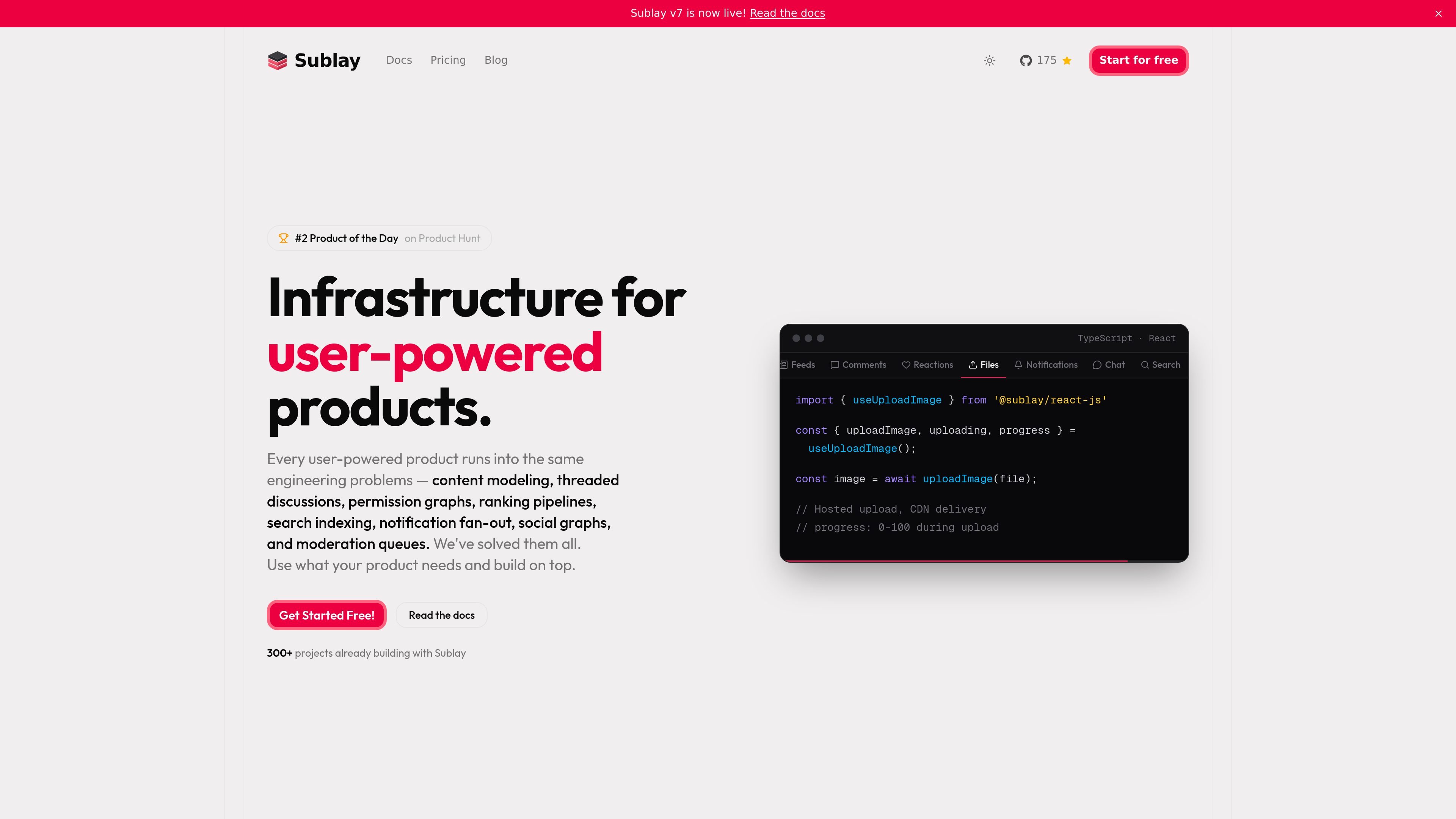
Sublay is backend infrastructure for user-powered products. It packages common application layers — including comments, reactions, files, notifications, chat, search, moderation, feeds, follows, and connections — as pre-modeled bundles that you can install instead of building each layer from scratch.
The product is organized around entities such as posts, articles, products, videos, and listings. You can start with new content models or connect existing records with foreign IDs, then call the installed bundles through one SDK and use the related client libraries or editable components in your app.
Install only the pieces you need, such as comments, reactions, files, notifications, chat, search, moderation, feeds, follows, or connections. Each bundle is a pre-modeled pattern rather than a blank slate.
Bundles are described as including the data model, APIs, and SDK hooks needed to wire the feature into your application. That reduces the amount of schema design and glue code you have to build yourself.
The product centers on an entity model for content such as posts, articles, products, videos, and listings. New bundles attach to those entities, and existing data can be linked through foreign IDs without schema changes.
The homepage shows nested, paginated, real-time comments with a React hook example. That suggests the comments bundle supports threaded discussion workflows rather than flat comment lists.
Sublay provides client SDKs and components for TypeScript, React, React Native, Expo, Node.js, and JavaScript. The site also states that these packages are open source and TypeScript-first.
The CLI can add production-ready UI components such as `comments-threaded` and `notifications-control` into a project as editable source code. The site says the components follow shadcn/ui principles and are meant to be customized and owned by the developer.
Add hierarchical comment threads, replies, mentions, reactions, and moderation to posts, articles, or other content entities without designing the full comment system yourself.
Build product reviews, seller ratings, buyer feedback, or similar marketplace interactions on top of the pre-modeled comments, reactions, reputation, notifications, and search layers.
Support creator follow systems, feeds, and searchable discussion layers for blogs, video platforms, and newsletters where audience interaction is part of the product.
Add nested workspaces, membership approvals, per-space roles, and moderation queues for products that need grouped communities or sub-communities.
Wire together entity-linked files, notifications, chat, follows, and search using one SDK when the application needs multiple user interaction layers to work together.
Sublay is set up by creating a project, getting API keys, and then installing only the bundles you need through its SDKs or CLI. The homepage says the initial setup can be done in under five minutes and the first feature can be live in under an hour.
The homepage positions Sublay for user-powered products that need shared infrastructure such as comments, reactions, files, notifications, chat, search, moderation, feeds, and follow or connection graphs. It is meant for products where users create content or interactions that need a backend layer.
Sublay offers client SDKs and components for TypeScript, React, React Native, Expo, Node.js, and framework-agnostic JavaScript. The source also says the SDKs, client components, and CLI are open source under the MIT license.
The homepage says the product is built around pre-modeled bundles that include the data model, APIs, and SDK hooks. It also says the installable UI components are delivered as editable source code rather than a black-box dependency.
The pricing page currently returns a 404, so the public site does not provide pricing details in the supplied source. The homepage only indicates there is a simple, transparent pricing model and that users can start free and scale as they grow.

MakerLoft is a chat-first AI app builder for non-developers who want to create static sites or full-stack apps from a GitHub repository. It supports a free GitHub Pages path and a DigitalOcean-backed app path with sign-ins, payments, and an admin dashboard.

Rork is an AI mobile app builder that turns a text description into a production-ready app using AI and Expo (React Native). It focuses on chat-based creation, browser previews, and Apple-platform publishing workflows.

ByteAsk is a terminal-first AI coding agent for C and C++ that edits repositories and verifies changes with the real compiler, debugger, sanitizers, and tests before showing a diff. It offers a free tier plus paid plans, with editor connectors and zero-retention handling described in the source.

CreateOS Sandbox is an isolated compute environment for running code and agent workloads inside Firecracker micro-VMs. It is designed for workflows that need machine-level isolation, private networking between sandboxes, and programmatic control through SDK, CLI, or MCP.

hob is an independent workspace for coding agents that keeps agent sessions, terminals, history, and follow-up work organized around the tools and providers you already use. It is aimed at developers who want local control over routing, history, and workspace structure rather than a bundled model stack.

Ably Chat is a chat API platform for building custom realtime chat applications. It supports room-based messaging, typing indicators, presence, reactions, and message updates, with usage-based pricing options for different deployment stages.