
Live 3D satellite globe
Explore more than 15,400 active satellites on an interactive 3D globe, with objects positioned in real time from orbital elements.

azmth is a free, real-time satellite tracker with an interactive 3D globe, pass predictions for your location, and live views of major spacecraft and constellations.
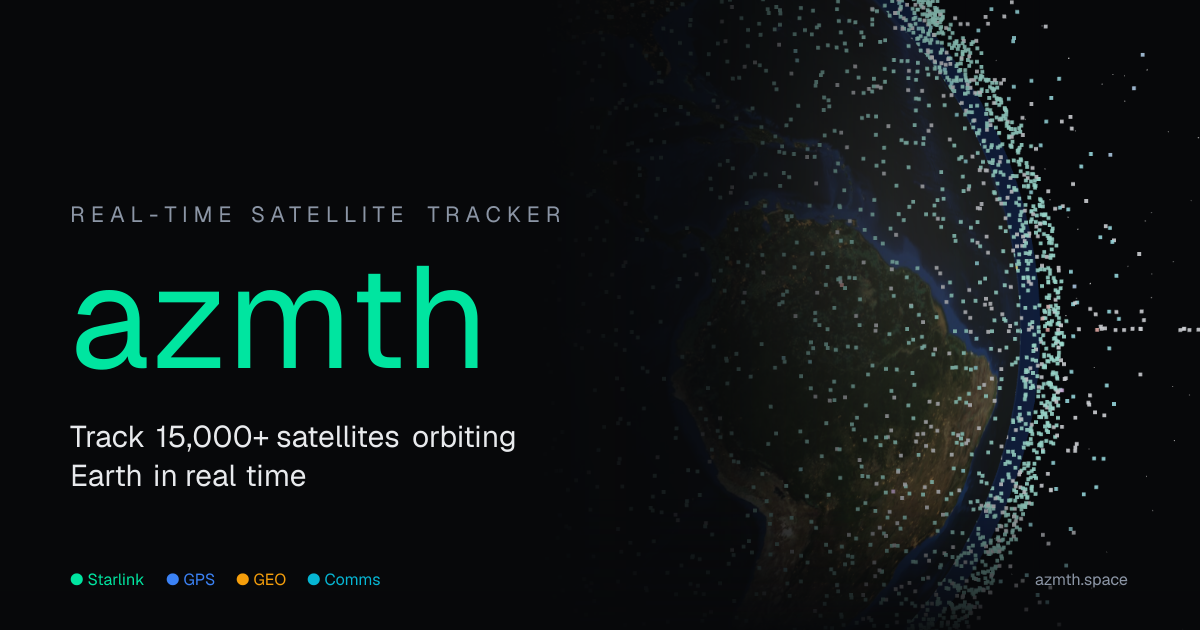
azmth is a free, real-time satellite tracker for exploring Earth-orbiting objects on an interactive 3D globe. It follows more than 15,400 active satellites, predicts passes over your location, and surfaces object-specific views for major spacecraft and constellations.
The product is aimed at people who want a practical way to inspect where satellites are, when they will be visible, and how different orbit regimes behave. It also includes a separate statistics view that summarizes the current active satellite catalog by constellation, country or operator, orbit regime, and launch decade.
Explore more than 15,400 active satellites on an interactive 3D globe, with objects positioned in real time from orbital elements.
View dedicated trackers for the ISS, Hubble, Tiangong, Starlink, GPS, Amazon Kuiper, Qianfan, OneWeb, and the James Webb Space Telescope.
See when a satellite will pass over your location, with pass predictions generated from the current catalog.
Detect freshly launched Starlink trains and track the next visible “string of pearls” pass over your location.
Use orbit and visibility context such as LEO, MEO, GEO, HEO classifications and visible/daytime/in-shadow labels.
Work from a catalog refreshed every 2 hours from CelesTrak data, with positions computed in the browser via SGP4/SDP4 propagation.
Check the International Space Station’s current position and see when it will pass over your location tonight.
Track Starlink satellites and newly launched trains, including the next “string of pearls” pass visible from your area.
Inspect a constellation such as GPS, OneWeb, Kuiper, or Qianfan on a 3D globe and compare orbital layouts.
Look up how many active satellites are in orbit by country, operator, constellation, or orbit regime using the statistics view.
Use the browser-based tracker to understand orbital mechanics and locate satellites without creating an account.
No. The site says there is no signup and no advertising, and the tracker is described as free to use.
The tracker is built around real-time satellite tracking on an interactive 3D globe. It also includes pass predictions for your location and dedicated views for specific objects and constellations.
It is designed as a browser-based experience. Satellite positions are computed in your browser from catalog data that the site refreshes every 2 hours.
The site can show live positions, pass predictions, and orbit details for active satellites, but it does not model per-satellite brightness yet. Accuracy also declines when orbital elements are stale or the object is rapidly decaying.
The pricing page is sparse, but the site presents the project as free and supported by donations, rather than a traditional multi-tier SaaS product.

TorlyAI Visa Master helps UK Innovator Founder Visa applicants score ideas, draft business plans, model finances, and prepare endorsement materials.

EasyEnv is a technical hiring platform for live and take-home interviews in production-like labs, with AI dev environments on real Linux machines.

Senthor identifies bot and AI traffic on a website and lets teams allow, block, or monetize access for publishers, e-commerce, and data providers.

VisualSnag turns screenshots, references, and website URLs into style briefs, CSS variables, design tokens, and AI-ready prompts for AI builders and front-end workflows.

Sidegent is a hands-on platform for building AI agents and apps with browser-based courses and labs. Start free, then unlock the full catalog, live coding machines, and weekly updates with Pro.

QuickMaker is a Blender addon for AI image, 3D, video, and upscaling workflows, helping artists create and iterate without leaving Blender. No API keys needed.