

Cekura
Cekura provides end-to-end testing and observability for voice and chat AI agents—simulations across personas and production monitoring for quality.
What is Cekura?
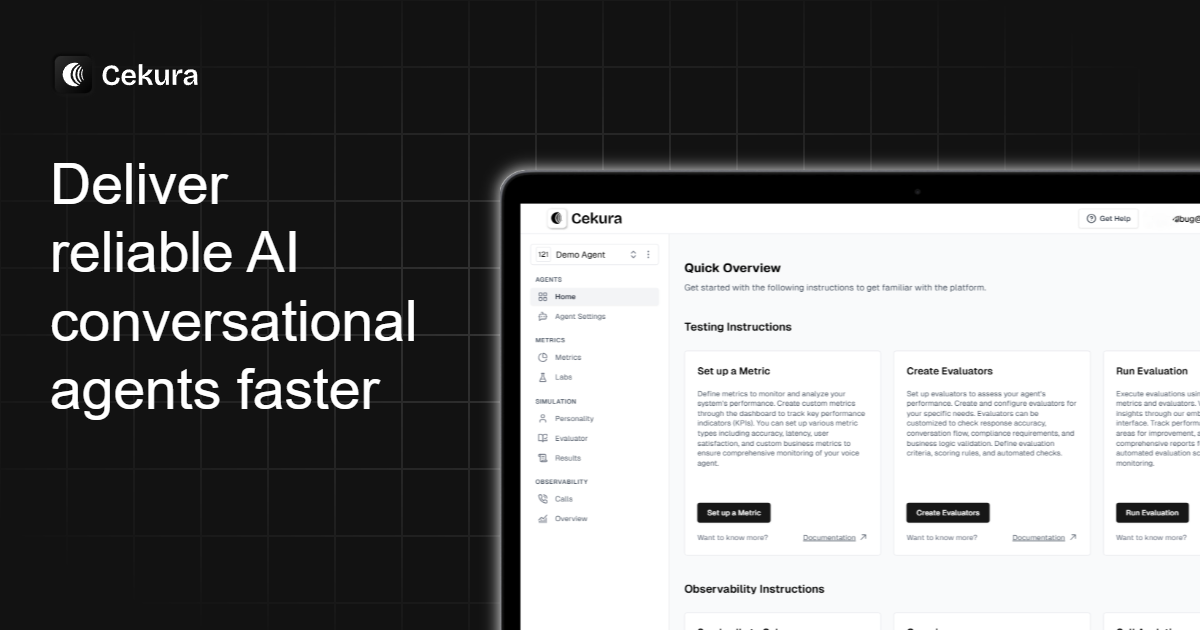
Cekura is an end-to-end testing and observability tool for conversational AI agents, including voice and chat systems. Its core purpose is to help teams validate how their agents behave across diverse conversational scenarios before release and then monitor real conversations in production.
The platform supports pre-production simulations (to test instruction-following, tool calls, and conversational quality) and production monitoring (to inspect calls and identify issues such as missing checks or failures in expected flows).
Key Features
- Scenario simulation for voice and chat agents: run pre-production tests across large sets of scenarios to validate agent behavior under different user and conversation conditions.
- Persona and personality-based testing: use predefined personas (e.g., different accents, genders, and user dispositions) to evaluate whether the agent responds appropriately under varied conversational styles.
- Parallel calling and actionable evaluation: execute simulations and generate evaluation results in minutes to surface problems tied to core user flows.
- Replay of known trouble conversations: re-run previously problematic conversation patterns to prevent recurring failures when prompts or agent logic change.
- Observability with real-time insights and logs: monitor production conversations with detailed logs and trend analysis to assess instruction-following, tool calls, and overall conversational quality.
- Alerting for errors and performance drops: send instant notifications when failures or performance regressions occur so teams can respond quickly.
How to Use Cekura
- Start by creating or selecting scenarios to match your agent’s workflows (including standard flows and edge cases). Cekura can use a built-in library of thousands of scenarios or you can create custom scenarios.
- Run pre-production simulations, using personas to test how the agent performs with different types of users (for example, confused, interruptive, or off-script users).
- Review evaluation outcomes for issues affecting core tasks (such as cancellations, rescheduling, or follow-ups) and use replays to retest known trouble spots after prompt or behavior changes.
- Deploy monitoring in production to observe real conversations, inspect logs, and use alerting to catch failures, missing checks, or performance drops.
Use Cases
- Prompt-change regression testing for appointment flows: when a “new prompt broke appointment cancellation,” use simulations to see how changes impact cancellations, reschedules, and related follow-up tasks.
- Handling interrupts and off-script users: evaluate whether the agent can cope with impatient or interruptive behavior and still follow intended guidance.
- Validating compliance checks and disclaimers: test key flows for missing compliance-related steps (e.g., ensuring required disclaimers or checks are not skipped).
- Troubleshooting recurring conversation failures: replay an “old conversation that always causes issues” to identify why it fails and confirm fixes after updates.
- Production monitoring for instruction-following and tool calls: monitor every call to check whether the agent follows instructions correctly and performs expected tool calls, then track trends over time.
FAQ
-
Does Cekura only test pre-production, or does it also monitor production? Cekura supports both: pre-production simulations for evaluation and production monitoring for ongoing observability.
-
What kinds of evaluations does Cekura perform? The site describes evaluation of instruction-following, tool calls, and conversational quality, with example checks that include empathy/responsiveness-style scoring and catching skipped compliance checks.
-
Can I test different types of users and conversation styles? Yes. Cekura includes persona-based testing (e.g., different accents and user dispositions) and supports custom scenarios.
-
How does Cekura help when I change prompts or agent behavior? It enables quick re-simulation of core user flows and replay of known trouble conversations to assess how prompt changes affect outcomes.
-
How are issues communicated to the team? The platform includes instant notifications/alerting for errors, failures, and performance drops, alongside logs and trend analysis.
Alternatives
- Standalone LLM/agent testing frameworks: tools focused on test case execution and evaluation (often without full conversational observability). These may be better if you already have monitoring handled elsewhere.
- Conversational analytics and monitoring platforms: solutions that focus on analyzing production conversations (dashboards, logs, trends) but may not provide the same structured pre-production persona simulation workflow.
- Customer support QA and ticket analytics tools: systems that analyze support interactions after the fact; they can help with review and reporting but may not offer end-to-end simulation for instruction-following and tool calls.
- Agent workflow testing with custom scripts: building your own harness for scenario runs and scoring. This can be flexible but typically requires more engineering effort to reach persona simulation, replay, and alerting workflows.
Alternatives

BenchSpan
BenchSpan runs AI agent benchmarks in parallel, captures scores and failures in run history, and uses commit-tagged executions to improve reproducibility.

PromptScout
PromptScout tracks how your brand is mentioned, which competitors are recommended, and what sources are cited in AI answers—plus website audits.

Sleek Analytics
Lightweight, privacy-friendly analytics with real-time visitor tracking—see where visitors come from, what they view, and how long they stay.

Codex Plugins
Use Codex Plugins to bundle skills, app integrations, and MCP servers into reusable workflows—extending Codex access to tools like Gmail, Drive, and Slack.

MacSpoof
MacSpoof is a macOS MAC address changer that lets you change or randomize your Wi‑Fi MAC to reconnect and limit device logging on public Wi‑Fi.

ClawTick
ClawTick is a CLI-first AI agent automation platform for scheduling webhook tasks on cron with monitoring, alerts, retries, and execution logs.