

Clawcard.sh
Clawcard.sh provisions dedicated email inboxes, US SMS-enabled numbers, and virtual Mastercard cards for AI agents—sign up, verify & pay with a searchable ledger.
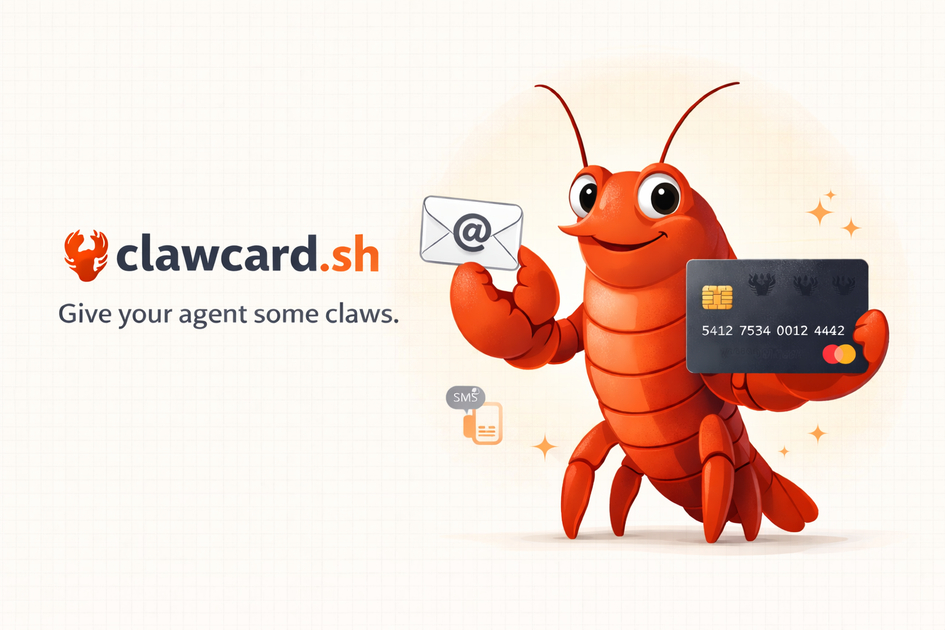
What is Clawcard.sh?
Clawcard.sh is a service and CLI tool for giving AI agents their own dedicated identity and payment rails. It provisions an inbox, an SMS-enabled US phone number, and virtual Mastercard payment cards so an agent can sign up, verify, and pay for third-party services without using your personal email, phone, or credit card.
The core purpose is to make agent-driven workflows easier to set up and easier to audit: you get an activity ledger covering the agent’s transactions and communications tied to the credentials Clawcard issues.
Key Features
- CLI setup for an agent workspace: Use the
@clawcard/clicommand line to initialize and set up your Clawcard key and resources, then let the agent use them for signups and payments. - Dedicated email inbox per key: Each key gets an email address (
@mail.clawcard.sh) the agent can use for service signups, verification links, and messages. - SMS-enabled US phone number: Clawcard provisions a US number that receives verification codes and supports 2FA flows needed by services during signups.
- Virtual Mastercards with spend limits: Create on-demand virtual cards with per-card budget limits, including single-use cards (auto-close after one charge) and merchant-locked cards (reusable at the same vendor for subscriptions).
- Checkout autofill for Stripe forms: A Chrome extension fills Stripe payment fields, including cases inside iframes the agent cannot reach directly.
- Full ledger and audit trail: Clawcard logs transactions and activity (including emails, SMS, and credential-related actions) and provides a searchable, exportable ledger.
How to Use Clawcard.sh
- Install the CLI:
npm i -g @clawcard/cli. - Get an invite code, then sign up and create a key.
- Run
clawcard setup(after initialization) to provision your dedicated email inbox, US phone number, and virtual card access for that key. - Configure your agent harness to use Clawcard skills/skill files (the site notes compatibility with tools that support “skills.sh” and can read a skill file).
- As your agent signs up and pays for services, it uses the provisioned resources. Use the ledger to review activity and manage cards if needed.
Use Cases
- Agent onboarding for accounts that require email + phone verification: If a service requires both an email and SMS verification (and often 2FA), Clawcard supplies those so the agent can complete signups.
- Running agent tasks that involve paid SaaS: When an agent needs to subscribe to third-party tools, Clawcard provides virtual Mastercards with spend limits to control payment behavior.
- Managing “one-off” purchases safely: Use single-use virtual cards for transactions where you want the card to close after a single charge.
- Subscribing to the same vendor repeatedly: Use merchant-locked cards when the same service needs recurring payments, while keeping per-card limits.
- Auditing what the agent did: Review the logged ledger for transactions, email/SMS-related activity, and credential/audit trail details associated with the key.
FAQ
How do I get started with Clawcard.sh?
Install @clawcard/cli, sign up with an invite code, create a key, and run clawcard setup. The site states the process takes about two minutes.
What kinds of agents does this work with? The site says it works with agents that can read a skill file (via skills.sh), including Claude Code, Cursor, Codex, Cline, OpenClaw, and “40+ others.” It also notes that if your agent can make HTTP calls, it works.
How do the virtual cards behave? Clawcard issues virtual Mastercards with per-card spend limits. You can choose single-use (auto-closes after one charge) or merchant-locked (reusable for the same vendor/subscriptions).
What happens if my agent goes rogue? The site states you can instantly kill card creation, revoke individual cards, or delete the entire key. It also says every action is logged in a full audit trail.
Do I get a real email and phone number?
Yes. Each key gets a dedicated email inbox at @mail.clawcard.sh and an SMS-enabled US phone number provisioned automatically.
Alternatives
- Direct integration using a user-managed email, phone, and card: You can let an agent sign up using your own accounts and payment methods, but it typically offers less isolation and auditability.
- Agent-focused “tooling” that provides reusable credentials and logs: Look for agent platforms or automation stacks that manage credential storage and activity logs; these may not provide the same combination of dedicated inbox/phone plus virtual cards.
- Virtual card providers for developer accounts (without the agent identity bundle): Some services issue virtual cards with limits, but they may not include the dedicated email inbox and SMS-enabled phone provisioning Clawcard pairs together.
- No-code/automation platforms with built-in billing and verification workflows: These can reduce the need for custom signups and payments, but the workflow and level of control/ledger visibility may differ from Clawcard’s per-key identity approach.
Alternatives

PromptScout
PromptScout tracks how your brand is mentioned, which competitors are recommended, and what sources are cited in AI answers—plus website audits.

Lasso
Lasso is an AI-first PIM for ecommerce teams that enriches product attributes and descriptions, processes supplier data, and monitors competitors via app or API.

Sleek Analytics
Lightweight, privacy-friendly analytics with real-time visitor tracking—see where visitors come from, what they view, and how long they stay.

MacSpoof
MacSpoof is a macOS MAC address changer that lets you change or randomize your Wi‑Fi MAC to reconnect and limit device logging on public Wi‑Fi.

Tavus
Tavus builds AI systems for real-time, face-to-face interactions that can see, hear, and respond, with APIs for video agents, twins & companions.

ClawTick
ClawTick is a CLI-first AI agent automation platform for scheduling webhook tasks on cron with monitoring, alerts, retries, and execution logs.