

GitHub Copilot
GitHub Copilot helps developers with contextual AI code suggestions and chat in editors and GitHub to write, explain, and edit code.
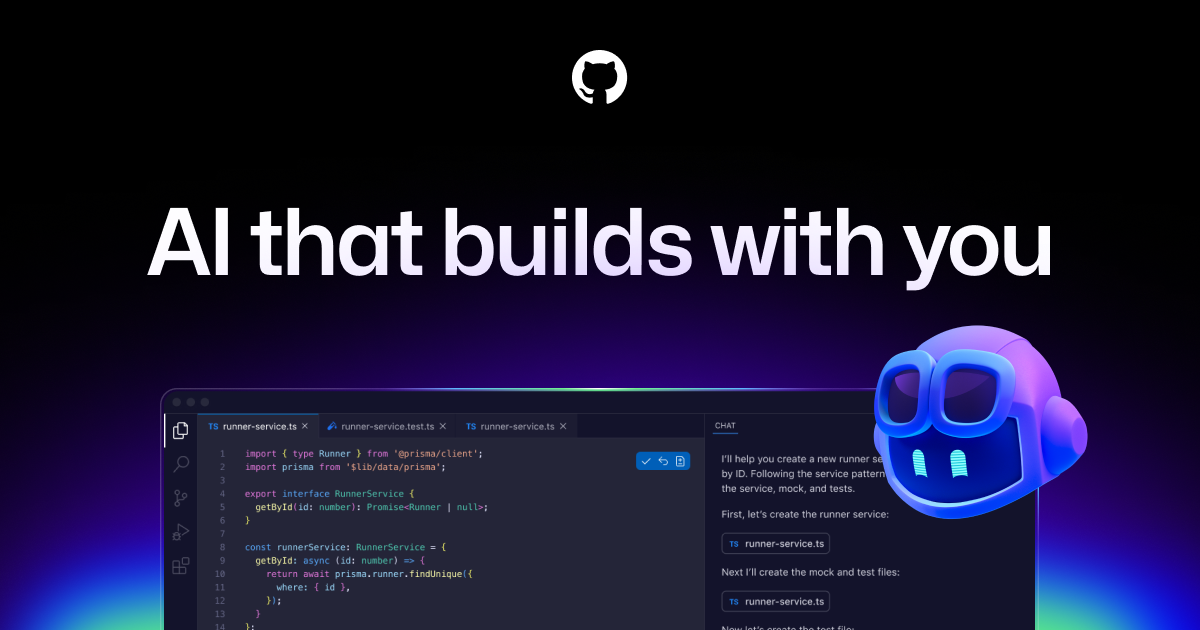
What is GitHub Copilot?
GitHub Copilot is an AI pair programmer that provides contextual assistance for software development. It can suggest code directly in the editor and support related workflows through chat and other development tools.
The core purpose of GitHub Copilot is to help developers throughout the software development lifecycle with inline suggestions, code explanations, and assistance that can reference project context and documentation available in GitHub.
Key Features
- Inline code suggestions in your IDE: Copilot can complete code and also propose edits while you work.
- Chat assistance in development tools: Use Copilot chat to ask questions and get help alongside coding, including explanations and answers to documentation.
- Agent mode for code and repo workflows: Agent mode can be used to autonomously write code, create pull requests, and respond to feedback in the background.
- Copilot CLI for terminal workflows: Use natural language in the terminal to have Copilot plan, build, and execute complex workflows with GitHub context.
- Model choice tuned for different priorities: Choose from leading LLMs optimized for speed, accuracy, or cost.
- Enterprise governance for agents and MCP: Track activity with detailed audit logs, manage agent usage from a control plane, and control which MCP servers can be accessed using allow lists.
How to Use GitHub Copilot
- Get started with a free tier (no credit card required): create an account and start using Copilot in your editor.
- Enable Copilot in your IDE: use one of the supported environments (such as GitHub, VS Code, Visual Studio, JetBrains IDEs, or Neovim) to receive inline suggestions and chat assistance.
- Use agent mode for larger tasks: where available, ask an agent to write code or prepare changes; it can also create pull requests and incorporate feedback.
- Use the CLI for terminal-based work: use GitHub Copilot CLI to direct Copilot via natural language so it can plan and execute workflows using your GitHub context.
- For teams, configure governance: for enterprise use, apply audit logs and governance controls, and restrict MCP servers with allow lists.
Use Cases
- Implementing functions from an issue description: Assign an issue to a coding agent and let it autonomously draft code and create a pull request, then iterate based on feedback.
- Code comprehension and documentation Q&A: Ask Copilot to explain concepts or answer questions to help you understand code and related documentation within your GitHub workflow.
- Preparing PR-level changes with agent mode: Use agent mode to propose edits and validate files as part of a broader change rather than only completing small snippets.
- Automating multi-step terminal tasks: Use Copilot CLI to instruct it in natural language to plan and execute a workflow (powered by GitHub context) directly from the terminal.
- Enterprise control over external integrations: Manage which MCP servers developers can access in their IDEs using allow lists and maintain audit trails for agent activity.
FAQ
-
What is included in the free GitHub Copilot tier? The free tier includes a limited number of agent mode or chat requests per month and a limited number of completions per month, plus access to models including Haiku 4.5 and GPT-5 mini (as listed on the page).
-
Do I need a credit card to start? The page states that GitHub Copilot requires no credit card to get started.
-
Which editors and platforms are supported? GitHub Copilot is available for GitHub, VS Code, Visual Studio, Xcode, JetBrains IDEs, Neovim, Eclipse, Raycast, SQL Server Management Studio, and Zed (as listed on the page).
-
How does Copilot use agents and integrations like MCP? The page describes agent mode for autonomously writing code and handling PR workflows, and enterprise controls that manage MCP server access from IDEs using allow lists.
-
Can I choose between different models? Yes. The page indicates you can choose from leading LLMs optimized for speed, accuracy, or cost, and that additional models are available depending on plan.
Alternatives
- Other AI code assistants integrated into IDEs: These provide inline suggestions and chat-like help, typically focused on coding assistance within your editor.
- Terminal-centric AI workflow tools: Alternatives may emphasize natural-language automation via a CLI, helping with multi-step tasks using repository context.
- General-purpose LLM chat tools for coding: Some tools allow coding Q&A and code generation, but may not provide the same editor-integrated, development-workflow features like agent-driven PR creation.
- Self-hosted or custom model coding assistants: For teams that need more control over models and tooling, options in this category focus on configuration and integration rather than a managed AI coding workflow.
Alternatives

AakarDev AI
AakarDev AI is a powerful platform that simplifies the development of AI applications with seamless vector database integration, enabling rapid deployment and scalability.

Devin
Devin is an AI coding agent that helps software teams complete code migrations and large refactoring by running subtasks in parallel.

imgcook
imgcook is an intelligent tool that converts design mockups into high-quality, production-ready code with a single click.

Claude Opus 4.5
Introducing the best model in the world for coding, agents, computer use, and enterprise workflows.

Ably Chat
Ably Chat is a chat API and SDKs for building custom realtime chat apps, with reactions, presence, and message edit/delete.

BookAI.chat
BookAI allows you to chat with your books using AI by simply providing the title and author.