

Keplars
Keplars provides email infrastructure for transactional and marketing messages with delivery transparency, sandbox testing, and developer-first workflows.
What is Keplars?
Keplars is an email infrastructure platform for modern product teams. It supports sending both transactional and marketing emails while providing delivery visibility, sandbox testing, and tools meant to simplify developer workflows.
Its core purpose is to reduce friction in email sending—so teams can integrate email into product and customer communications without getting stuck on ongoing deliverability debugging or configuration work.
Key Features
- Transactional and marketing email sending: Enables product teams to handle user-triggered and promotional messaging from one infrastructure layer.
- Full delivery transparency: Tracks delivery, opens, and clicks, and presents a complete email timeline in a single place.
- Sandbox testing: Lets teams test email sends before using them in production workflows.
- Multi-region delivery routing: Sends emails via optimized infrastructure and multi-region routing to support reliable inbox delivery.
- Deliverability-focused authentication support: SPFs, DKIM, and DMARC readiness are listed as part of the setup/positioning to help with inbox placement.
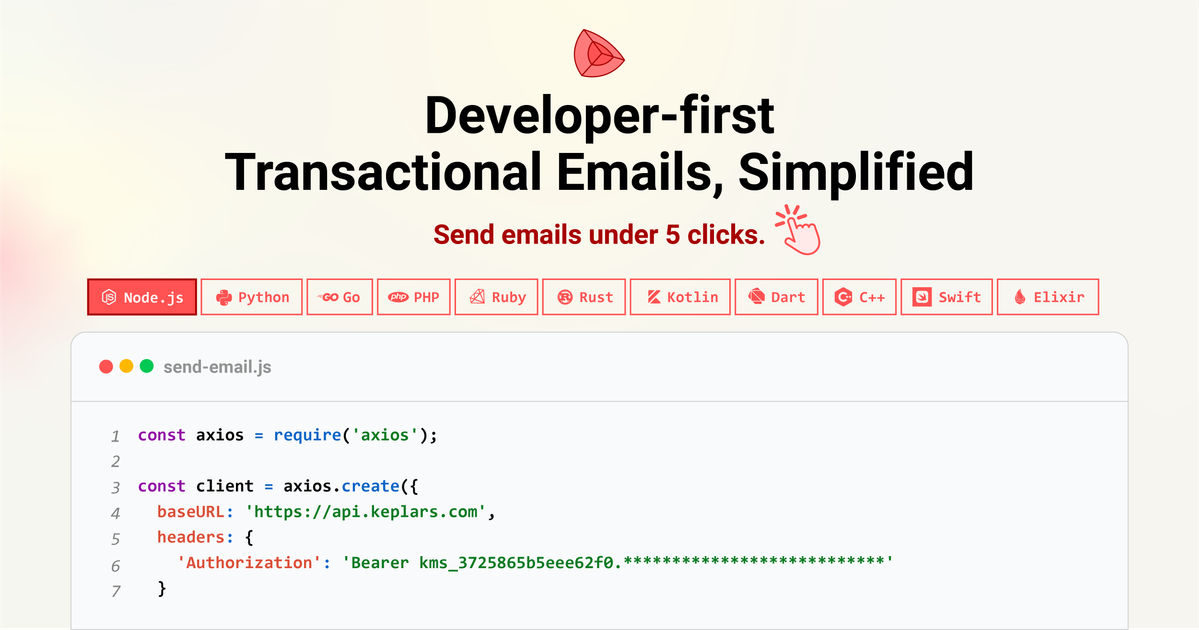
- Developer-first workflow: The platform is described as getting users to send emails in under 5 clicks and providing clear APIs plus an email editor.
- Usage-based pricing: Pricing is described as usage-based.
How to Use Keplars
- Get started using the free option referenced on the site.
- Configure the email sending setup (including SPF, DKIM, and DMARC readiness as part of deliverability support).
- Use sandbox testing to verify that email behavior matches expectations before launching.
- Send emails either through the provided API workflow or by using the email editor for composing templates.
- Monitor results using the delivery transparency views (delivery status, opens, clicks, and the email timeline).
Use Cases
- Transactional emails for product events: Send critical user communications (for example, account-related or system-triggered messages) with visibility into delivery and engagement.
- Marketing emails with monitoring: Run email campaigns where teams need reporting beyond basic send status, including opens, clicks, and a full event timeline.
- High-volume email operations: Use when email reliability and predictable sending workflows matter for large batches of transactional or product-driven communication.
- Team workflows that need testing before rollout: Validate email templates and sending behavior in a sandbox environment to reduce surprises in production.
- Sales and customer communications: Track delivery, opens, and clicks without requiring digging through logs or switching between multiple tools.
FAQ
-
What kinds of emails does Keplars support? Keplars supports transactional and marketing emails.
-
Does Keplars provide testing before production? Yes. The site mentions sandbox testing for validating email sends.
-
What reporting or visibility does Keplars offer? Keplars describes delivery transparency including delivery status, opens, clicks, and an email timeline in one place.
-
How does Keplars help with inbox placement? The site lists SPF, DKIM, and DMARC readiness with trusted providers as part of deliverability support.
-
How is Keplars priced? The site states that pricing is usage-based.
Alternatives
- Email API platforms for transactional messaging: An alternative category is other email-sending API services that focus on developer integration and programmatic message delivery; workflows may differ in how much UI editing and delivery transparency they provide.
- Marketing automation platforms: If your main need is campaign execution plus analytics, a marketing automation tool may cover send and reporting end-to-end, though it may add more setup or differ in product-triggered use.
- Email deliverability and monitoring tools: Some teams use separate deliverability/authentication and monitoring solutions alongside a sending provider; this can split visibility and operations across tools.
- Generic notification systems (email-capable): Depending on requirements, teams may consolidate messaging with broader notification infrastructure, but may need additional deliverability setup and reporting to match a dedicated email infrastructure approach.
Alternatives

LIAM
LIAM is an AI copilot that drafts email replies, organizes your inbox with auto-labels and prioritization, and schedules meetings from your calendar.

DailyPlay.ai
Turn passive visitors into loyal customers with DailyPlay.ai—create personalized, data-driven mini games built for your brand’s engagement goals.

AgentMail
AgentMail is an email inbox API for AI agents to create, send, receive, and search email via REST for two-way agent conversations.

Clawcard
Clawcard: AI agents get a real inbox, phone number & virtual credit card for OpenClaw. Secure, autonomous agent operations.

Apparent for Gmail
Apparent for Gmail is a Chrome extension that improves conversation flow, reduces visual clutter, and lets you hide AI overviews in emails.

Elvixs
Elvixs is an AI job outreach tool for freshers and students—find HR contacts, generate AI cold emails, send from Gmail, and track opens.