

Kits AI
Kits AI is a desktop suite of studio-focused AI audio tools for music: custom voice cloning, vocal isolation/removal, pitch correction & more.
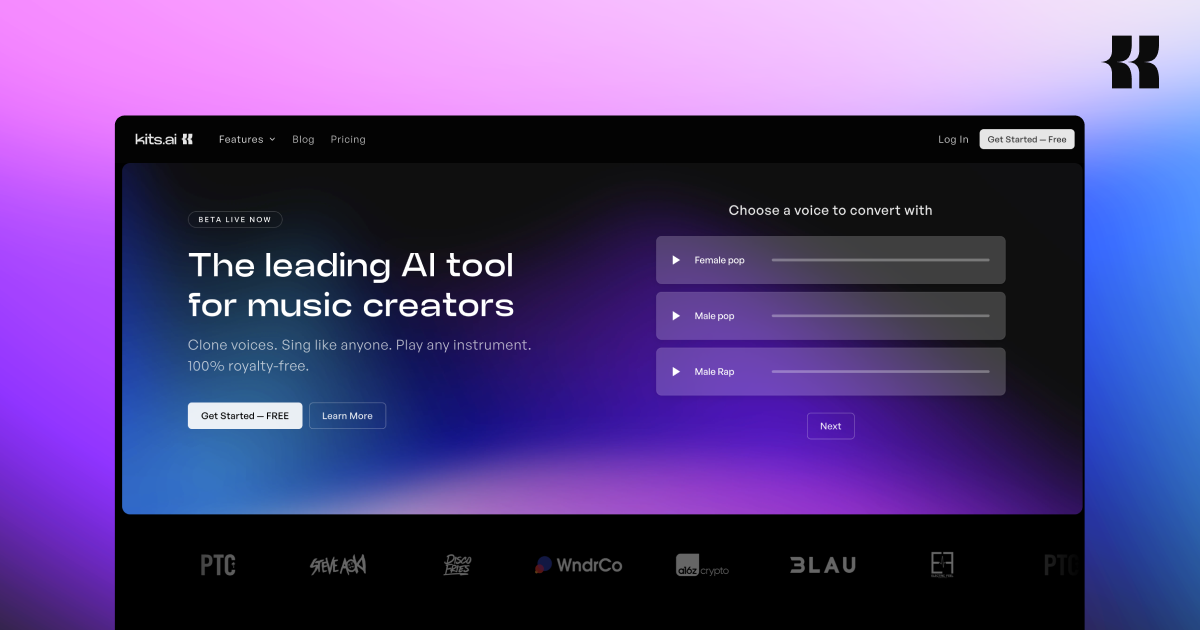
What is Kits AI?
Kits AI is a desktop suite of AI audio tools built for music production workflows. It focuses on voice and vocal processing tasks such as creating or cloning custom voices, generating vocals, and improving or separating audio tracks.
The product’s purpose is to help producers get “studio-quality” vocal results without needing a traditional recording session every time—while also supporting production steps like vocal removal, stem separation, and AI mastering for vocal outputs.
Key Features
- Custom voice creation and voice cloning: Create custom AI singing voices and clone voices to produce vocals aligned to specific styles.
- Style-based singing generation: Generate vocals that can be performed “in any style,” aimed at helping users sing parts across different genres.
- Instrument playback (play any instrument): Tools are described as enabling users to play any instrument, supporting broader arrangement and demo workflows.
- Vocal isolation and vocal removal: Includes capabilities for isolating vocals and for removing vocals from input audio, supporting remixing and reworking parts.
- Pitch correction and vocal processing: Provides pitch correction as part of its vocal-focused production workflow.
- Stem separation and AI mastering: Supports stem separation and AI mastering of vocal outputs to refine results after processing.
- Royalty-free usage (as stated): The site explicitly states “100% Royalty Free.”
How to Use Kits AI
- Open the desktop app (“Get started” / “Enter App” on the site).
- Choose a vocal or audio workflow such as cloning/custom voice creation, pitch correction, vocal isolation/removal, stem separation, or AI mastering.
- Provide or select your input audio (when applicable) and run the relevant tool to generate processed outputs.
- Refine and export your vocal results for use in your production workflow (the site references “Before/After” examples for tools like vocal removal and AI mastering).
Use Cases
- Clone a voice for demos: A producer can clone a voice and generate singing in different styles to audition melodies and arrangements without booking a session.
- Cover-style vocal experiments: An artist can test how a song might sound across multiple vocal styles (the site presents “original” and “clone” style examples) to find a direction quickly.
- Prepare stems for remixing: Use vocal isolation/removal to create versions suitable for remixing, backing track creation, or rebalancing vocals in a mix.
- Improve recorded takes with pitch correction: After recording, apply pitch correction and then use mastering/refinement tools focused on vocal outputs.
- Split and master mixed material: Use stem separation and AI mastering to derive more usable components and polished vocal results from existing audio.
FAQ
-
Is Kits AI meant for music production or general AI voice chat? Kits AI is described as an AI audio toolkit designed for music workflows, including vocal processing (isolation/removal, pitch correction) and mastering/stem separation.
-
What kinds of audio tasks does it support? Based on the site, it supports custom voice creation/cloning and singing generation, plus vocal and track processing such as pitch correction, vocal isolation/removal, stem separation, and AI mastering.
-
Does the product support ethical sourcing for voice models? The site states that voices used in its models are ethically licensed and securely sourced via the artists themselves, and it describes no unauthorized scraping.
-
Is output royalty-free? The site explicitly states “100% Royalty Free.”
-
Is Kits AI a desktop app? Yes—the site highlights a desktop app and includes a “Get started” flow for using the product.
Alternatives
- Dedicated vocal isolation/removal tools: Alternatives in this category focus on separating or removing vocals (useful when your main need is stems rather than voice cloning).
- Pitch correction and melody tools: These tools specialize in correcting pitch and tuning performance, typically used after recording rather than for voice cloning.
- General-purpose AI audio mastering plugins: If your main goal is finishing and polishing mixes (especially vocals), mastering-focused tools can be a narrower substitute.
- Other AI singing/voice generation platforms: Adjacent alternatives provide AI singing with voice cloning or style transfer, usually differing in which parts of the workflow they cover (generation vs. full vocal production processing).
Alternatives

LALAL.AI
LALAL.AI is a next-generation vocal remover and music source separation service that allows users to quickly and accurately extract vocal and instrumental tracks from audio and video files.

LALAL.AI
LALAL.AI is an AI vocal remover and music source separation service that splits uploaded audio/video into isolated stems for fast downloads.

Kits AI
Kits streamlines and improves producer workflows with AI audio tools built for music, allowing users to create custom voices and sing in any style.

ElevenMusic
Discover, remix, and stream music on ElevenMusic. Save tracks to playlists with drag-and-drop for your personal collection.

TME Studio
TME Studio is an online music creation assistant launched by Tencent Music Entertainment, providing various creative tools for music enthusiasts.

CAMB.AI
Turn a single live stream into a multilingual broadcast with real-time AI audio dubbing for YouTube, Twitch, X and more.