
Discover, remix, and create
The homepage centers on three workflows: discover music, remix existing tracks, and create new music from a text prompt.

ElevenMusic is a web-based music platform to discover tracks, remix music, and create original songs with prompt-led mood tags and account-based saving.
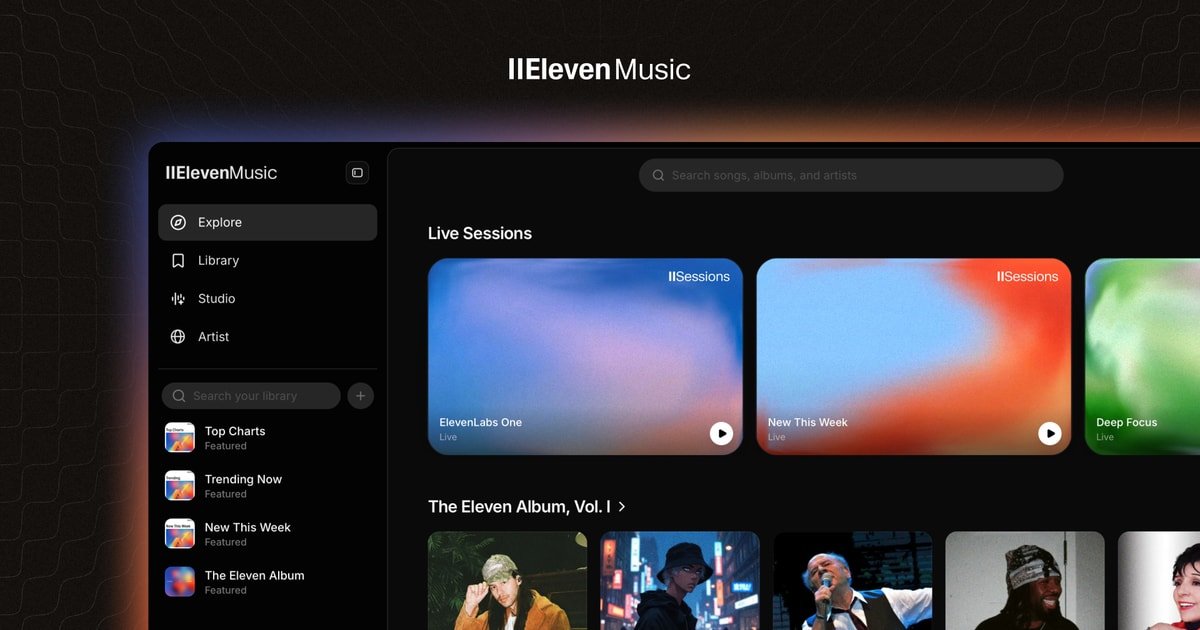
ElevenMusic is a web-based music creation and listening product that combines streaming, remixing, and prompt-based song generation in one interface. The homepage positions "Music v2" around three core actions: discover music, remix tracks, and create your own.
The site also presents curated collections and album pages, including Eleven Album Vol. 1, Eleven Album Vol. 2, and Made with Music v2. These pages show track lists with titles, artists, durations, and labels such as original recording or remix, which makes the product usable both as a listening catalog and as a place to browse output from the platform.
On the creation side, the homepage includes a "Describe your song..." prompt and a row of mood tags such as dreamy, nostalgic, serene, melancholic, hopeful, mysterious, romantic, playful, warm, icy, dark, ethereal, intense, chill, cinematic, and ambient. The pricing page also indicates that users can save their library, generations, and playlists across devices after signing in with Google or another account option.
Taken together, the public pages suggest a browser-based workflow for people who want to find music, remix existing material, and generate new tracks without leaving the site.
The homepage centers on three workflows: discover music, remix existing tracks, and create new music from a text prompt.
A creation prompt labeled "Describe your song..." appears with selectable mood tags, giving users a guided starting point for generation.
The site surfaces playlist and album-style collections such as Eleven Album Vol. 1, Eleven Album Vol. 2, and Made with Music v2 for browsing finished tracks.
Track listings on the site show titles, artists, durations, and whether a track is an original recording or a remix, which supports catalog-style browsing.
The pricing page states that libraries, generations, and playlists can be saved across devices, indicating account-based persistence.
Use the home page to browse current tracks, playlists, and album collections when you want to explore what the product can play or surface before creating anything.
Start from an existing track or remix listing when you want to reinterpret a song rather than generate something completely new.
Enter a short description and refine it with mood tags when you want to create an original song from a simple idea or vibe.
Open the album-style collections to review how content is organized, including track names, artists, durations, and recording type.
Sign in so your library, generations, and playlists stay available across devices when you expect to return to the same work later.
It appears to be a web-based music platform for discovering tracks, remixing music, and creating original songs. The public pages also show curated playlists and album-style collections built from ElevenMusic content.
The public pages show browser access through the main site and a pricing/sign-in flow, but they do not clearly document desktop or mobile apps.
The home page presents a prompt-driven creation flow with mood tags such as dreamy, nostalgic, serene, melancholic, hopeful, mysterious, romantic, playful, warm, icy, dark, ethereal, intense, chill, cinematic, ambient.
The site highlights playlists and album collections such as Eleven Album Vol. 1, Eleven Album Vol. 2, and Made with Music v2, suggesting a library organized around listening and browsing as well as creation.
The pricing page indicates a sign-in/continue-with-Google flow and says you can save your library, generations, and playlists across devices, but it does not expose plan prices or tier limits in the captured text.

LALAL.AI is an AI audio processing platform for stem separation, voice cleanup, and voice transformation, with browser upload, preview, and download.

Kits AI is an AI music production platform for voice cloning, vocal generation, and vocal processing. Free plan, paid tiers, and Windows app.

TME Studio is an online music creation assistant from Tencent Music Entertainment, supporting music separation, MIR computation, lyric writing, and smart scores.

Beatoven.ai is an AI music generator for original background music and sound effects for content projects, with API access for prompt-based audio generation.

CAMB.AI Streams dubs live audio in real time for YouTube, Twitch, X and other platforms, using existing live workflows and no post-production.

AI Song Maker is a web-based AI music generator that turns text or lyrics into songs, with vocal removal, track extension, and section replacement.