
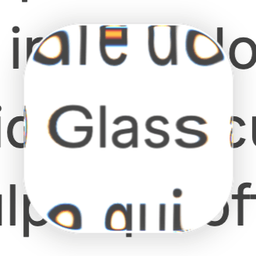
LiquidGlass
LiquidGlass is a lightweight JavaScript/TypeScript library that renders realistic WebGL glass effects like refraction, blur, and lighting on any HTML element.
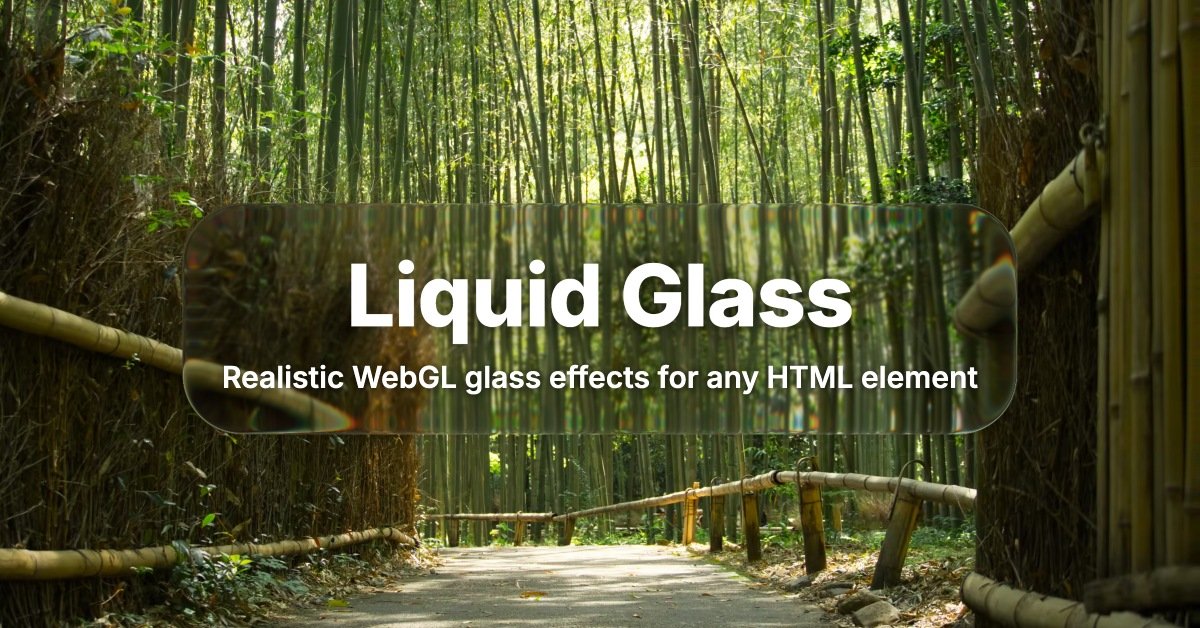
What is LiquidGlass?
LiquidGlass is a lightweight JavaScript/TypeScript library that renders realistic glass effects on top of any HTML element using WebGL shaders. It applies refraction, blur, chromatic aberration, specular highlights, and related lighting behavior by capturing the DOM content behind each glass element and compositing it in real time.
The library is designed to work with arbitrary page backgrounds (images, videos, canvases, or plain HTML). It uses a multi-pass rendering pipeline and can handle multiple glass layers, per-element configuration, and dynamic updates on the page.
Key Features
- WebGL shader-based glass rendering for HTML elements: Generates the glass look by processing the DOM content behind the glass element and compositing it as shader output.
- Real-time multi-pass pipeline: Supports effects such as refraction, blur strength control, chromatic edge fringing, and specular/rim lighting behaviors.
- Per-element and global configuration: Configure each glass element individually via
data-config(JSON) or set global defaults through thedefaultsoption. - Layered glass compositing: Supports glass-on-glass setups via its compositing approach.
- Interactive positioning options: Can inject draggable “floating” panel behavior when enabled (e.g.,
floating: true), and includes abuttonmode for hover/press shader feedback. - Realistic surface controls: Parameters include
cornerRadius,zRadius(bevel depth),bevelMode(shape curvature mode),brightness,saturation,shadowOpacity, andfresnelreflection.
How to Use LiquidGlass
- Install or import: Install via npm (
npm install @ybouane/liquidglass) or import directly from the CDN (https://cdn.jsdelivr.net/npm/@ybouane/liquidglass/dist/index.js). - Create a positioned root container: The
rootelement passed toLiquidGlass.init()must be a container withposition: relative. - Add glass elements inside the root: Each glass element must be a direct child of the root. When initialized, LiquidGlass injects a
<canvas>as the glass element’s first child for shader output. - Initialize: Create the instance with
LiquidGlass.init({ root: document.querySelector('#my-root'), glassElements: document.querySelectorAll('.glass') })and later clean up withinstance.destroy(). - Configure effects: Provide per-element settings via
element.dataset.config = JSON.stringify({ ... })(e.g., blur amount, refraction, corner radius). Use the playground pattern to adjust parameters visually.
Use Cases
- Custom “glass” cards and panels: Apply frosted, dark, or regular glass styling to a card element by tuning
blurAmount,brightness,cornerRadius, andzRadius. - Interactive magnifier-style lens: Use
bevelMode: 1along with matchingcornerRadiusandzRadiusto get a half-sphere/dome lens effect (and optionally enablefloating). - Hover/press UI feedback: Set
button: trueso the glass element reacts to user interaction—hovering brightens and pressing flattens bevel while deepening shadow. - Layered glass-on-glass compositions: Build multi-layer UI where different glass elements overlap, leveraging LiquidGlass compositing for stacked effects.
- Glass over rich backgrounds: Place glass elements on top of backgrounds that can be images, videos, canvases, or regular HTML content, while keeping those backgrounds within the root’s sampled children.
FAQ
Do I need a specific DOM structure?
Yes. The root must be a positioned container (position: relative), and each glass element must be a direct child of the root. Nested glass elements are rejected at init with a console warning.
What does LiquidGlass capture for the glass effect? The shader samples the root’s children, so content like background imagery should be in a sibling element inside the root. The root itself is not captured.
Will LiquidGlass create any DOM elements for me?
It injects a <canvas> as the glass element’s first child to render the shader output. Because of this, you should avoid relying on :first-child CSS selectors for the glass element.
Can I use multiple LiquidGlass roots on the same page? The limitations mention that multiple LiquidGlass roots cannot share refraction. Also, glass elements in one root cannot see what glass elements in another root are rendering.
Are there any performance considerations? Yes. The library relies on real-time DOM rasterisation and a multi-pass WebGL pipeline, and capturing DOM into a canvas is described as expensive.
Alternatives
- CSS-only glass effects (backdrop-filter / blur-based techniques): Simpler and purely CSS-driven approaches can approximate frosted glass, but typically won’t provide the same refraction/chromatic aberration/specular pipeline behavior.
- WebGL shader frameworks or custom Three.js/WebGL implementations: If you need full control, you can implement custom shader passes yourself; this shifts the work from a library abstraction to your own rendering pipeline.
- Other DOM-to-canvas/real-time effects pipelines: Adjacent solutions that rasterize DOM to textures can be used to create screen-space effects, but workflow and configuration will differ from LiquidGlass’s DOM-based glass element setup.
- Static design assets: For cases where interactions and real-time updates aren’t required, pre-rendered glass imagery or exported components can reduce runtime cost, at the expense of dynamic refraction/parameter changes.
Alternatives

Ably Chat
Ably Chat is a chat API and SDKs for building custom realtime chat apps, with reactions, presence, and message edit/delete.

AakarDev AI
AakarDev AI is a powerful platform that simplifies the development of AI applications with seamless vector database integration, enabling rapid deployment and scalability.

DeepMotion
DeepMotion is an AI motion capture and body-tracking platform to generate 3D animations from video (and text) in your web browser, via Animate 3D API.

Arduino VENTUNO Q
Arduino VENTUNO Q is an edge AI computer for robotics, combining AI inference hardware and a microcontroller for deterministic control. Arduino App Lab-ready.

Devin
Devin is an AI coding agent that helps software teams complete code migrations and large refactoring by running subtasks in parallel.

MakerLoft
MakerLoft is an AI app builder for non-developers that connects to your GitHub repo to generate working apps with auth, payments, files, jobs.