
Dual-brain architecture
VENTUNO Q combines a Qualcomm Dragonwing IQ8 processor for AI workloads with an STM32H5 microcontroller for deterministic control, with the two parts communicating through an RPC bridge.

Arduino VENTUNO Q is an edge AI computer for AI and robotics, combining AI inference and deterministic control on one board with Arduino App Lab support.
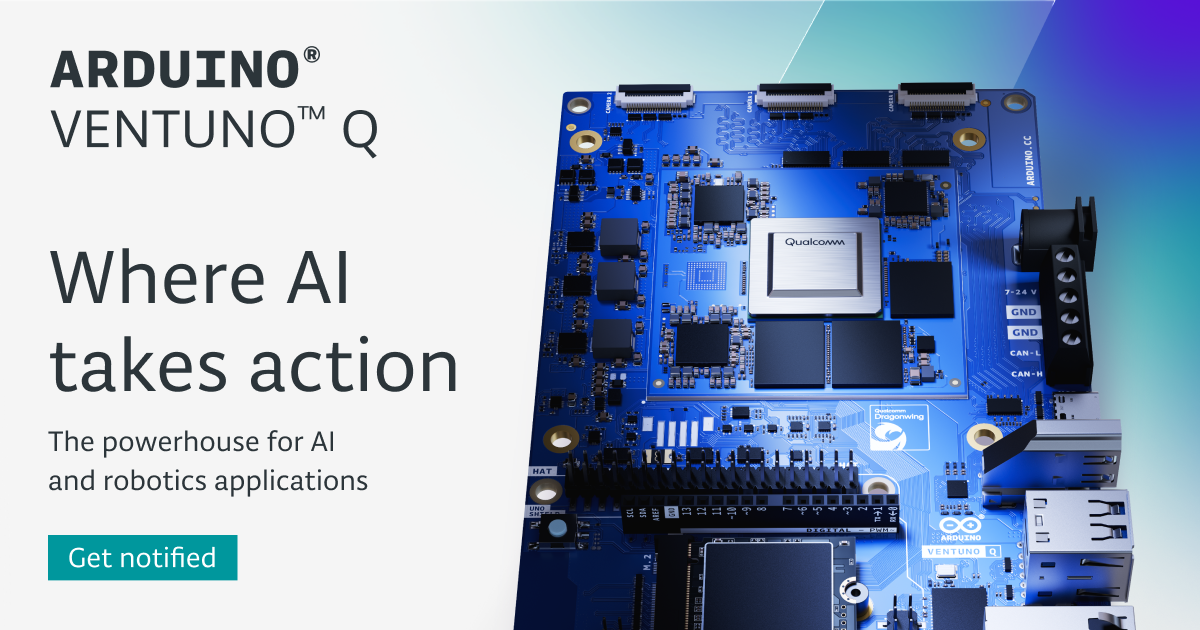
Arduino VENTUNO Q is an edge AI computer built for AI and robotics applications. The page positions it as a single board that combines perception, decision-making, and physical action, with the goal of reducing the complexity of multi-device setups.
The board pairs a Qualcomm Dragonwing IQ8 processor with an STM32H5 microcontroller. According to the product page, the Dragonwing side handles AI inference workloads such as vision, large language models, and multimodal models, while the microcontroller side is used for fast, deterministic control in robotics, motion systems, and industrial interfaces.
VENTUNO Q combines a Qualcomm Dragonwing IQ8 processor for AI workloads with an STM32H5 microcontroller for deterministic control, with the two parts communicating through an RPC bridge.
The board is described as supporting NPU, CPU, and GPU processing for neural network inference, including vision models, local LLMs, and multimodal AI at the edge.
Arduino App Lab is presented as the unified environment for building Arduino sketches, Python scripts, and AI models in one workflow.
The product supports a single-board computer setup or a PC-based setup over USB-C or network, so developers can work from a desktop-style or connected workflow.
The hardware page lists 16 GB RAM, 64 GB expandable eMMC storage, and an M.2 connector for NVMe Gen.4 expansion.
The board includes triple MIPI-CSI camera support, HDMI, USB-C DisplayPort Alt Mode, Wi-Fi 6, Bluetooth 5.3, 2.5 Gb Ethernet, USB-C, dual USB-A 3.0, CAN-FD, PWM, and deterministic GPIO.
Build systems that analyze sensor input, run inference locally, and trigger actions on the same board without depending on a separate controller.
Develop robots that need vision, motion control, and deterministic responses, including projects that use ROS 2 and hardware interfaces such as CAN-FD.
Create offline assistants and local AI experiences with models such as LLMs, VLMs, TTS, and ASR, keeping data processing on-device.
Prototype inspection, tracking, and perception workflows such as object tracking, gesture recognition, and pose detection for industrial or interactive applications.
Use the board in teaching, research, or experimentation where developers need one environment for embedded code, Python, and AI models.
The source describes VENTUNO Q as an edge AI computer built for AI and robotics applications. It combines a Qualcomm Dragonwing IQ8 processor with an STM32H5 microcontroller, and Arduino App Lab is presented as the main environment for development.
Yes. The page says VENTUNO Q supports two setup modes: as a single-board computer with a monitor, keyboard, and mouse, or as a PC-based setup connected to a laptop or desktop over USB-C or network.
Arduino App Lab is described as the unified development environment for VENTUNO Q. The software page says it supports Arduino sketches, Python, and AI models, and that it works with prebuilt modules called Bricks.
The product page says VENTUNO Q supports ROS 2, and the hardware section lists triple MIPI-CSI camera support, HDMI, USB-C DisplayPort Alt Mode, Wi-Fi 6, Bluetooth 5.3, 2.5 Gb Ethernet, USB-C, dual USB-A 3.0 ports, CAN-FD, PWM, and deterministic GPIO.
The sources do not show public pricing or plan limits for the board itself. The product page does mention a limited-time 10% launch discount if you join the waitlist.

CreateOS Sandbox is an isolated compute environment for running code and agent workloads in Firecracker micro-VMs with private networking and SDK, CLI, or MCP control.

AakarDev AI helps teams manage AI provider access, project setup, logs, and analytics in one dashboard. BYOK support included.

Trigger.dev chat agent is a durable AI chat backend for stateful conversations that survive refreshes, crashes, and long-running turns with AI SDK useChat.

ByteAsk is a terminal-first AI coding agent for C and C++ that edits repos and verifies changes with compilers, debuggers, sanitizers, and tests.

Codex Plugins bundle reusable skills, app integrations, and MCP servers into workflows you can install in the Codex app or use from Codex CLI.

hob is an independent workspace for coding agents, with local control over sessions, terminals, history, routing, and follow-up work.