

LookAway
LookAway is a native macOS app with smart screen breaks plus posture and blink reminders to help support healthier work habits.
What is LookAway?
LookAway is a native macOS app with smart screen breaks plus posture and blink reminders. Its core purpose is to help you build healthier screen habits while working by timing breaks and nudges in a way intended to avoid interrupting your flow.
Rather than simply showing breaks on a fixed schedule, LookAway “waits for the right moment” and can give a heads-up before a break begins. It also includes controls and automation so the reminders can fit into your day-to-day workflow.
Key Features
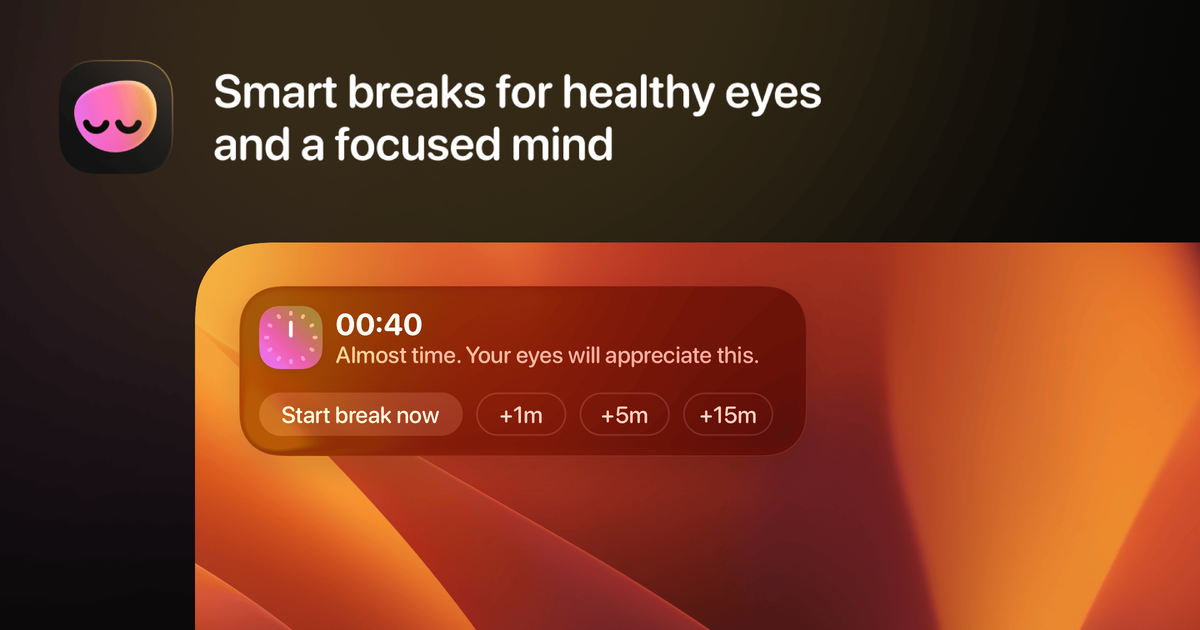
- Smart break timing with a heads-up: LookAway shows a preview countdown (with snooze options) so you know when a break is about to start.
- Floating countdown near your cursor: A countdown follows your cursor to help you avoid missing the transition into a break.
- Break pause behavior during active media: LookAway pauses during screen recording, meetings or calls video, video playback, and Deep Focus apps, then resumes break behavior afterward.
- Menu bar control and quick access: You can monitor status and access controls from the macOS menu bar.
- Breaks that sync to iPhone: When a Mac break begins, LookAway can “gently sync” it to your iPhone so the break stays uninterrupted across devices.
- Posture & blink reminders: The app provides non-intrusive wellness reminders focused on posture and blink rate.
- Customizable break experience: You can adjust timers and customize sounds, backgrounds, and messages.
- Workflow automations: LookAway supports running AppleScripts or Shortcuts when a break starts or ends.
- Designed for the Mac: It’s a fully native Mac app with global keyboard shortcuts, Focus Filters integration, and adaptation to your appearance settings.
How to Use LookAway
- Install the app on your Mac (the site provides a Homebrew install command:
brew install --cask lookaway). - Launch LookAway and use the menu bar for status and quick controls.
- Set up your break and reminder preferences, including break timers, notification behavior (including snooze options), and the look and feel of breaks (sounds, backgrounds, and messages).
- (Optional) Add automation by configuring AppleScripts or Shortcuts to run when a break starts or ends.
Use Cases
- Remote work focused on reducing eye strain: Use smart screen breaks and blink/posture reminders during a workday to support more frequent visual rest without constant manual checks.
- Busy schedules with frequent calls and video: Since LookAway can pause break behavior during meetings/calls video and video playback, it’s designed to avoid breaking attention at key moments.
- Long coding or study sessions: Enable reminders to support more consistent screen breaks during extended periods of reading, coding, or studying.
- Screen recording or instructional sessions: LookAway can pause during screen recording so the reminder behavior doesn’t interfere with capture.
- Personal routines that use device sync: When a Mac break begins, use the iPhone sync so both devices coordinate around the same break time.
FAQ
-
Does LookAway run during screen recording or video playback? The app is designed to pause during screen recording and during certain video contexts (including meetings/calls video and video playback).
-
How are screen breaks shown to the user? LookAway provides a heads-up beforehand, including a countdown that follows your cursor, plus menu bar status and quick controls.
-
Can I customize sounds and messages for breaks? Yes. The app supports customizing timers, sounds, backgrounds, and messages for break sessions.
-
Can I trigger actions when breaks start or end? LookAway supports running AppleScripts or Shortcuts when a break starts or ends.
-
Is LookAway a macOS-only app? The site describes a native Mac app and mentions syncing break timing to an iPhone, but it does not provide details about a broader multi-platform app.
Alternatives
- System-level display and focus scheduling (no dedicated posture/blink features): Alternatives in this category typically help manage focus blocks or screen time, but may not provide the same combination of blink/posture reminders and cursor-linked break countdown.
- Other break-timer utilities for macOS: General screen-break timer apps can handle periodic breaks, but LookAway’s emphasis on “waiting for the right moment,” pause behavior during recording/video, and menu bar/floating countdown may differ.
- Browser or OS extension-based wellness reminders: Some tools focus on website/app usage or timed breaks in the browser. They may not integrate as deeply with fullscreen gaming, Focus Filters, or native Mac appearance settings.
- Ergonomics and habit apps without screen-break orchestration: Apps focused on posture or wellness alone may remind you to adjust habits, but won’t necessarily coordinate break timing and automation around your work sessions.
Alternatives

Biji
Biji is a versatile platform designed to enhance productivity through innovative tools and features.

MIRA vision
MIRA vision is an AI medical diagnostics system using patented synthetic pathology analysis for precise, rapid results in clinical workflows.

Decision Jar
Create virtual jars of options with Decision Jar—shake your phone to pick instantly, use AI suggestions, and view decision logs over time.

Planndu: Daily Task Planner
Planndu is an intuitive productivity application designed to help users organize tasks, manage projects, build routines, and enhance focus using tools like AI generation and a built-in Pomodoro timer.

Oli: Pregnancy Safety Scanner
Oli: Pregnancy Safety Scanner helps check if foods, skincare, supplements, and more are safe in pregnancy with barcode/photo scanning and trimester ratings.
MealTime
MealTime is your personal, offline-first recipe companion designed to help you save, organize, plan meals, and generate smart grocery lists, all while keeping your data private.