

MyNextBrowser
MyNextBrowser is an agentic browser extension adding AI actions—writing, research, slides, dashboards, form fill, and chat—to your Chrome/Edge/Brave workflow.
What is MyNextBrowser?
MyNextBrowser is an “agentic browser” that layers AI-driven actions on top of a user’s native web browser. Instead of replacing Chrome/Edge/Brave, it aims to keep the existing workflow (extensions, history, and bookmarks) while adding AI capabilities for rewriting, researching across tabs/sources, presenting ideas, analyzing data, communicating, and shopping.
It also includes a “control layer” designed to make agent activity observable, with real-time execution logs, a structured data view, and the ability to pause, resume, or intervene while the agent browses.
Key Features
- Native browser compatibility (Chrome, Edge, Brave): keeps your current browser workflow and avoids migration to a different browser.
- AI Slides: generates formatted presentations “from topic to deck” with images and speaker notes.
- AI Text Enhancer: rewrites text on the page (e.g., grammar fixes, tone adjustment, expansion).
- Prompt Enhancer: converts basic instructions into engineered prompts optimized for multiple AI models.
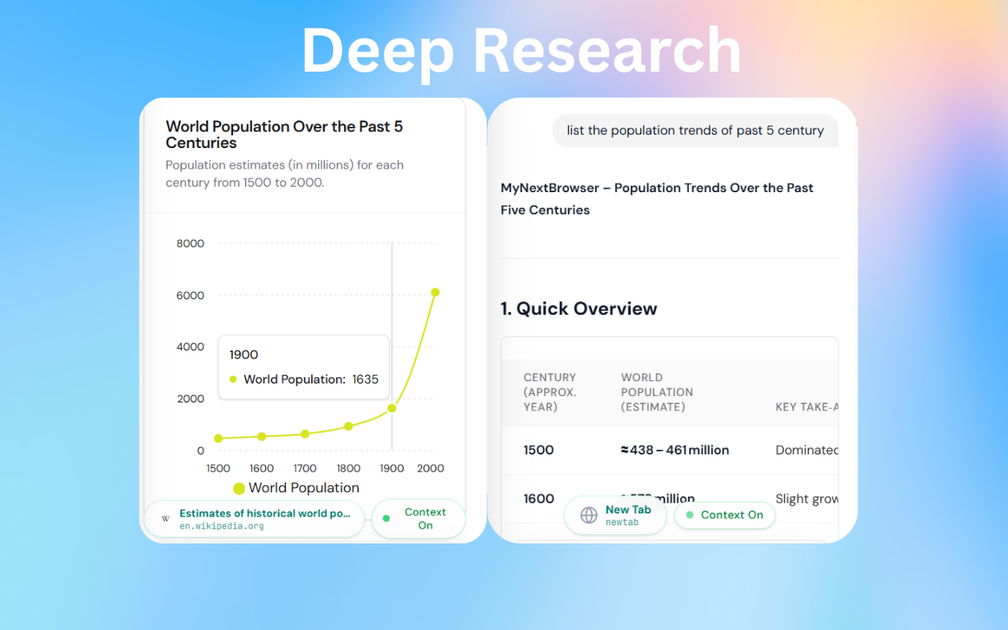
- Deep Research / multi-source agent summaries: agents crawl multiple sources, cross-reference information, and output consolidated reports (including mentions of “100+ sources/min” and PDF export in the provided text).
- Local-first privacy controls: claims that chats/prompts remain local with “no third-party tracking” and “no data training,” plus “offline” and “zero data training” wording on the page.
- Control Layer with live monitoring: shows agent thinking/step-by-step logs, provides a structured data view with auto-formatted tables, and supports pausing or intervening.
- Chat with your data and documents: supports plain-English Q&A tied to browsing history/documents, with interactive charts in the examples shown.
- Hands-free Smart Form Fill: auto-fills complex forms, job applications, and checkout flows (the page states “autofill enabled for 1M+ sites”).
- Integrations for workflow tools: Notion, Sheets/CSV exports, Excel export, Slack alerts/workflows, Trello cards creation, and a Gmail connector for inbox Q&A and summaries.
How to Use MyNextBrowser
- Install MyNextBrowser as an extension for your existing browser (the site lists Chrome, Edge, Brave).
- Start with a prompt describing what you want the browser agent to do, using natural language.
- Use the control layer while it runs—review live execution logs and structured outputs, then pause/resume or intervene if needed.
- Send results to the tools you already use (for example, exporting to CSV/PDF or syncing to Notion/Slack/Trello, depending on the task).
Use Cases
- Rewrite and polish communication: use AI Text Enhancer to rewrite emails, fix grammar, and adjust tone without leaving the browsing context.
- Turn many tabs into a report: run Deep Research to summarize content from multiple sources into a single consolidated report, with outputs suitable for sharing/export.
- Create a slide deck from an idea: provide a topic and generate a formatted presentation including relevant images and speaker notes.
- Analyze datasets and explain results: connect browsing/data contexts and ask questions in plain English, then review answers alongside interactive charts.
- Automate repetitive form tasks: use Smart Form Fill to handle multi-field forms (including job application or checkout flows) with agent-driven autofill.
- Support shopping workflows: use the agent to find product prices while minimizing manual browsing.
FAQ
Does MyNextBrowser replace my browser?
No. The page states it “layers seamlessly on top” of your existing browser and keeps your extensions, history, and bookmarks.
Which browsers are supported?
The site lists Chrome, Edge, and Brave.
Is my data used for training?
The page’s privacy messaging says “processing stays local,” “no third-party tracking,” and “we never train on your data” (and it also mentions “zero data training”).
Can I see what the agent is doing while it runs?
Yes. The page describes a control layer with “Live Execution Logs,” a structured data view (auto-formatted tables), and the ability to pause/resume or intervene.
What kinds of outputs does it produce?
Depending on the task, it can generate rewritten text, research reports (including PDF export wording), slide decks, structured tables/dashboards, and exports/syncs to tools like Sheets/CSV, Notion, Slack, and Trello.
Alternatives
- AI writing tools integrated with the web (standalone editors or browser extensions): focus on text rewriting and tone adjustments but typically don’t provide the same browser-agent workflow, multi-source crawling, and live execution monitoring.
- Browser-based research assistants: alternatives may summarize pages or manage reading lists, but may not offer the same “deep research” cross-referencing approach with structured outputs and step-by-step execution logs.
- Form autofill and workflow automation tools: these can reduce manual typing, but may not include the full set of agentic research, slide generation, and chat-with-data capabilities described for MyNextBrowser.
- General-purpose AI chat with document support: you can ask questions about files or browsing context, but the workflow may require more manual steps than a browser-layer agent that executes tasks directly in-page.
Alternatives

Lasso
Lasso is an AI-first PIM for ecommerce teams that enriches product attributes and descriptions, processes supplier data, and monitors competitors via app or API.

Tavus
Tavus builds AI systems for real-time, face-to-face interactions that can see, hear, and respond, with APIs for video agents, twins & companions.

HiringPartner.ai
HiringPartner.ai is an autonomous recruiting platform with AI agents that source, screen, call, and interview candidates 24/7, reducing time-to-hire from weeks to as little as 48 hours.

Paperpal
Paperpal is an academic writing AI tool for research workflows—smart literature reading, English editing, rewriting, writing components, and pre-submission checks.

AgentMail
AgentMail is an email inbox API for AI agents to create, send, receive, and search email via REST for two-way agent conversations.

VForms
VForms enables the creation of interactive questionnaires overlaid directly onto YouTube videos, allowing users to collect highly contextual feedback and deep user insights.