

Pushary
Pushary sends push notifications to your phone when your AI coding agent finishes. Works with Cursor, Claude, Lovable & any MCP-compatible client—free to connect.
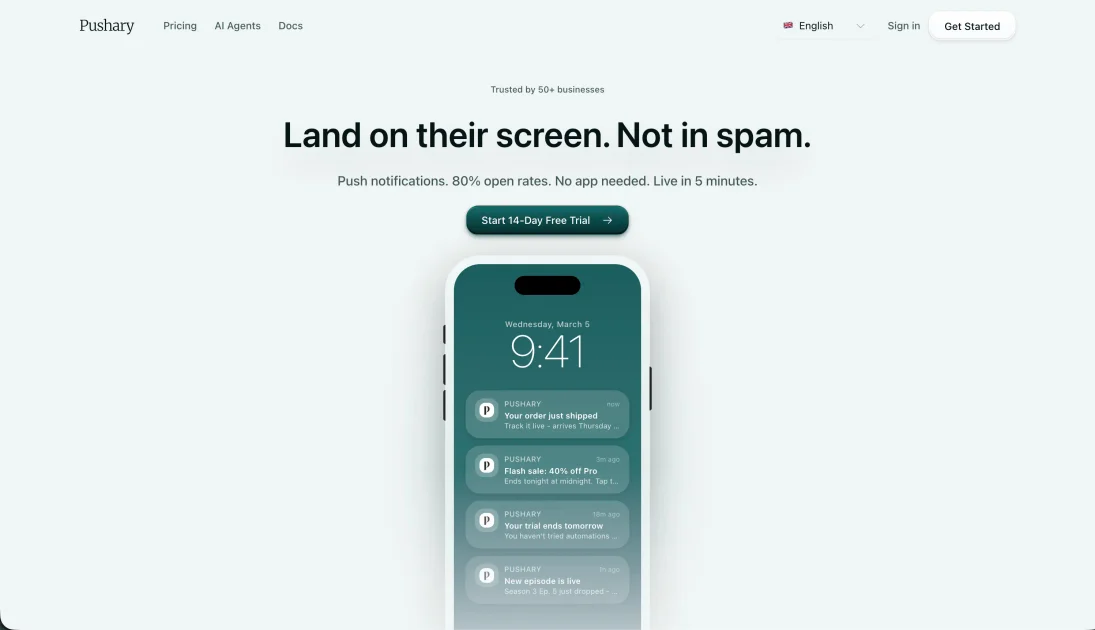
What is Pushary?
Pushary sends push notifications to your phone when your AI coding agent finishes tasks. Instead of waiting in front of your editor or terminal, Pushary sends a push notification to your phone so you can check back at the right time.
It’s designed to work with AI coding workflows such as Cursor and Claude, and also supports “any MCP-compatible tool,” letting you route completion updates for long-running agent runs.
Key Features
- Push notifications when your agent finishes: You receive an alert on your phone at task completion, reducing the need to periodically check status.
- No app install: The page states you can use Pushary without installing a mobile or desktop app.
- Config-file setup (“4 lines in mcp.json”): The workflow described uses a configuration file rather than code changes, SDK setup, or webhooks.
- Question prompts with quick answers (Yes/No): When the agent asks for input, Pushary lets you respond “Yes” or “No” from your phone.
- Works with Cursor, Claude, Lovable, and MCP-compatible tools: Compatibility is described across multiple AI coding clients and any tool that follows an MCP-compatible approach.
- Free to connect: The page states the service is free to connect.
How to Use Pushary
- Connect Pushary using a config file: Add the required configuration (described as “4 lines in mcp.json” on the page) to enable Pushary for your MCP-based workflow.
- Start a long-running AI agent task: Begin an agent run in your AI coding client (e.g., Cursor or Claude).
- Use your phone to respond when prompted: If the agent asks a question, tap the provided “Yes/No” response on your phone.
- Wait without repeatedly checking: Once the agent completes, Pushary sends a completion notification to your phone.
Use Cases
- Refactoring with Cursor: Run a refactor that spans many files and tests. Pushary notifies you when the agent completes and reports test status.
- Long Claude coding jobs: Start an agent task that can take 10–15 minutes, then step away; the phone notification helps you return when the job is done.
- Hands-off work while tests run: Kick off a coding agent run, then resume another activity while tests execute; you don’t need to keep a tab open to check progress.
- Agent requires a decision during execution: When the agent pauses for input (e.g., confirming whether to proceed), use the phone-based Yes/No response so the agent can continue.
- Any MCP-compatible agent workflow: For tools that support MCP-compatible configuration, set up Pushary so completion notifications follow the same pattern across different clients.
FAQ
Does Pushary require installing an app? The page states there’s no app to install.
How do I connect Pushary? The page says you add a small configuration to your setup (described as 4 lines in mcp.json) and implies this avoids SDKs and webhooks.
Which AI coding tools does Pushary support? It’s described as working with Cursor, Claude, Lovable, and any MCP-compatible tool.
What happens if my agent asks a question? Pushary supports responding from your phone with Yes/No when the agent asks for input.
Is Pushary free? The page indicates it’s free to connect.
Alternatives
- Built-in editor/agent status indicators: Many AI coding tools show task progress inside the editor. This avoids extra setup, but you typically still need to check manually rather than using phone notifications.
- Terminal/log monitoring with alerts: Tools or scripts that watch logs and send desktop notifications can replicate the “completion alert” idea, but require additional configuration and may not integrate with mobile.
- Webhook- or SDK-based notification integrations: If you already have an infrastructure for webhooks or custom notifications, you could build your own completion alerts. Compared to Pushary’s config-only approach, it may take more setup effort.
Alternatives

BenchSpan
BenchSpan runs AI agent benchmarks in parallel, captures scores and failures in run history, and uses commit-tagged executions to improve reproducibility.

PromptScout
PromptScout tracks how your brand is mentioned, which competitors are recommended, and what sources are cited in AI answers—plus website audits.

Sleek Analytics
Lightweight, privacy-friendly analytics with real-time visitor tracking—see where visitors come from, what they view, and how long they stay.

Codex Plugins
Use Codex Plugins to bundle skills, app integrations, and MCP servers into reusable workflows—extending Codex access to tools like Gmail, Drive, and Slack.

MacSpoof
MacSpoof is a macOS MAC address changer that lets you change or randomize your Wi‑Fi MAC to reconnect and limit device logging on public Wi‑Fi.

Gemma AI
Gemma AI is a smart application that calls you directly with personalized, intelligent voice reminders to ensure you never miss important tasks, appointments, or deadlines.