
Native GPU training
Train 3D Gaussian Splatting scenes directly on the Apple Silicon GPU using Metal, with no cloud upload required.
RadianceKit is a native Mac app for 3D Gaussian Splatting that imports photos or video, trains locally on Apple Silicon, and lets you edit and export scenes in one workflow.
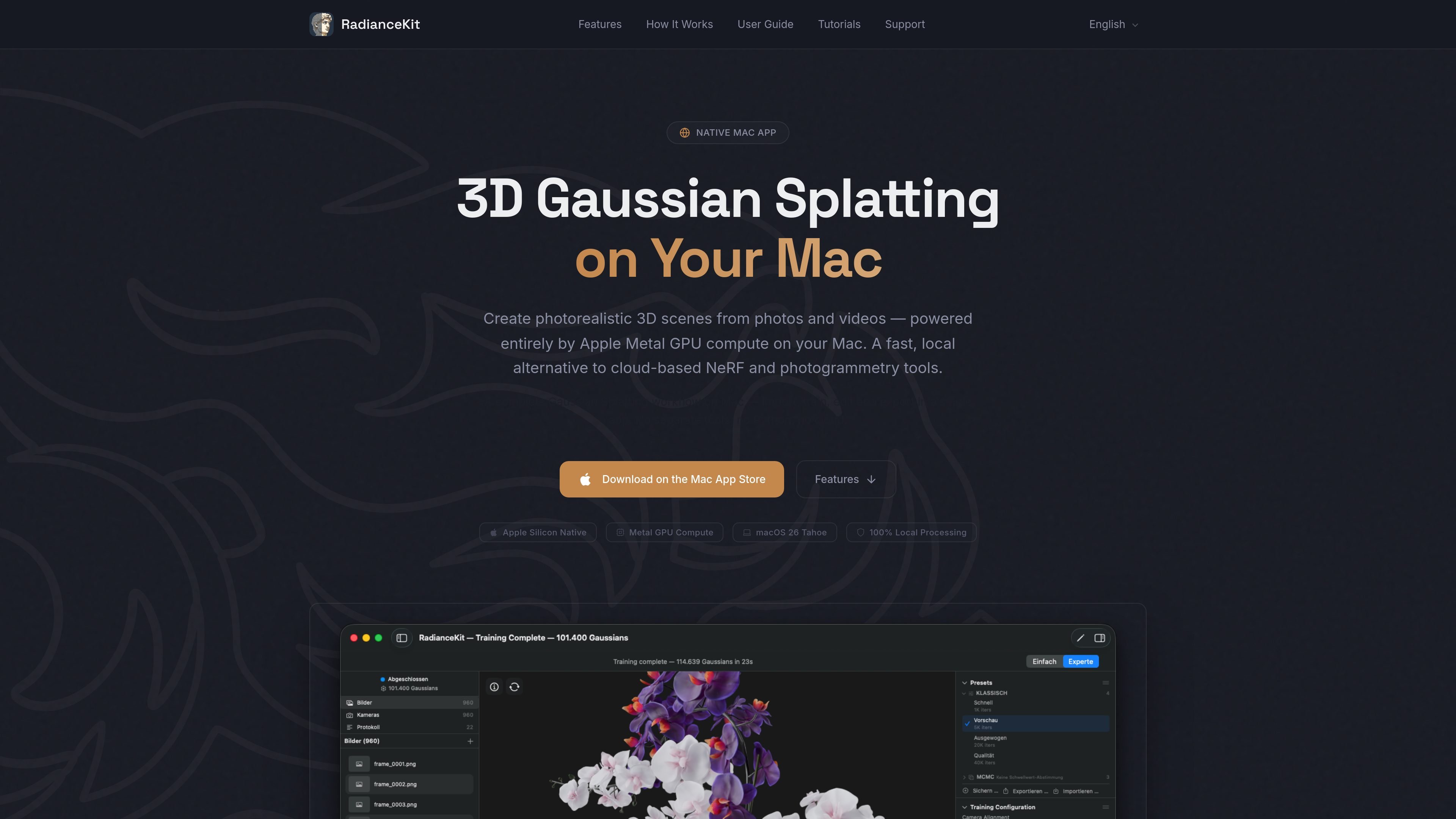
RadianceKit is a native Mac application for 3D Gaussian Splatting. It turns photos or video into a photorealistic 3D scene by handling import, camera alignment, training, editing, preview, and export in a single workflow.
The app is designed for Apple Silicon Macs and uses Metal GPU compute for local processing. According to the source, it does not require a cloud service, a command-line workflow, or a Python setup, which makes it a practical option for users who want an all-in-one desktop tool for reconstructing scenes on their Mac.
Train 3D Gaussian Splatting scenes directly on the Apple Silicon GPU using Metal, with no cloud upload required.
Choose a guided Simple Mode or switch to Expert Mode with a three-panel layout, project navigator, 3D viewport, inspector, live loss curves, and export controls.
Import photos or video, let Apple Photogrammetry align the camera positions, then train and preview the scene in the same app.
Clean up reconstructions in the viewport by selecting and deleting stray regions with a brush tool, then undo changes if needed.
Export scenes as PLY, Compressed PLY, SPZ, glTF, .splat, or SOG, and create orbit videos or self-contained web viewers.
Run the workflow locally on an Apple Silicon Mac with support for M1, M2, M3, and M4 chips, and macOS 26 Tahoe or later.
Create photorealistic captures from ordinary photos or a slow video when you want a finished 3D scene without building a command-line pipeline.
Work from a guided process when you want the app to handle the main steps for you, from importing media to producing a scene.
Use the expert workspace when you need more control over training parameters, live loss curves, and export settings for professional scanning work.
Remove floating artifacts or unwanted scene parts after training by brushing them out directly in the 3D viewport.
Export to common 3D formats or share a self-contained viewer when the result needs to be passed along without extra software.
RadianceKit is a native Mac app that handles the full Gaussian Splatting workflow: import photos or video, align cameras, train, edit, and export in one place.
No. The source says RadianceKit is a complete workflow inside a single app, with no command line, no Python setup, and no external software required.
RadianceKit runs locally on an Apple Silicon Mac through Metal. The source states that your photos and scenes stay on your device and no internet connection is required for processing.
RadianceKit requires an Apple Silicon Mac (M1 or later) running macOS 26 Tahoe or later. The source also recommends 16 GB of RAM for larger scenes.
RadianceKit imports photos and video for training, and it can open existing splats such as .ply, .spz, and .splat. It exports PLY, Compressed PLY, SPZ, glTF, .splat, and SOG, plus orbit videos and self-contained web viewers.

DeepMotion is a web-based AI motion capture and 3D animation platform with Animate 3D for video-to-animation and SayMotion for text-to-animation.
Atlasly is an AI site analysis and feasibility tool for architects, developers, and planners, assessing constraints, walkability, and urban context in web app or MCP-connected AI assistants.

anyCreature turns a short text order into a game-ready 3D creature, compiled from one JSON spec with animation, vertex colour, AO baking and an offline viewer.

模袋云 is an accessible online villa modeling software.

Vizcom is an AI design platform for product designers and teams that turns sketches into photorealistic 3D renders, with iteration and team workflows.

Amara is an AI-powered 3D creation tool for mesh generation and plugin-based actions, with a free entry point and tiered plans for individuals and teams.