
Single-map trip planning
Plot events, curated spots, and crime data together on one interactive map so you can compare places without switching between separate sites.

SF Trip Planner is a web app for planning San Francisco trips around events, saved spots, and neighborhood safety on one map. Export to Google Calendar or ICS.
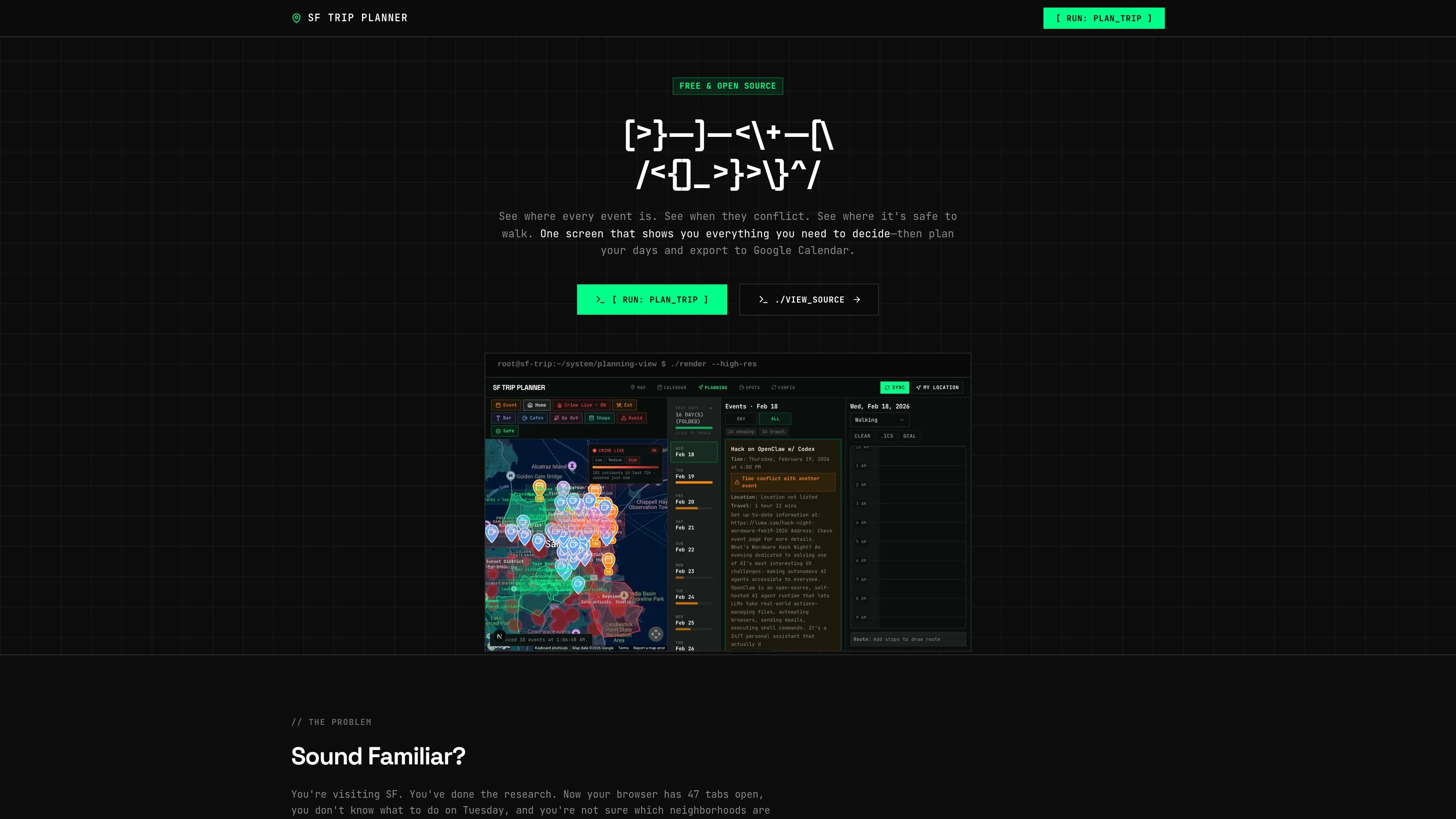
SF Trip Planner is a web app for organizing a San Francisco visit around events, places to eat or visit, and neighborhood safety on one interactive map. It is presented as free and open source, with sign-in handled by email magic link.
The product brings together event feeds, curated spots, a live crime heatmap, and a day-planning view so you can compare options before you commit to a schedule. It is aimed at people who have too many tabs open, too many separate sources, and not enough context to decide where to go next.
Plot events, curated spots, and crime data together on one interactive map so you can compare places without switching between separate sites.
Show events as color-coded pins and inspect details from the map to understand what is happening where.
Highlight overlapping events and show event counts per day so you can quickly spot crowded or open days.
Overlay a live crime heatmap sourced from public San Francisco safety data to evaluate where and when to walk.
Drag events and spots into a time-grid planner, rearrange them, and let routes update automatically.
Export plans as ICS files or sync them to Google Calendar after you finish planning.
A visitor can compare events, nearby food or drink spots, and neighborhood safety before choosing where to spend an evening.
Someone with a crowded itinerary can look for overlaps, see how many events fall on each day, and move items until the schedule is balanced.
A traveler who saves recommendations in different places can import them into one map and plan meals or stops around the next event.
A user can check whether a meetup, dinner, or walk between stops sits in an area with recent incidents before heading out.
It is a web app for planning San Francisco trips on a single map. You can review events, spots, and safety information together before building an itinerary.
The source shows email-based sign-in with a magic link and no password required.
You can export a finished itinerary as an ICS file or sync it directly to Google Calendar.
The site presents itself as free and open source, and the pricing page currently returns a 404 rather than a pricing table.

Sour Mango is a free iOS and Android travel app for digital nomads with AI trip planning, visa tracking, translation, currency conversion, and community features.

MeetPoint compares live flight prices from multiple origins to find the cheapest place for a group to meet, with filters for budget, stops, and flight duration.

ClawApp is a MacOS desktop app for using OpenClaw bots with no setup or technical knowledge required. Natural-language workflows for email, notes, travel, code, and chat coordination.

Sunny Days Ahead is a free travel discovery web app for finding sunny destinations month by month with historical weather data, climate insights, and side-by-side comparisons.

Poker Planner helps poker players plan live or online tournament trips on a budget, avoid schedule clashes, and track results and ROI.

Create Mappins is a web-based map maker for interactive maps with custom pins, markers, and annotations for travel, business, events, and education.