

ShareMyGit
ShareMyGit shares private Gitea and Forgejo repositories via secure read-only links—view code without an account. Works with gitea.com and self-hosted.
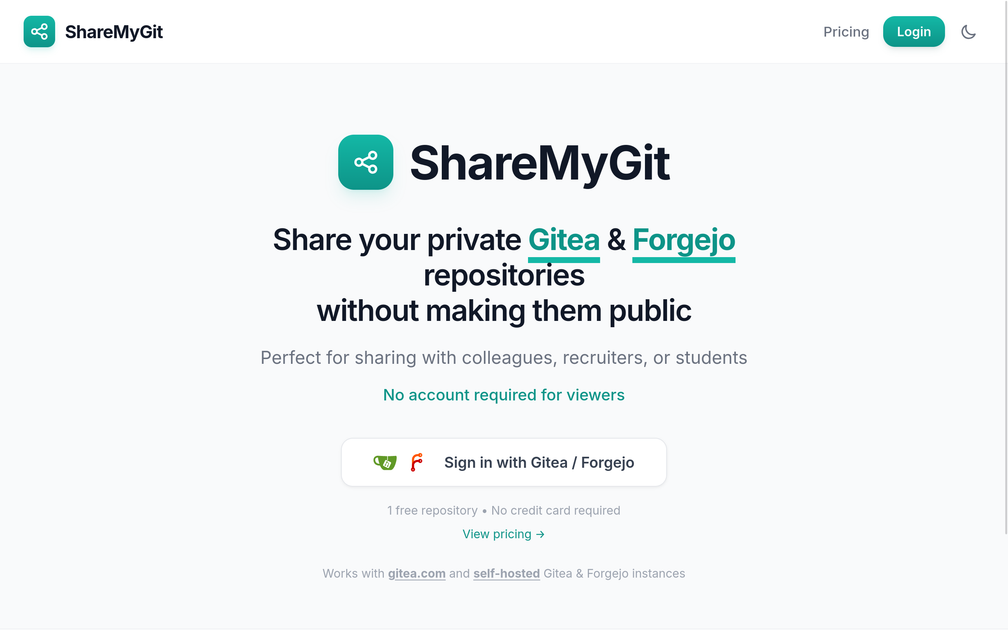
What is ShareMyGit?
ShareMyGit shares private Gitea and Forgejo repositories via secure read-only links—view code without an account. Works with gitea.com and self-hosted.
The core purpose is to make private-code sharing straightforward for internal teams and external viewers while keeping access limited to read-only access via shareable links.
Key Features
- Secure, read-only sharing links — provides a way to let viewers browse repository contents without write access.
- Works with Gitea and Forgejo — supports repositories from gitea.com and from self-hosted Gitea and Forgejo instances.
- No account required for viewers — viewers can access the shared content without signing into Gitea or Forgejo.
- Sign-in flow for repository owners — repository sharing is tied to signing in with Gitea/Forgejo.
- Hosted in Europe and GDPR compliant (per site claim) — indicates an operating and compliance posture for users in relevant regions.
How to Use ShareMyGit
- Sign in to ShareMyGit with Gitea or Forgejo.
- Select the private repository you want to share.
- Generate a share link that grants read-only access.
- Send the link to colleagues, recruiters, or students who need to view the repository.
Use Cases
- Share a private project with colleagues — give team members read-only access to a repository without managing individual accounts on your Gitea/Forgejo.
- Provide access during hiring — share a candidate-facing read-only repository link so recruiters or applicants can review code.
- Distribute course materials — share student view access to assignment repositories without requiring students to create accounts.
- Collaborate across organizations — allow external reviewers to inspect private code via a link when you don’t want to grant interactive forge access.
- Support self-hosted environments — use the same sharing approach for repositories hosted on your own Gitea or Forgejo servers.
FAQ
-
Does the shared link require the viewer to have a Gitea or Forgejo account? No. The site states that no account is required for viewers.
-
Is access editable or read-only? The service provides secure, read-only links.
-
Which Git forges are supported? ShareMyGit supports Gitea and Forgejo, including gitea.com and self-hosted Gitea/Forgejo instances.
-
Where is ShareMyGit hosted? The site states it is hosted in Europe.
-
How do I get started as a repository owner? The site indicates you sign in with Gitea/Forgejo, choose a repository to share, and then send the generated link.
Alternatives
- Direct permission sharing on Gitea/Forgejo — instead of shareable read-only links, you can grant users access directly in your forge. This typically requires managing user accounts and permissions.
- Public mirror or read-only public repository — you can publish a read-only view of the code, but this changes visibility and may not match requirements for keeping repositories private.
- Other private-code sharing link services — there are platforms focused on sharing private repositories via temporary or controlled links; these may differ in supported forges, link controls, and authentication requirements for viewers.
- Self-managed access proxy or web viewer — you can build or deploy an internal tool that serves repository contents to approved viewers, which shifts setup and maintenance effort onto your organization.
Alternatives

Devin
Devin is an AI coding agent that helps software teams complete code migrations and large refactoring by running subtasks in parallel.

MakerLoft
MakerLoft is an AI app builder for non-developers that connects to your GitHub repo to generate working apps with auth, payments, files, jobs.

imgcook
imgcook is an intelligent tool that converts design mockups into high-quality, production-ready code with a single click.

Ably Chat
Ably Chat is a chat API and SDKs for building custom realtime chat apps, with reactions, presence, and message edit/delete.

ClawTick
ClawTick is a CLI-first AI agent automation platform for scheduling webhook tasks on cron with monitoring, alerts, retries, and execution logs.

Falconer
Falconer is a self-updating knowledge platform for high-speed teams to write, share, and find reliable internal documentation and code context in one place.