

SlapMac
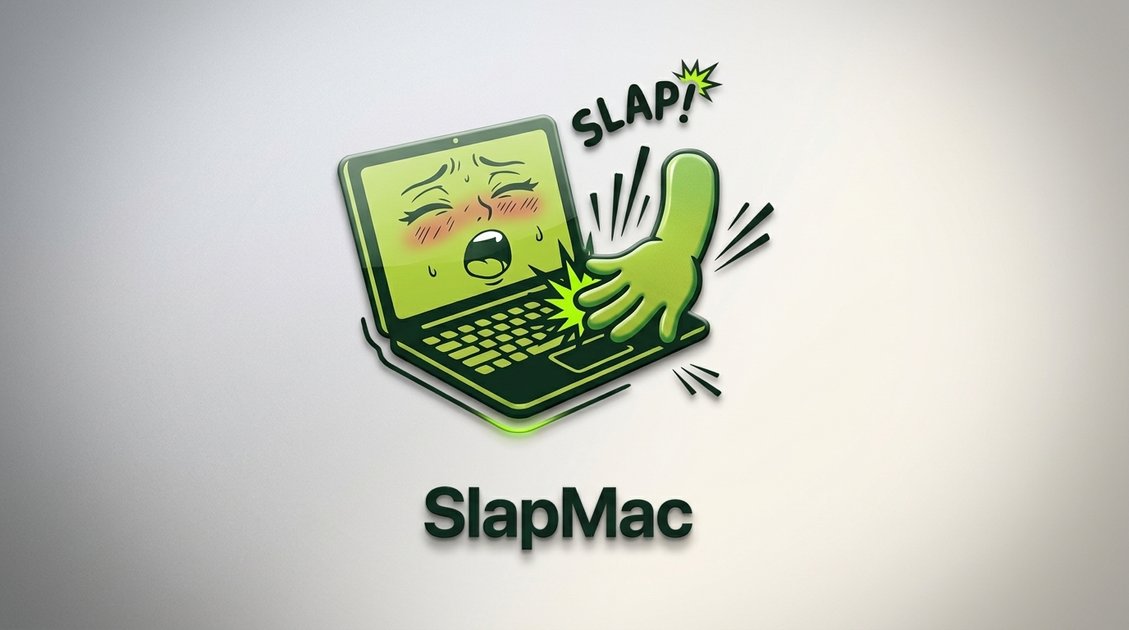
SlapMac is a macOS app that plays voice protest sounds when you “slap” your MacBook, with volume proportional to force.
What is SlapMac?
SlapMac is a macOS app that lets you “slap” your MacBook and receive audible protest sounds in response. It displays in the menu bar and plays voice clips with volume proportional to how hard you interact.
It also includes an additional USB-reactive mode (“USB Moaner”) that triggers a different set of sounds when you plug or unplug a USB device, plus several configurable “moods” (voice packs) made up of many sound clips.
Key Features
- Menu bar–only interface (no dock icon): SlapMac “lurks silently” and keeps controls out of your main dock workflow.
- Force-sensitive “slap” reactions with proportional volume: gentle interaction produces quieter responses, while harder slaps produce louder output.
- Adjustable sensitivity: lets you tune from low to high sensitivity (described on the site as ranging from “earthquake detector” to requiring more force).
- Cooldown timer to prevent rapid-meltdown audio: includes a cooldown option intended to reduce overload during fast repeated slaps.
- 7 voice packs with 130+ sound clips (“Seven moods of protest”): choose among multiple voice packs, with rapid-fire heckling and dramatic pauses mentioned as examples.
- USB Moaner mode for USB connect/disconnect: enables reactions when USB devices are plugged in or unplugged.
- Launch at login: can start automatically so it’s ready without manual activation.
- Slap counter: tracks lifetime slaps in the menu bar (high score noted as “pending” on the page).
- Ability to add custom sound packs (roadmap): the site indicates upcoming functionality to add your own sounds.
- MCP server (roadmap): a planned local MCP server so an AI assistant can be given “emotions” via MCP.
How to Use SlapMac
- Download and install SlapMac for macOS 14.6+ (Sonoma) as listed on the site.
- Ensure your MacBook meets the stated requirement: “M1+ MacBook required.”
- Launch SlapMac and use the menu bar interface to select a voice pack/mood and adjust sensitivity and cooldown as needed.
- If you want USB-triggered reactions, enable “USB Moaner mode” and then plug or unplug a USB device to hear the responses.
- If desired, turn on “Launch at login” so it’s ready when you sign in.
Use Cases
- Personal feedback for playful desk moments: use menu bar reactions to turn “slapping” into an audio response with force-based volume.
- Office or shared-space soundboard (with care): pick a voice pack from the “Seven moods of protest” and adjust sensitivity so reactions only trigger under the interactions you intend.
- USB device change alerts: enable USB Moaner mode to get an audio reaction whenever a USB device is connected or disconnected.
- Reducing accidental triggers: use the sensitivity and cooldown settings to better control when responses fire, especially if you expect frequent interactions on your desk.
- Creating custom responses (when available): record your own audio or other sounds as a “sound pack” according to the site’s stated roadmap for custom sound packs.
FAQ
Will it work on Intel Macs?
The page states “M1+ MacBook required,” and also lists macOS 14.6+ (Sonoma). It does not confirm support for Intel Macs.
What macOS version is required?
SlapMac lists macOS 14.6+ (Sonoma) as the requirement.
Can I add my own sounds?
The site indicates “Custom sound packsv1.2 coming soon” and describes adding your own sounds, but it does not say whether this is already available in the current release.
Will SlapMac trigger during normal typing?
The content does not provide a definitive answer on typing interference. It only describes sensitivity and cooldown controls, and asks users to tune sensitivity to the desired trigger level.
Does it drain battery?
The FAQ includes “Does it drain my battery?” but the page content provided does not include an answer.
Alternatives
- Screen and keyboard soundboard apps: utilities that play audio clips based on keyboard shortcuts or timers, though they won’t replicate force-based “slap” detection.
- Desktop alert/reminder tools with audio: apps that play sounds when events occur (e.g., device changes or scheduled triggers), but typically rely on system events and settings rather than physical force.
- USB event monitoring tools: developer or system utilities that react to USB connect/disconnect events; these differ by requiring configuration or coding rather than voice-pack protest sounds.
- Audio playback apps with custom libraries: players that trigger audio clips from hotkeys or UI controls; they offer user-supplied sounds but without the specific slap/USB reaction modes described for SlapMac.
Alternatives

FunKey-Mechanical Keyboard App
FunKey-Mechanical Keyboard App for Mac plays mechanical-style keyboard and mouse typing sounds as you type, with 25+ options via the menu bar.
Keeby
Keeby is a Mac app for mechanical keyboard sounds with spatial audio, a reactive visualizer, and customizable switch profiles.

Terraforge: Alchemy Craft Game
Tier-based puzzle game: drag and mix elements to discover new creations, saved in an in-app grimoire. Optional Master Forger hints; offline + iCloud sync.

CAMB.AI
Turn a single live stream into a multilingual broadcast with real-time AI audio dubbing for YouTube, Twitch, X and more.

Decision Jar
Create virtual jars of options with Decision Jar—shake your phone to pick instantly, use AI suggestions, and view decision logs over time.

LALAL.AI
LALAL.AI is a next-generation vocal remover and music source separation service that allows users to quickly and accurately extract vocal and instrumental tracks from audio and video files.