
Down and up keystroke sounds
Plays mechanical keyboard sounds as you type, with separate sounds for key press and key release.

Keeby is a macOS menu bar app that adds mechanical keyboard sounds to typing, with spatial audio, a reactive visualizer, and switch profiles. One-time purchase, fully offline, no data collection.
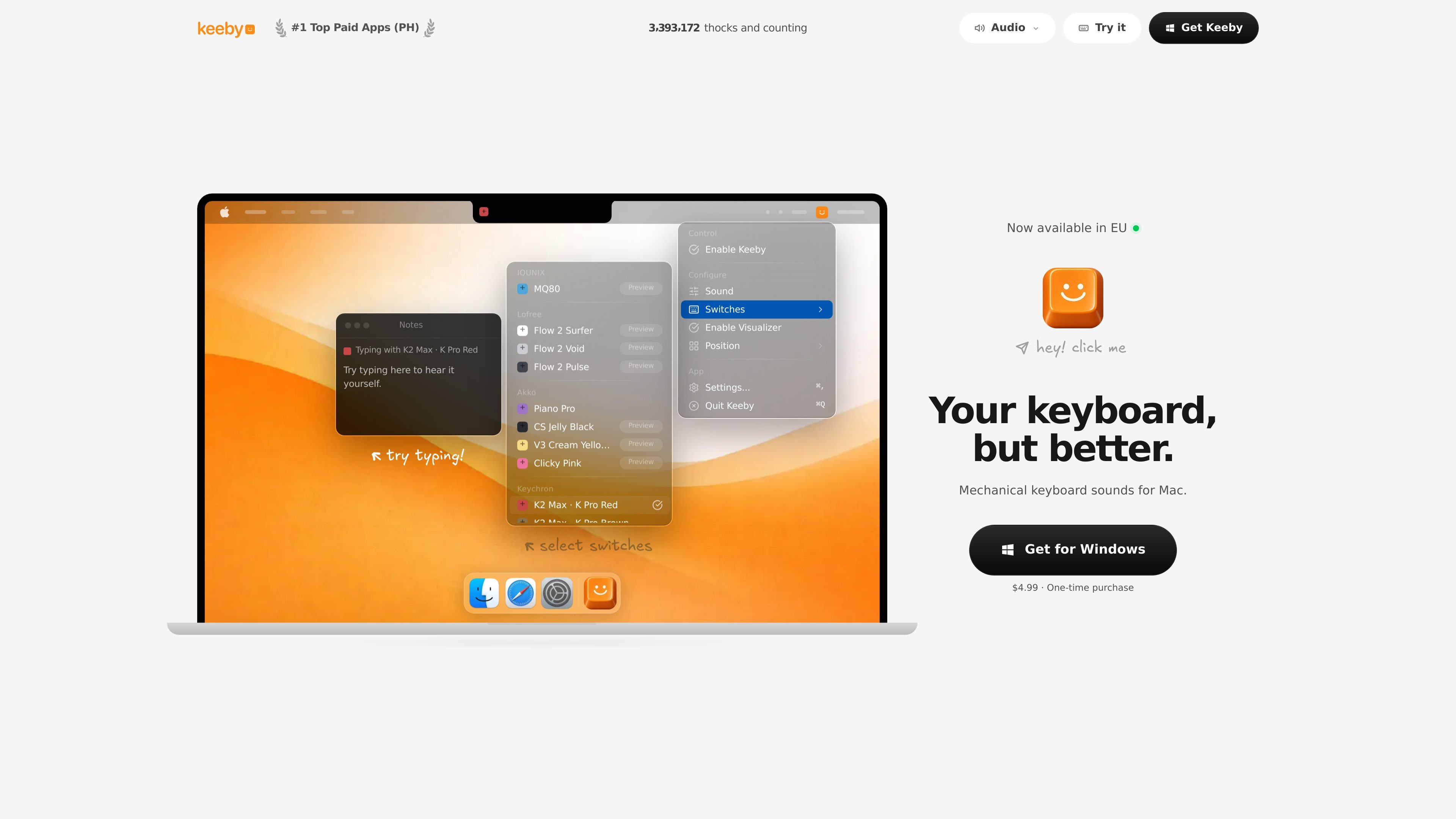
Keeby is a macOS menu bar app that adds mechanical keyboard sounds while you type. It is built around real recordings of mechanical switches, with separate sounds for key down and key up events, so the audio follows your typing rather than a synthetic loop.
The app combines sound customization with a small visualizer and spatial audio. You can switch between sound profiles, adjust the tone from thock to clack, and control the app from the menu bar. Keeby is sold as a one-time purchase and is described as fully local, with no network access and no data collection.
Plays mechanical keyboard sounds as you type, with separate sounds for key press and key release.
Pans sound left and right so keys on the left speaker play from the left and keys on the right play from the right.
Shows a small keyboard that follows the cursor and lights keys as you type, with a one-click toggle from the menu bar.
Lets you drag between thock and clack and try different switch profiles such as K Pro Red, K Pro Brown, Alpaca, Holy Panda, Box Navy, and others.
Runs as a menu bar app and can be controlled from the menu bar with options such as enabling Keeby, configuring sound switches, enabling the visualizer, and positioning the app.
Uses a lock-free audio engine with a 128-frame buffer and is described as fully offline with no network access or data collection.
Ideal for people who want their typing to sound more like a mechanical keyboard without buying or replacing hardware.
Useful when you want to audition different switch styles and move the sound toward thock or clack before settling on a profile.
Helpful for users who like visible feedback while typing and want a small keyboard animation alongside the audio.
Fits a menu bar workflow where you want quick control over sound switches, visualizer state, and app positioning without opening a separate window.
Works for users who prefer an offline app with no accounts, telemetry, or cloud sync requirements.
Keeby requests macOS Input Monitoring permission so it can detect key press and release events and trigger sounds in real time. If sound stops after a macOS change or permission reset, you can re-enable it in System Settings → Privacy & Security → Input Monitoring.
Keeby is described as a menu bar app. It lives in the top-right area of the screen rather than in the Dock, and the support page notes that it may be hidden by the notch or other menu bar icons.
The pricing page says Keeby is a one-time purchase and that there is no subscription. The privacy page also says it has no accounts, no analytics, and no network access.
Support issues are often tied to macOS permissions. The support page recommends checking System Settings → Privacy & Security → Input Monitoring, restarting the app after granting access, or reopening it if permission needs to be requested again.
The source material explicitly covers macOS and also includes a Get for Windows link that requires Windows 10 or later. The product page itself is centered on Mac use, so Windows support should be verified against the Windows download flow before assuming feature parity.

CAMB.AI Streams dubs live audio in real time for YouTube, Twitch, X and other platforms, using existing live workflows and no post-production.

LALAL.AI is an AI audio processing platform for stem separation, voice cleanup, and voice transformation, with browser upload, preview, and download.

roastme.gg is a pay-to-play AI roasting site where users submit their own X handle or website, choose how much to pay, and get a public roast ranked on a leaderboard by amount paid.

Loniva is a calm daily puzzle app for memory, attention, language, speed, logic, and focus on iPhone, iPad, and Android, with a free 7-day trial.

Postaway is a web-based postcard service for free vintage-style digital postcards you can create and share by link, plus a separate waitlist for physical mail from Thailand.

optimo is a free, open-source CLI for optimizing and converting images and videos with ImageMagick and FFmpeg, built for web assets and batch compression.