

TypingMind
TypingMind is an LLM frontend chat UI to chat with AI models using your own API keys, supporting ChatGPT, Gemini, Claude and more in one interface.
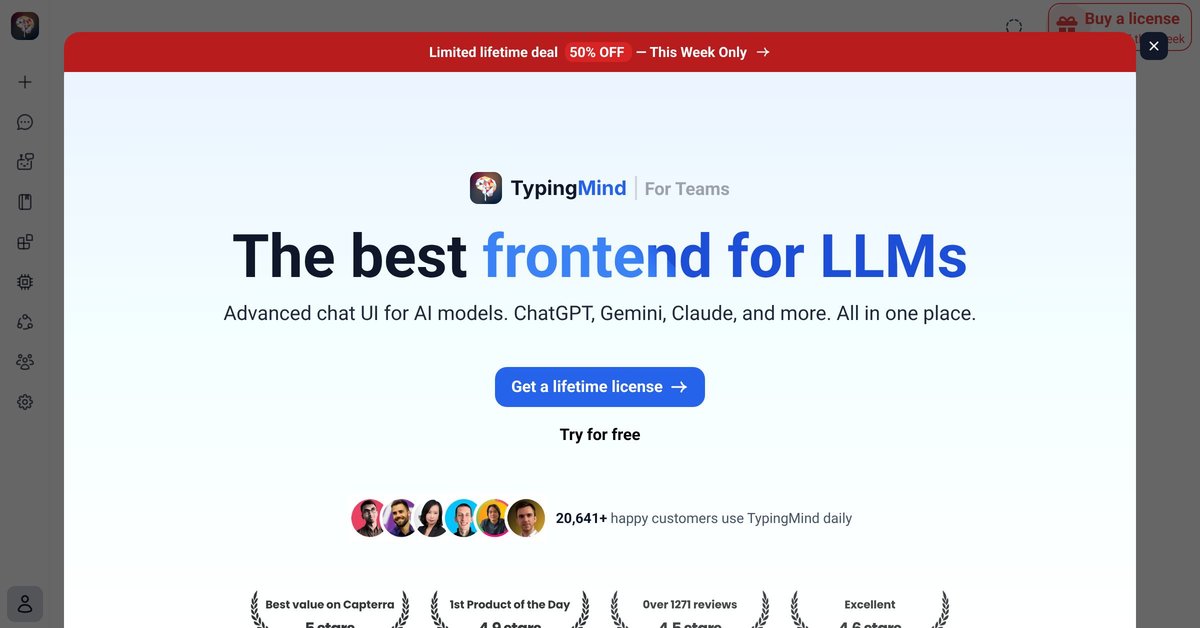
What is TypingMind?
TypingMind is an LLM frontend chat UI that lets you chat with AI models through your own API keys. It’s designed to provide a single chat interface for multiple LLM providers, including ChatGPT, Gemini, and Claude, so you can manage conversations in one place.
The focus is on the chat experience itself—how prompts are handled, how responses are rendered, and how common tasks (like working with structured outputs) can appear directly within the chat UI.
Key Features
- Multi-model chat in one interface (shown as support for ChatGPT, Gemini, Claude, and more), so you can switch between model options without changing tools.
- Built-in prompt tooling including a “Prompt Library” view (as shown in the product screenshots), helping you reuse or organize prompts.
- Data visualization and chart rendering inside chat, with an option to auto-generate bar, pie, and other charts; the tooltip notes this is powered by TypingMind’s built-in chart rendering plugin.
- Support for prompt/response workflows that extend beyond plain text, demonstrated by UI screenshots for chart rendering and multi-model chat.
- A single “AI client you actually own” positioning that emphasizes using your own API keys to connect the UI to your chosen model providers.
How to Use TypingMind
- Sign in and connect your LLM provider access by adding your API keys (the site states you can “Chat with AI using your API keys”).
- Open the chat UI and select the model/provider you want to use for the conversation.
- Start a prompt like you would in a typical chat app; when you ask for data-driven outputs, you can use the chart rendering capabilities described on the page.
- Use the Prompt Library to view and reuse prompts as part of your ongoing workflows.
Use Cases
- Compare responses across providers: run the same or similar prompts against multiple models (ChatGPT, Gemini, Claude) from within one chat workspace.
- Build quick visual summaries: when you provide data in a conversation, request a chart and use the in-chat chart rendering to generate visual outputs.
- Organize reusable prompting patterns: store commonly used prompts in the Prompt Library and pull them into new chats without rewriting from scratch.
- Work with structured outputs: ask for formats that translate into charts or other rendered artifacts, keeping the interaction centered in the chat UI rather than switching to separate tooling.
FAQ
What does TypingMind connect to?
TypingMind connects to LLM providers via your own API keys, allowing you to chat with models such as ChatGPT, Gemini, and Claude.
Which AI models are supported?
The page specifically mentions ChatGPT, Gemini, Claude, and “other LLMs.” Exact provider coverage beyond those names is not detailed in the provided content.
Can TypingMind generate charts from chat responses?
Yes. The site describes “Data Visualization & Chart Rendering” that can auto-generate bar, pie, and other charts in chat, powered by TypingMind’s built-in chart rendering plugin.
Is there a way to reuse prompts?
The page includes a “Prompt Library” screenshot, indicating prompt reuse/organization within the UI.
Alternatives
- Chat UIs for LLMs (self-hosted or key-based): alternatives are other frontends where you enter your own API keys and chat with different LLM providers from one interface; these may differ mainly in UI features like charting or prompt organization.
- IDE-integrated LLM chat tools: for users who want chat tightly coupled to code workflows, alternatives may live inside development environments rather than as a standalone chat dashboard.
- API-focused chat widgets: some tools focus on generating UI around a single provider or a smaller set of providers; compared with TypingMind, they may require more setup when you want multi-model support.
- General-purpose data notebook tools: if your primary goal is data visualization rather than chat, a notebook workflow can be an alternative, though it shifts the process away from conversational prompting inside a dedicated chat UI.
Alternatives

BookAI.chat
BookAI allows you to chat with your books using AI by simply providing the title and author.

Edgee
Edgee is an edge-native AI gateway that compresses prompts before LLM providers, using one OpenAI-compatible API to route 200+ models.

Ably Chat
Ably Chat is a chat API and SDKs for building custom realtime chat apps, with reactions, presence, and message edit/delete.

Prompty Town
Prompty Town is a tiny internet city of links—buy a tile, attach your link, prompt it with text/content, and let others browse.

Grok AI Assistant
Grok is a free AI assistant developed by xAI, engineered to prioritize truth and objectivity while offering advanced capabilities like real-time information access and image generation.

Creativly
Creativly is a browser-based creative tool that helps you create without writing prompts—generate creative outputs fast with a simple workflow.