

UI Roast
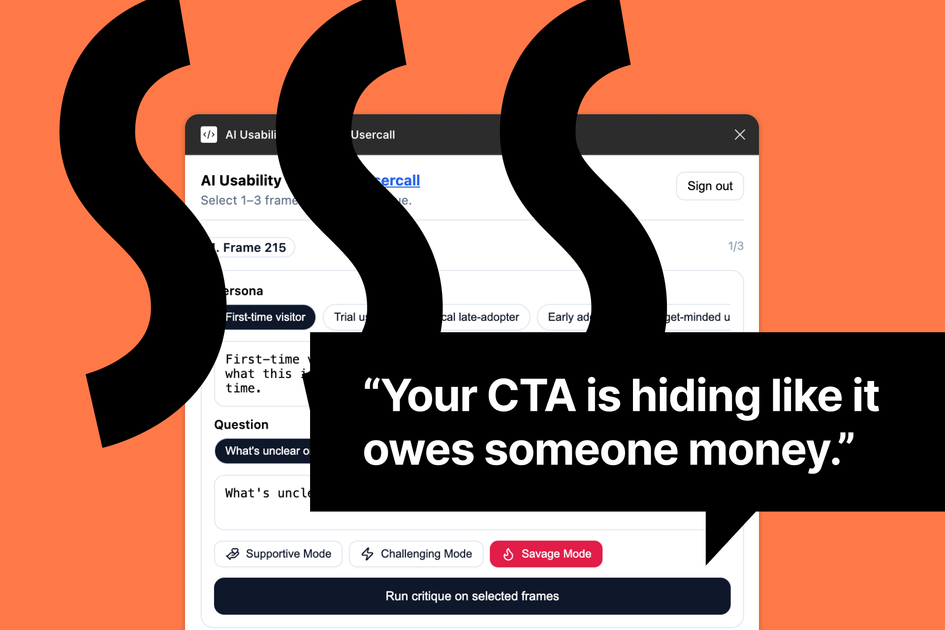
UI Roast is an AI-powered plugin for Figma that enables instant usability testing directly within the design environment to surface UX risks and user confusion points.
What is UI Roast?
UI Roast is an innovative Figma plugin developed by Usercall designed to revolutionize the initial stages of UX validation. It integrates advanced Artificial Intelligence directly into your design workflow, allowing designers and product teams to launch rapid, automated usability tests on their mockups without ever leaving the Figma canvas. The core purpose of UI Roast is to provide immediate, actionable feedback on design assumptions, helping teams identify potential usability hurdles, confusing elements, and areas of friction before committing development resources.
By simulating user interaction and analyzing designs through an AI lens, UI Roast acts as a proactive quality gate. It surfaces critical insights regarding clarity, accessibility, and overall user flow efficiency, ensuring that designs are robust and user-centric from the very beginning. This instant feedback loop drastically reduces the time and cost associated with traditional, slower user testing methods.
Key Features
- Instant AI Usability Scoring: Receive immediate, quantitative feedback on your Figma designs based on established usability heuristics and AI analysis of potential user confusion.
- Risk Identification: Automatically flag specific design elements, copy blocks, or interaction patterns that are likely to cause friction or confusion for end-users.
- Assumption Validation: Test your core design hypotheses against AI-driven analysis to confirm if your intended user journey is clear and intuitive.
- Seamless Figma Integration: Operate entirely within the Figma environment; no need to export, upload, or switch tools for initial validation.
- Escalation Pathway: Easily transition from rapid AI feedback to in-depth, real user testing via moderated interviews within the parent platform, UserCall.
- Actionable Insights: Feedback is presented clearly, often highlighting the exact frame or component needing attention, complete with suggestions for improvement.
How to Use UI Roast
Getting started with UI Roast is designed to be fast and intuitive, leveraging your existing Figma workflow:
- Installation: Locate and install the 'UI Roast' plugin from the Figma Community.
- Selection: Open your Figma file and select the specific frame or set of frames you wish to test.
- Launch: Run the UI Roast plugin from the Plugins menu.
- Analysis: The AI will analyze the selected designs based on visual hierarchy, content clarity, and interaction patterns.
- Review Feedback: A panel will open displaying the overall usability score and detailed reports highlighting specific UX risks, confusion points, and design assumptions that need review.
- Iterate: Make necessary adjustments directly in Figma based on the AI feedback, and re-run the test instantly to validate your changes.
Use Cases
- Rapid Prototyping Validation: When quickly iterating on a new feature or flow, designers can run UI Roast on multiple design variations in minutes to select the most promising direction before stakeholder reviews.
- Pre-Development QA: Before handing off designs to engineering, product teams use UI Roast to catch common usability errors (e.g., unclear CTAs, poor information architecture) that often slip through manual design reviews.
- Onboarding Flow Optimization: Testing complex multi-step processes, such as user registration or checkout flows, to ensure every step is intuitive and minimizes drop-off risk.
- Content Clarity Testing: Analyzing screens heavy with text or complex instructions (like settings panels or legal disclosures) to ensure the AI flags areas where users might become overwhelmed or confused by the language.
- Accessibility Spot Checks: While not a full accessibility audit, UI Roast provides initial feedback on contrast, element grouping, and visual clarity that contributes to a better overall accessible experience.
FAQ
Q: Is UI Roast a replacement for human usability testing? A: No. UI Roast is designed to be a powerful pre-testing tool. It rapidly surfaces the most obvious and common UX issues, allowing you to fix low-hanging fruit before investing time and budget in recruiting and running sessions with real human participants.
Q: What kind of input does the AI use for testing? A: The AI analyzes the visual structure, component hierarchy, text content (copy), and implied interactions within your Figma design file to assess usability against established UX principles.
Q: Is my design data shared or stored externally? A: As a Figma plugin, the analysis is typically processed quickly. For detailed information on data handling and privacy, users should refer to the Usercall privacy policy, as the plugin connects to their underlying AI service.
Q: Can UI Roast test interactive prototypes (Smart Animate, etc.)? A: UI Roast primarily focuses on static design analysis and heuristic evaluation. While it understands the structure of components, it excels at evaluating the visual layout and content clarity rather than complex, multi-step interactive prototypes.
Q: How often is the AI model updated? A: The underlying AI models are continuously improved by Usercall based on new research and user data, meaning the feedback quality of UI Roast evolves over time to reflect the latest best practices in UX.
Alternatives

Chronicle
Chronicle is the modern, AI-powered presentation tool for creating stunning, interactive decks your audience will remember.

Biji
Biji is a versatile platform designed to enhance productivity through innovative tools and features.

Decision Jar
Create virtual jars of options with Decision Jar—shake your phone to pick instantly, use AI suggestions, and view decision logs over time.

Planndu: Daily Task Planner
Planndu is an intuitive productivity application designed to help users organize tasks, manage projects, build routines, and enhance focus using tools like AI generation and a built-in Pomodoro timer.

imgcook
imgcook is an intelligent tool that converts design mockups into high-quality, production-ready code with a single click.
MealTime
MealTime is your personal, offline-first recipe companion designed to help you save, organize, plan meals, and generate smart grocery lists, all while keeping your data private.