

VyasForge Keyboard Cleaner
Lock your Mac keyboard instantly from the menu bar for safe cleaning. Includes 5-session free trial and privacy-focused local-only operation.
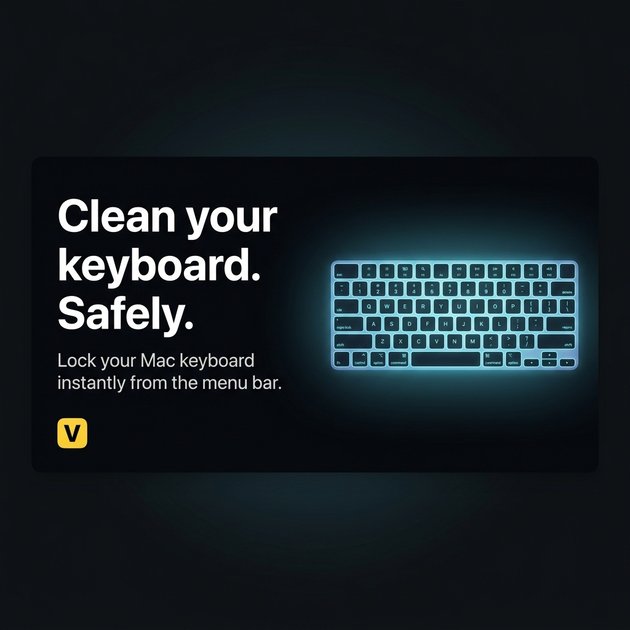
What is VyasForge Keyboard Cleaner?
VyasForge Keyboard Cleaner is a macOS utility that helps you clean your Mac keyboard without triggering accidental typing or commands. It does this by temporarily locking keyboard input in a dedicated “cleaning mode,” so you can wipe dust and debris more safely.
The app is designed for quick use: you enter cleaning mode from the menu bar, then exit when you’re done. It’s positioned as a local-only tool intended to avoid keylogging or network activity while you clean.
Key Features
- One-click entry to cleaning mode from the menu bar, designed to start quickly without setup or configuration.
- Temporary keyboard lock during cleaning mode to prevent accidental key presses while you wipe the keyboard.
- Unlock shortcut: press Control + Option + Command + K to exit cleaning mode immediately.
- Works without “permanent disable” behavior: keystroke interception is limited to the time cleaning mode is active.
- Privacy-first design described as local-only, with no keylogging, no data collection, and no network calls.
How to Use VyasForge Keyboard Cleaner
- Download and open Keyboard Cleaner for macOS.
- Use the menu bar control to enable cleaning mode (no setup or configuration is required per the site).
- Clean your keyboard while cleaning mode is active, avoiding accidental input.
- When finished, press Control + Option + Command + K to exit and restore normal keyboard function.
A free trial is available that lets you use Keyboard Cleaner up to 5 times before purchasing.
Use Cases
- Wiping dust between keys: When cleaning the keyboard surface, cleaning mode reduces accidental typing caused by brushing keys.
- Preventing unintended app actions: If stray touches would otherwise trigger clicks or open items, cleaning mode helps stop the keyboard from sending those keystrokes.
- Avoiding disruptive commands: Cleaning mode helps prevent unexpected commands that could interrupt your workflow (such as actions you’d otherwise have to undo).
- Quick clean between tasks: Use the one-click menu bar control when you need a fast cleaning window without going through complex settings.
- Privacy-conscious cleaning: For users who want a tool that (per the site) operates locally without keylogging or network calls while intercepting keyboard events only during cleaning mode.
FAQ
Does VyasForge Keyboard Cleaner work on all Macs?
Yes. The site states it supports all modern macOS versions, including both Intel and Apple Silicon Macs.
Is my keyboard permanently disabled in cleaning mode?
No. The site states it intercepts keystrokes only while cleaning mode is active, and you control when to unlock.
Can I exit cleaning mode anytime?
Yes. Press Control + Option + Command + K to safely exit the lockdown immediately.
Does Keyboard Cleaner log my keystrokes?
The site states it does not. It describes the utility as local-only with no keylogging, and says it uses Apple’s Accessibility APIs to intercept keyboard events during cleaning mode.
How long is the free trial?
The site states the free trial includes 5 cleaning sessions before purchasing.
Alternatives
- Built-in macOS accessibility/keyboard management: Use macOS settings and accessibility tools to reduce accidental input during maintenance. These alternatives may not provide a one-click “cleaning mode” designed specifically for keyboard wiping.
- Keyboard covers or shields: Physical barriers can prevent keys from being pressed while you clean. This differs by changing the hardware interaction rather than locking keyboard input via software.
- Manual cleaning with careful technique only: Cleaning without software safeguards relies on user caution and slows down cleanup when accidental keystrokes are frequent.
- Other local-only automation or hotkey utilities: General-purpose macOS tools that can disable input or intercept shortcuts may offer similar workflow benefits, though they may not be specifically tailored to keyboard cleaning mode or provide the same unlock behavior described here.
Alternatives

Draper
Draper is an AI-powered marketing intelligence tool to answer market demand, competitor insights, growth strategy, social sentiment, and content ideas.

OfferFlowAI
OfferFlowAI detects recruiter emails in Gmail, summarizes job offers, and drafts professional replies to help you respond faster.

Anthum AI
Anthum AI runs crowdsourced AI video ad contests: brands post creative briefs with prize pools, creators submit entries, winners are selected, creators get paid.
Slay At Work
Slay At Work helps you find local businesses worth pitching by searching Google Maps, auditing websites and social, scoring, and sharing outreach insights.

Parchment
Parchment is a simple SaaS to create and organize standalone pages and collections with block-based editing—plus an API to manage them.

VulWall
VulWall delivers automated external security scanning, a clear security score with plain-English fixes, and a shareable Security Certificate.