

Wine-Assembly
Wine-Assembly is a WebAssembly-based Windows 98 emulator that runs real Win32 executables in your browser, with classic apps and games built in.
What is Wine-Assembly?
Wine-Assembly is a Windows 98 emulator that runs as a WebAssembly-based x86 Windows 98 PE interpreter in the browser. Its core purpose is to execute “real Win32 executables” for a Windows 98-style environment without installing a traditional emulator or operating system locally.
On the site, you can start the emulator (“Start Wine Assembly”) and load a selection of Windows programs and demos, ranging from classic games and system utilities to media tools.
Key Features
- WebAssembly-based x86 Windows 98 PE interpreter: executes Windows 98-era Win32 executables directly in the browser.
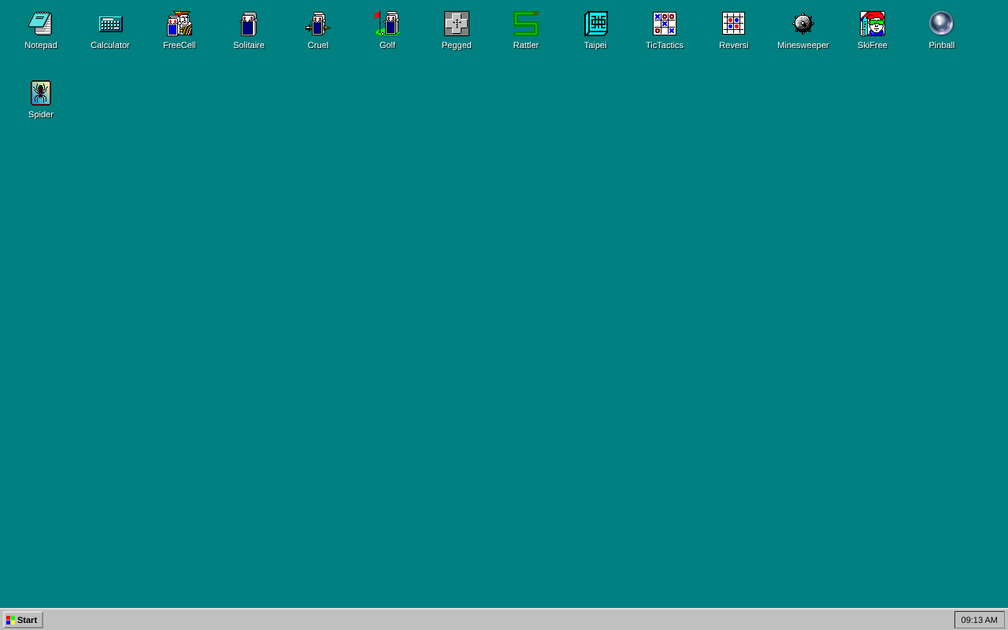
- Built-in program library on the page: includes listed apps and demos such as Notepad, Calculator, Solitaire, and multiple Minesweeper and Paint variants.
- Resource-aware execution: the interface notes “Resource-aware Win98 emulator,” indicating the emulator is designed to behave with resource considerations in mind.
- Debug mode support: the page includes a “Debug Mode” entry for troubleshooting or development workflows.
- Performance/input control for running content: the interface includes controls for running/stop actions (e.g., “Start,” “Stop,” and “Stop All”) and MIDI playback controls for the listed MIDI section.
How to Use Wine-Assembly
- Open the Wine-Assembly page in your browser.
- Choose a program from the listed items (for example, Notepad, Media Player, or one of the games).
- Click Start Wine Assembly to launch the selected application in the browser environment.
- If needed, enable Debug Mode and use the on-page controls (such as stop actions) to manage execution.
Use Cases
- Try classic Windows applications in-browser: run utilities like Notepad, WordPad, RegEdit, Task Manager, and Disk Cleanup listings without setting up a full Windows 98 environment.
- Play bundled retro games and demos: launch entries such as FreeCell Solitaire, Minesweeper, Rattler Race, Funtris (Tetris-like), and multiple Babylonian-style or tile-based games from the library.
- Run interactive media and sound utilities: use the listed media and audio tools (e.g., Sound Recorder, Volume Control, and a MIDI playback section with play/stop and profile input).
- Develop or test compatibility scenarios: use Debug Mode to observe behavior while running different Win32 executables through the WebAssembly interpreter.
- Explore graphical and system samples: run D3DIM and other graphical sample entries shown on the page to see how the emulator handles those programs.
FAQ
-
Does Wine-Assembly install a full Windows 98 system locally? No. The page describes a WebAssembly-based interpreter that runs in the browser.
-
What kinds of programs can it run? The meta description indicates it runs real Win32 executables in the browser. The page also lists many example applications and games you can try.
-
Is there a way to troubleshoot issues? The page includes Debug Mode, and the interface provides stop controls for managing execution.
-
Can I control media or MIDI playback? The page lists a MIDI section with controls such as “Play MIDI” and “Stop MIDI,” plus related input/profile controls.
-
Where can I find the source code? The page includes a link labeled Source on GitHub.
Alternatives
- Traditional Wine on desktop (for Windows executables on Linux/macOS): Runs Win32 executables on a local OS environment rather than in a browser WebAssembly sandbox.
- Browser-based remote Windows environments (VDI/remote desktop): Executes applications by running Windows on a server and streaming it to the browser; differs from local WebAssembly execution.
- Other browser emulators/retro runtime projects: Some focus on game emulation or software interpreters directly in the browser; they may target different OS/software compatibility goals.
- Virtualization (e.g., running an actual Windows 98 image): Provides the most authentic environment for legacy software, but requires local setup and typically isn’t “no-install” like a browser-based emulator.
Alternatives

Terraforge: Alchemy Craft Game
Tier-based puzzle game: drag and mix elements to discover new creations, saved in an in-app grimoire. Optional Master Forger hints; offline + iCloud sync.

DailyPlay.ai
Turn passive visitors into loyal customers with DailyPlay.ai—create personalized, data-driven mini games built for your brand’s engagement goals.

MOG BATTLE | Who Mogs Who?
MOG BATTLE | Who Mogs Who? is a head-to-head attraction ranking app with an ELO-style rating, real votes, and a global leaderboard.

Skybox AI
Generate professional 360° skyboxes and environments with AI—fast output and HDRI exports for immersive, virtual production, and game workflows.

Cascadeur
Cascadeur is standalone 3D keyframe animation software for humanoids—AI-assisted posing, physics-based refinement, and tools to unbake & edit animations.

ConsoleMini
ConsoleMini is a macOS launcher that turns a Mac mini into a living-room, controller-first retro console with a TV-friendly UI for emulators.