
Contextual highlighting
Wordie scans the pages you visit and highlights words that are already in your vault, so review happens while you browse instead of in a separate study app.

Wordie is a Chrome extension for building vocabulary as you browse, with highlighted saved words, active recall practice, and local device storage.
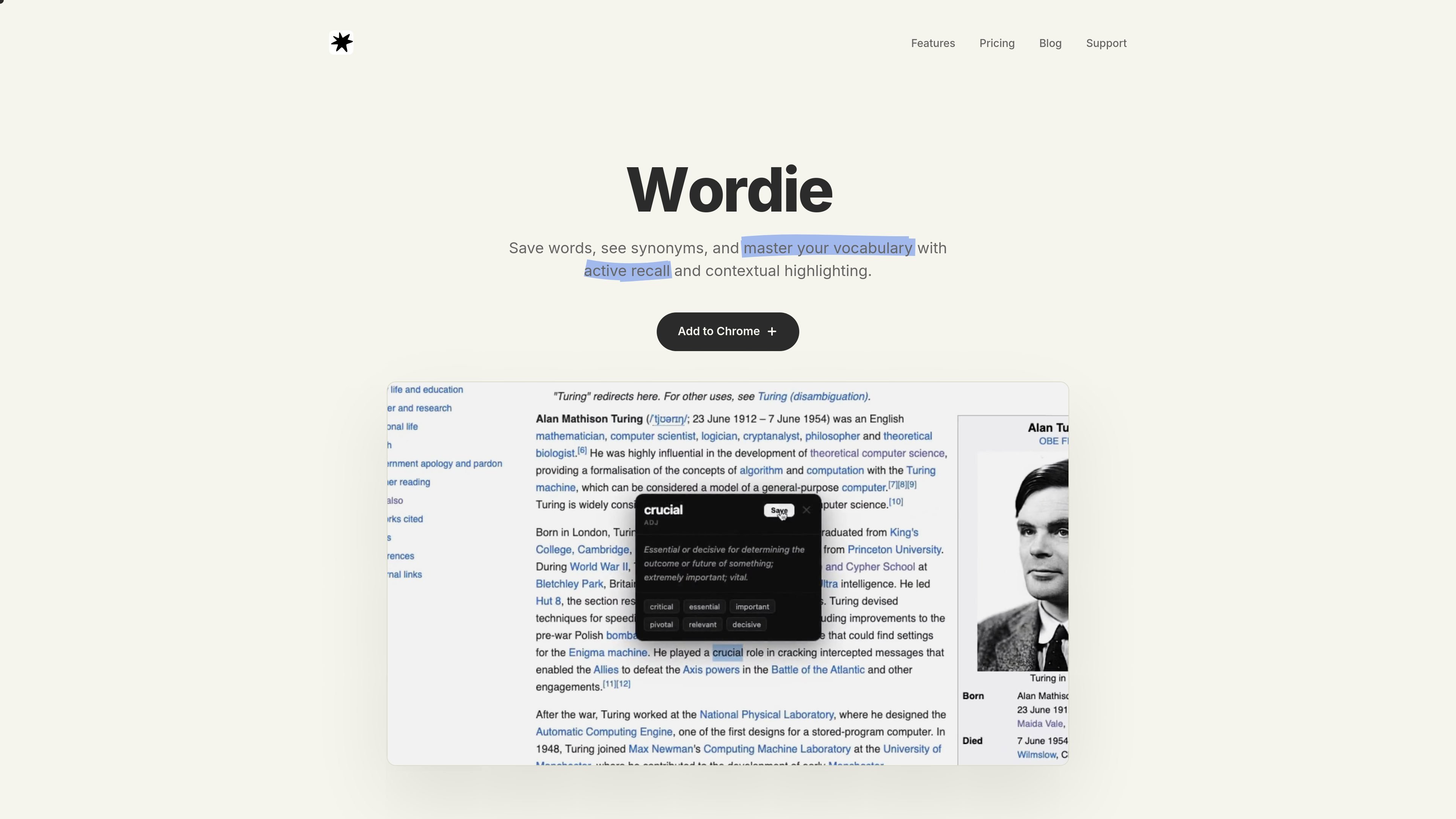
Wordie is a browser extension for building vocabulary while you browse. It lets users save words, review synonyms, and reinforce learning through contextual highlighting and active recall.
The product is positioned as a simple vocabulary tool with a free tier and paid Pro access. Its core workflow is local-first: words, notes, and analytics stay on the device, and the extension is designed to work on almost any website, with some complex or highly secured web apps potentially limiting highlighting.
Wordie scans the pages you visit and highlights words that are already in your vault, so review happens while you browse instead of in a separate study app.
A built-in flashcard workflow uses randomized tests from your vocabulary vault to support active recall practice.
The product can save words into a personal vault and surface synonyms to help with meaning and review.
The pricing page lists advanced analytics, giving users a way to review their vocabulary progress inside the product.
Wordie is described as local-first, with words, notes, and analytics stored on the device rather than synced to a server.
The FAQ says users can export the vault as JSON or CSV, which makes the data portable.
Readers can save unfamiliar words as they encounter them in articles and websites, then review them later from the vocabulary vault.
Learners can use contextual highlighting to see previously saved words highlighted on pages they visit, turning normal browsing into passive review.
Users who want structured practice can rely on the randomized flashcard tests to quiz themselves from the saved word list.
People who care about keeping their data under their control can use the local-first setup and export options instead of relying on server sync.
Students on a budget can start with the free tier or use the student plan if they want access beyond the free version.
Yes. The pricing page says Wordie is a one-time purchase for Pro, and the FAQ states that lifetime access includes current and future Pro features.
Wordie is designed to work on almost any website, but some highly secured or complex web apps may block highlighting for security reasons.
Wordie stores words, notes, and analytics locally on your device. The FAQ says the product is built on a local-first principle and does not send data to a server.
Yes. The FAQ says you can export your entire word vault as either a JSON or CSV file at any time.
The FAQ says Wordie stays on the device where you installed it to maximize privacy, and encrypted sync is only being explored for the future.

Lingofable is a story-based language learning app for reading at your level and reviewing new vocabulary in context. Spanish available; Android coming soon.

GameGrad turns PDF study material into quiz questions inside arcade games for active recall. Free tier for one PDF; Pro adds more uploads, questions, and explanations.

LangPanda is a browser extension for learning languages from streaming video with instant subtitle lookup, flashcards, vocabulary tracking, and SRS for 36 languages.

Talkpal is an AI language learning app for web and mobile with speaking, listening, writing, pronunciation practice, guided courses, roleplays, and 130+ languages.

NerdSip is an AI microlearning app that creates custom 7-lesson courses on almost any topic, with quizzes, key takeaways and visual summaries.

Yokoso is a Japanese-learning app for life in Japan, with practical daily language, adaptive lessons, and offline learning from real-world content.