

Xeder
Xeder is a Chrome extension that reads your X (Twitter) feed aloud, so you can listen to tweets while you work or multitask.
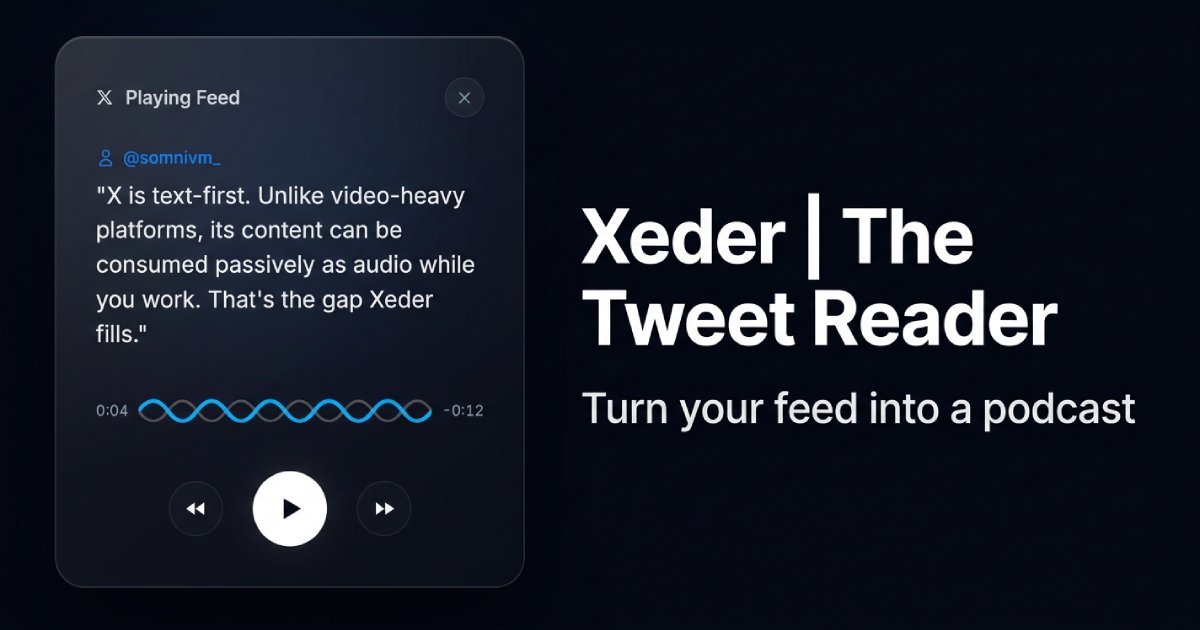
What is Xeder?
Xeder is a Chrome extension that reads your X (Twitter) feed aloud, so you can listen to tweets while you work or multitask. Its core purpose is to help you consume the text content from your feed as audio while you do other tasks.
The extension is positioned as a “tweet-reader” that takes advantage of X’s text-first nature—so you can listen to updates without actively watching the screen.
Key Features
- Reads your X feed aloud: Converts tweets from your feed into spoken audio so you can listen instead of scrolling.
- Plays the feed in audio form: Designed around “playing” your feed for passive consumption while your attention is on other work.
- Works as a Chrome extension: Built to run in the browser context where you access X.
- Text-first feed handling: Tailored to X’s text-based format, which supports audio-style consumption.
How to Use Xeder
- Install the Xeder Chrome extension from its product page.
- Open X in your browser and navigate to the feed you want to listen to.
- Start playback using the extension controls (the site refers to “Playing Feed”).
- Listen while multitasking, keeping your eyes and hands free for other activities.
Use Cases
- Work while listening to updates: When you’re focused on tasks, you can listen to your feed instead of reading it line by line.
- Reduce doomscrolling: If you want to limit time spent staring at the screen, audio playback lets you keep up with posts more passively.
- Catch up during short breaks: Use listening playback to review what’s new in your feed during downtime without intense attention on the display.
- Hand-free consumption: When you can’t comfortably read (e.g., busy desk workflows), audio output keeps the content accessible.
- Monitoring a specific timeline: For users following a set of accounts in X, listening can help you track updates across your feed.
FAQ
Does Xeder read tweets from my entire feed?
Xeder is described as reading your X feed aloud, with the goal of playing your feed as audio. The page content doesn’t specify any additional scoping beyond “your feed.”
Is Xeder designed for video content?
The site emphasizes that X content is text-first and that the platform’s text can be consumed passively as audio. The provided information does not mention handling for video-heavy posts.
How do I start listening?
After installing the extension, the typical flow is to open X and use the extension to begin “Playing Feed,” then listen while doing other work.
What does it cost?
The page indicates a one-time price displayed as $4.99 (also shown as “$5 One-Time” on the page).
Where does Xeder run?
The product is a Chrome extension, so it runs in the Chrome browser environment while you use X.
Alternatives
- Screen-reader and accessibility tools: Browser or OS accessibility options can read on-screen text aloud. These generally require more setup and may not be tailored specifically to X feeds.
- Text-to-speech utilities: General text-to-speech apps or browser features can convert selected text into audio. Compared to Xeder, they may involve manual selection rather than feed playback.
- Social-media feed readers with audio modes: Alternative apps or extensions that focus on audio or “listen” experiences for social content. These may differ in workflow depending on whether they support full feed playback or targeted reading.
- RSS or newsletter audio workflows: If your goal is passive listening rather than specifically X, using RSS/newsletter tools with audio output can provide a similar “listen while multitasking” pattern, though the content source changes from X to feeds you choose.
Alternatives

CAMB.AI
Turn a single live stream into a multilingual broadcast with real-time AI audio dubbing for YouTube, Twitch, X and more.

HeyGen
HeyGen Developers offers an API platform to generate, translate, and lipsync avatar videos with TTS models—built for scalable production workflows.

Replymer
Replymer is an AI reply agent that monitors X and Reddit, scores mentions for relevance, and drafts context-aware replies that can mention your product.

Gemini 3.1 Flash TTS
Gemini 3.1 Flash TTS by Google is a text-to-speech model for natural, expressive AI speech with granular audio tags and SynthID watermarking.

蓝藻AI
蓝藻AI is an intelligent voice-over product that converts text to speech online, supporting voice cloning and a variety of AI voice options.

MiniCPM-o 4.5
MiniCPM-o 4.5 is a highly capable multimodal AI model designed for vision, speech, and full-duplex live streaming, offering advanced visual understanding, speech synthesis, and real-time interactive capabilities in a compact 9B parameter architecture.