
Live Starlink telemetry
View live telemetry for your Starlink system, including obstruction map data, speed test results, latency, ping success, power draw, satellite tracking, alerts, events, and per-device data usage.
Dishylink is a Starlink monitoring app for macOS, Windows, and browsers. It helps owners track performance, latency, obstruction patterns, power draw, and outages from a local-network dashboard.
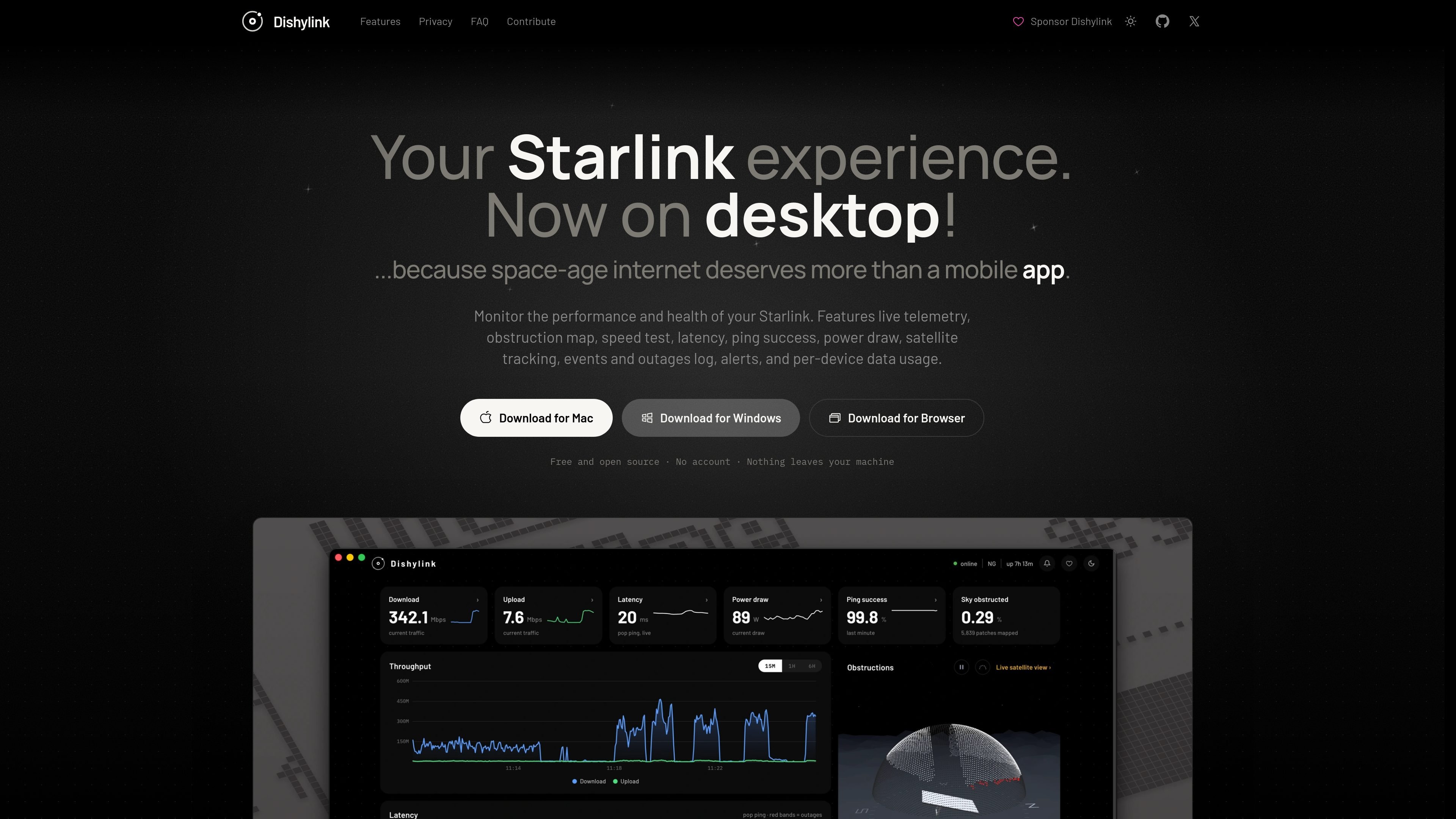
Dishylink is a Starlink monitoring app for macOS, Windows, and browsers. It is built to help Starlink owners watch link health, performance, power draw, obstruction patterns, and outage history from a desktop-oriented interface instead of relying only on a mobile app.
The app works on the local network and is positioned for use during outages as well as normal operation. The source says it does not require an account, keeps telemetry on the user’s machine, and can optionally connect to a Starlink account in read-only mode to add plan and billing data from the cloud.
View live telemetry for your Starlink system, including obstruction map data, speed test results, latency, ping success, power draw, satellite tracking, alerts, events, and per-device data usage.
Run an on-demand speed test inside the app and review download, upload, latency, jitter, and loss, with a Starlink-style animation or a traditional gauge.
See whether lag is coming from Starlink or your router by charting the dish and router round trips together in the same view.
Track real-time power draw and historical energy breakdowns with recorded totals that preserve the amount of data actually captured.
Inspect connected client devices, including name, vendor, band, signal strength, signal-to-noise, joined node, and live traffic history.
Use the app on macOS, Windows, or in a browser, with downloads and live notifications available even when the app is closed.
Check whether a slowdown is coming from Starlink itself or from the local router network by comparing dish and router latency in the same chart.
Review an outage after it clears by looking back through the event log, alerts, and live status history to see what changed and when.
Tune dish alignment using the target rotation and tilt guidance, along with the visual alignment display, to make small adjustments more deliberately.
Watch which devices are connected, what band they are on, and how much data each one is using to understand where household or office traffic is going.
Monitor Starlink power draw and historical energy breakdowns when you want a record that goes beyond the terminal’s short built-in memory.
No. Dishylink is designed to work over your local network and continue functioning during an outage, so you can still inspect what happened when connectivity drops. The source also says that connecting a Starlink account is optional and read-only.
Not according to the source. Dishylink states that telemetry is never sent anywhere and that everything it records is written to your machine.
The source says Dishylink is available on macOS, Windows, and in browsers. Downloads are offered for macOS 12 or later, Windows 10 or later, and browser installs for Chrome, Edge, and Firefox.
Dishylink includes live telemetry, obstruction mapping, speed tests, latency analytics, power draw monitoring, satellite tracking, events and outage logs, alerts, and per-device data usage.

PromptScout tracks how ChatGPT, Gemini, Google AI Overviews, and Perplexity mention your brand or competitors, then pairs those results with source analysis and website audits. It helps teams decide what to fix in content, positioning, or site readiness next.

Sleek Analytics is a privacy-friendly web analytics tool with real-time visitor tracking, Core Web Vitals, and revenue attribution. It helps site owners understand traffic and conversions without cookie banners or a heavy setup.

MacSpoof é um alterador de MAC no macOS que permite trocar ou randomizar o endereço Wi‑Fi para reconectar e reduzir o registro da identidade.

ClawTick is an AI agent automation platform for scheduling jobs from the CLI, dashboard, or REST API. It is aimed at developers and teams running LangChain, CrewAI, webhook, or custom agent workflows that need monitoring, alerts, and logs.

OpenFlags is an open-source, self-hosted feature flag platform for modern JavaScript teams. It supports local evaluation, targeted rollouts, and controlled launches while keeping flag data in your own infrastructure.

Benchspan is an AI agent security platform that discovers agents, blocks prompt injection and data exfiltration in real time, and supports pre-launch red teaming. It is aimed at teams running agents in production and includes Python and TypeScript SDKs.